Hey!
Here is another useful link with many basic combinations 
2 Likes

1 Like
I’m late to the thread, but I wanted to say as somebody who is more comfortable with designer than something like photoshop or krita, I use it to create noise textures and masks for VFX
Here’s a breakdown of a effect I made a while back using designer, houdini (for a smoke sim), and niagara for a low-cost fire effect:
https://www.artstation.com/artwork/6bDN2N
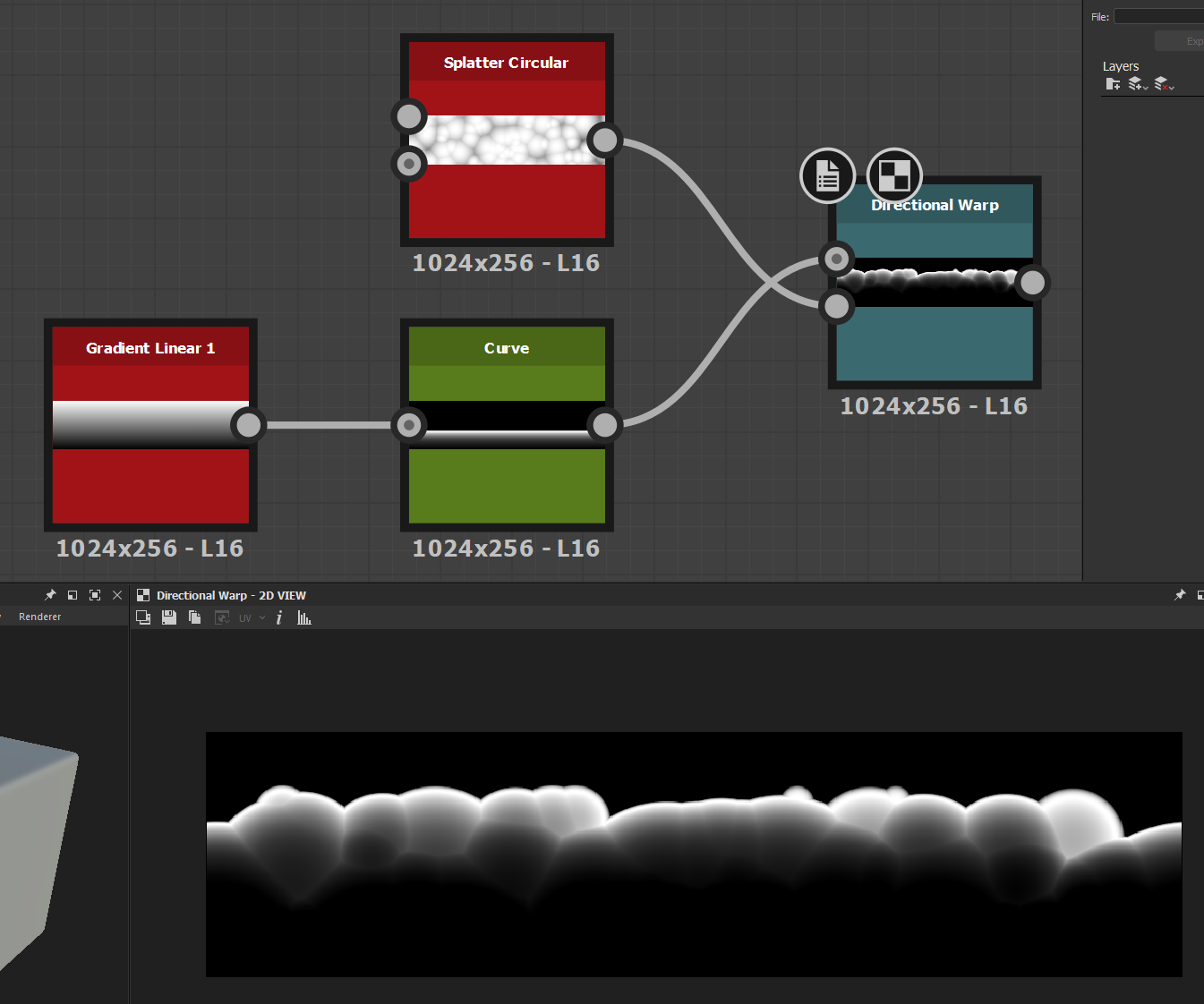
I made the shape of the flame as a mask in designer. This would probably be easier in photoshop/krita but as I said I’m pretty comfortable with designer. I also made the tiling flame shapes/texture in designer. For both the mask and the flame shapes, there are 4 versions of each stored packed into different channels (RGBA) so that I can have different variations with a single texture
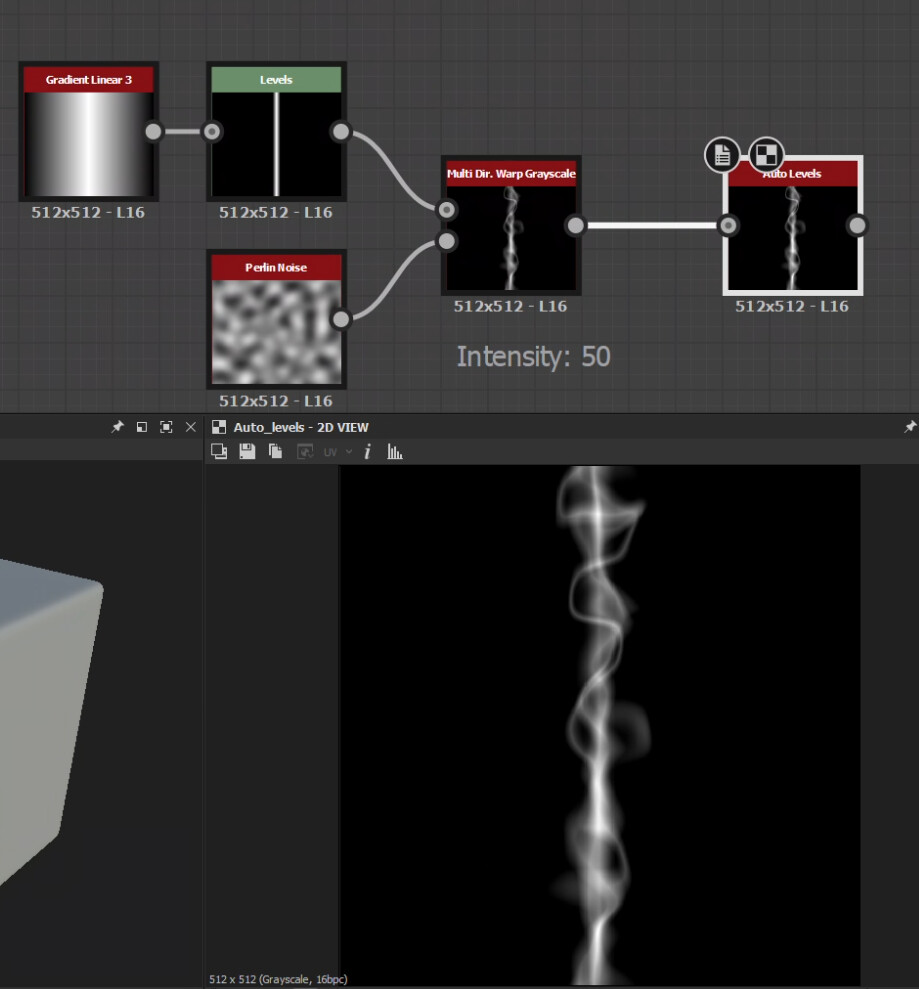
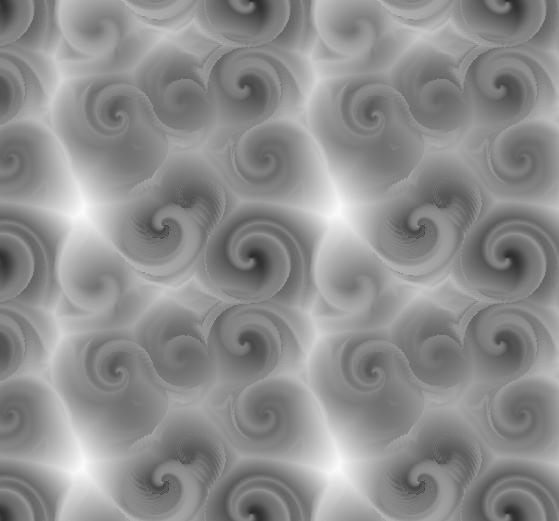
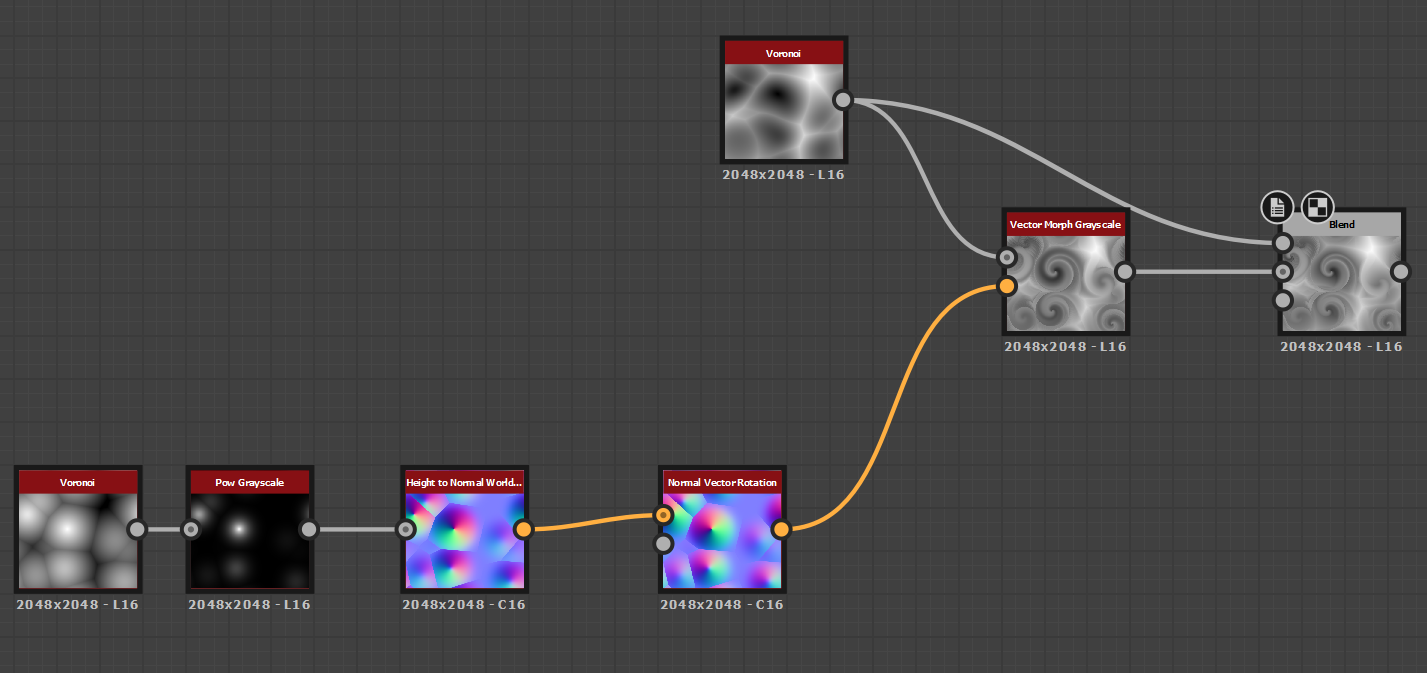
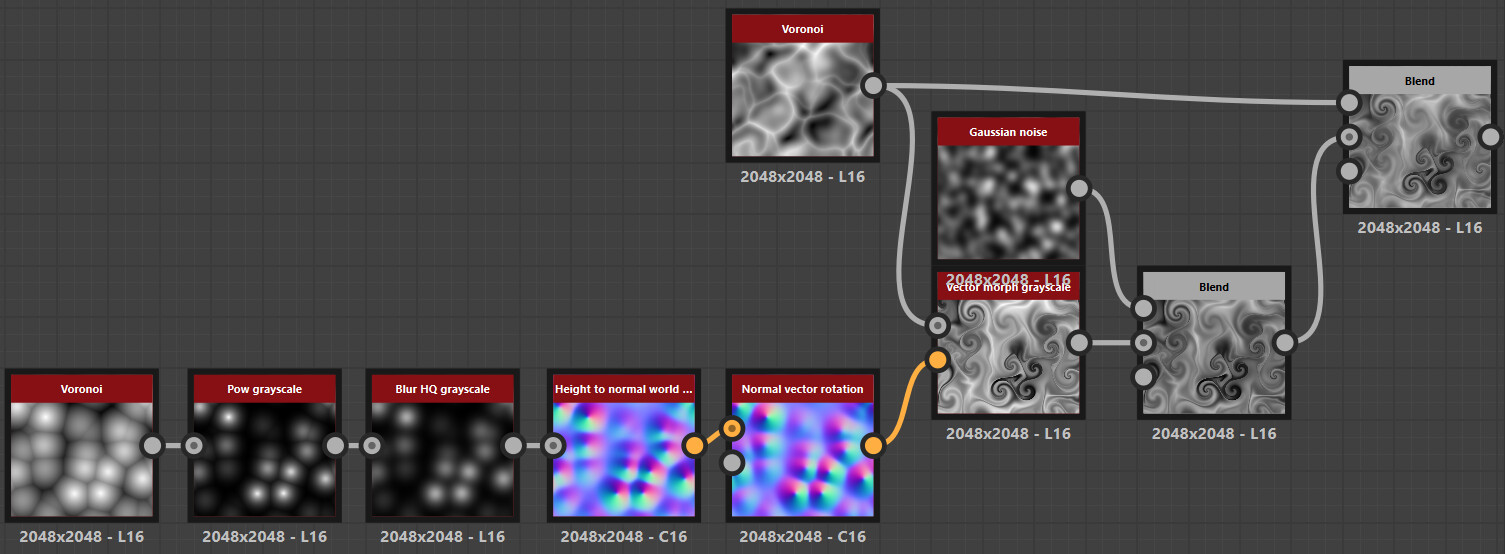
Took a crack at making the swirly noisy texture prevalent in Papa Trümpler’s whispy boom effect. Shout out to this article for the trick to making curl fields in Substance.
7 Likes
Thank you for sharing your work! I’m just in the beginning phase of learning substance designer and I made some discoveries working from your screenshots as a base. So for people who might stumble across the thread who are in a similar situation as me, I’ll add what I found:
- It appears to be vital for the normal format of the “Height to normal world units” node to be DirectX rather than OpenGL.
- Passing the powered voronoi through a “Blur HQ greyscale” node appears to eliminate all the artifacts that appear when morphing
- Multiplying in a low opacity gaussian noise gives some nice volume
3 Likes