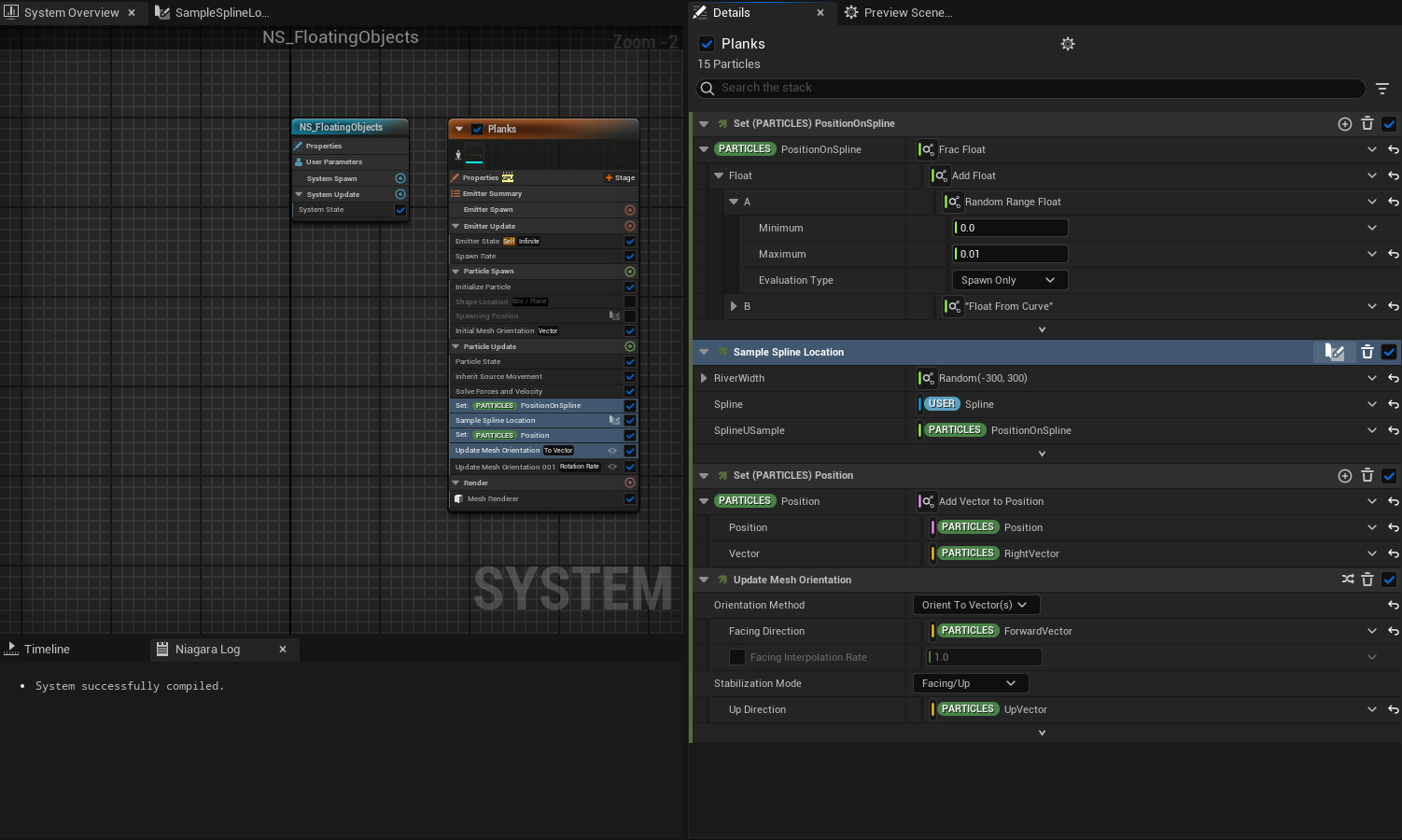
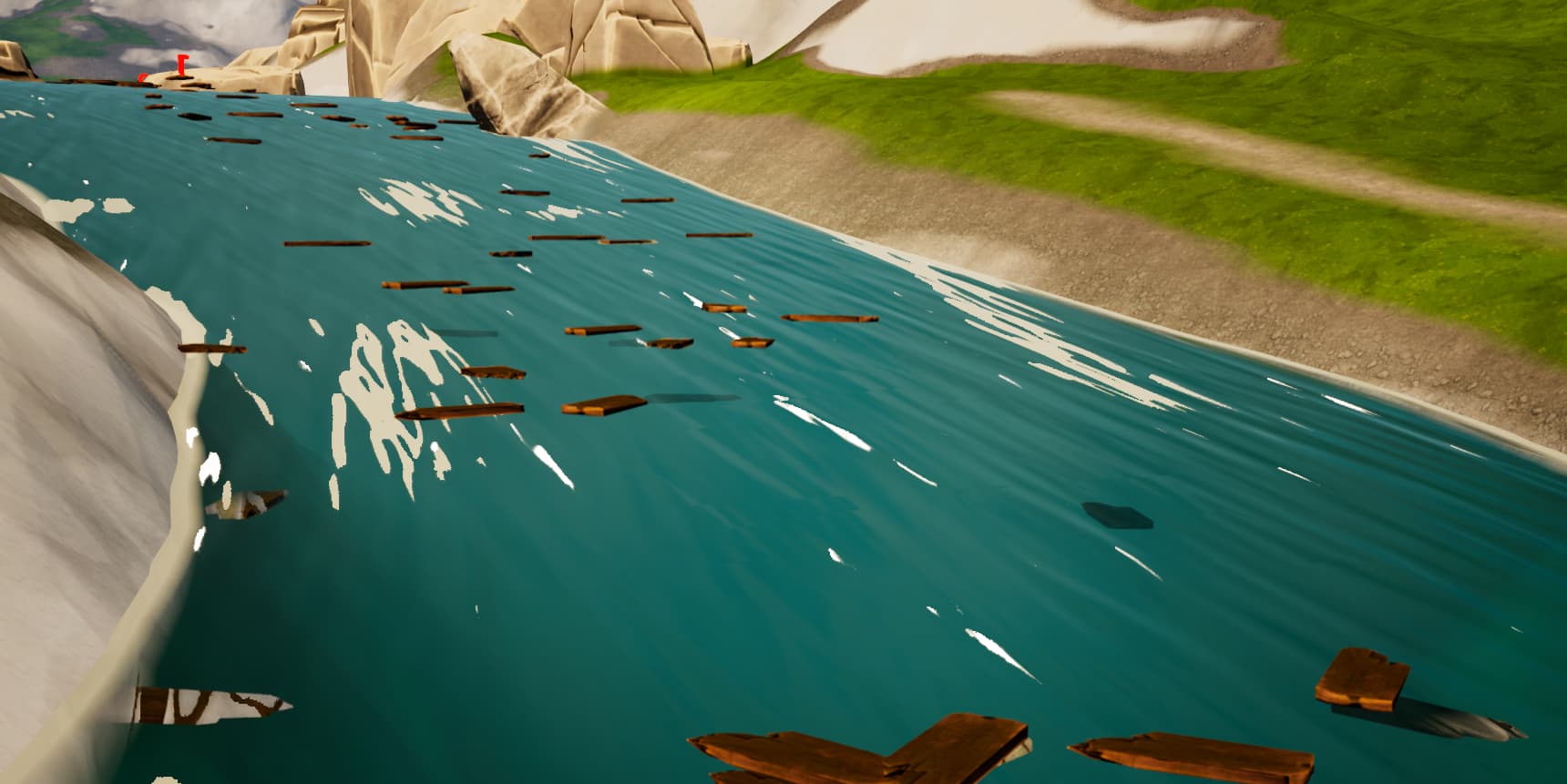
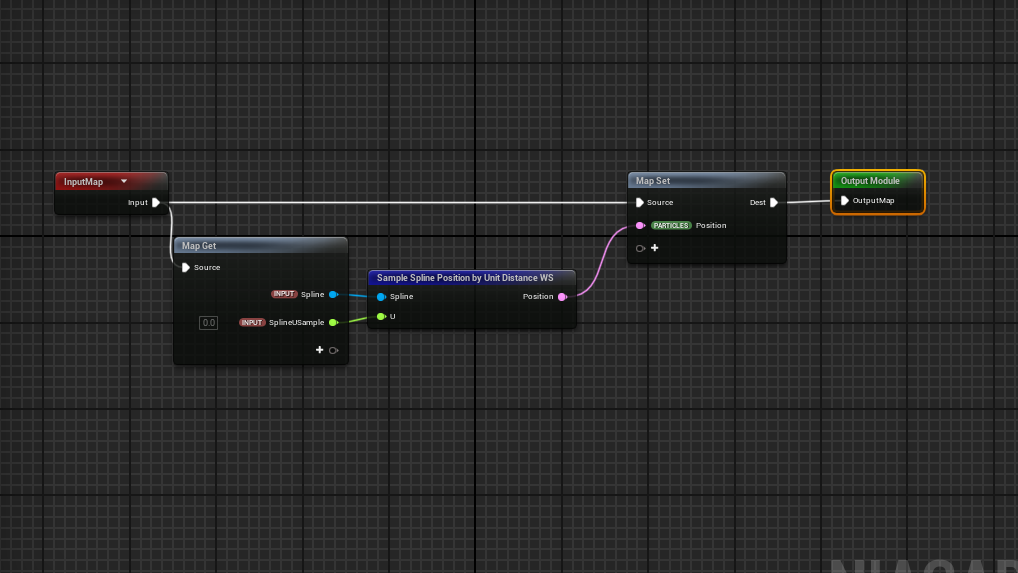
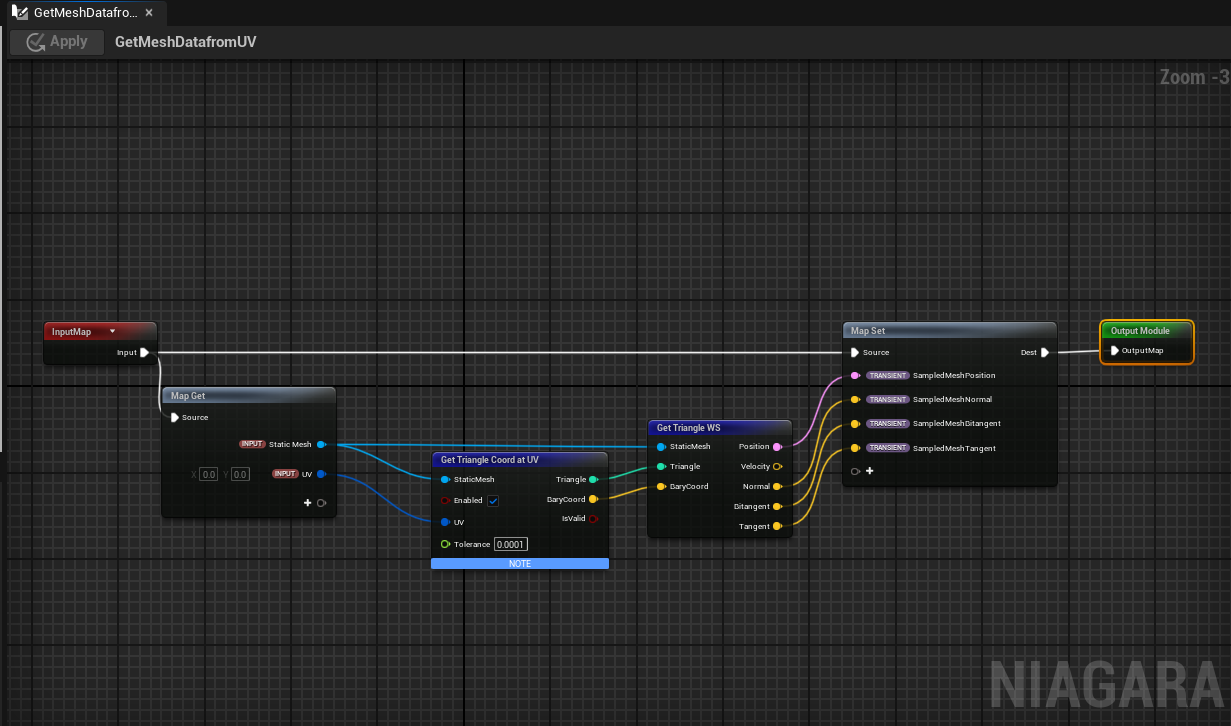
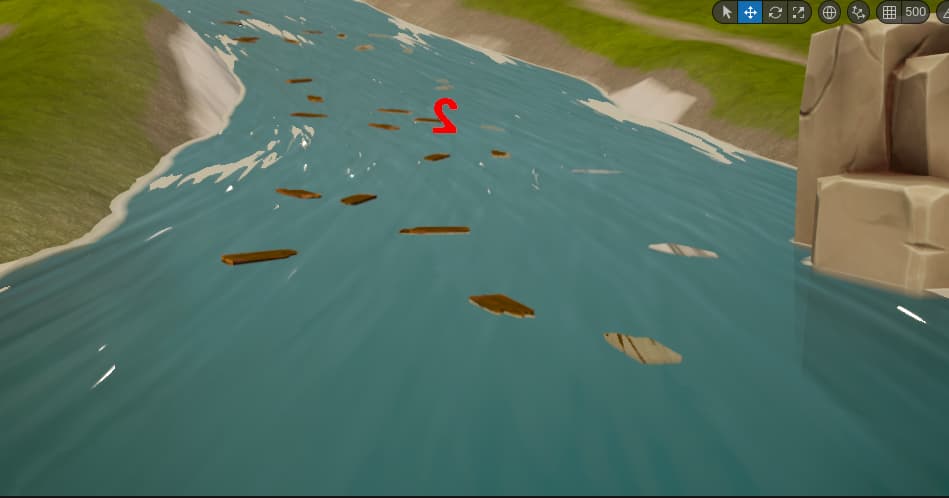
So I got a task to create a Niagara particle system of meshes that float on a river spline Blueprint. So I kind of got something on a straight spline, but on downhills the meshes go off a bit and don’t stick to the river because they go along the spline tangents and not the mesh ones. I can’t fully get the meshes stick to the surface of the river (river mesh). The river mesh has turned off distance field so that option is off, I also tried sticking it to the mesh UV that watched from a tutorial from Tharle but the particles attached only on the start or first plane of the spline not the whole spline and also only on one side of the river plane. It might be that the plane is mirrored in the BP, but I’m not allowed to touch the BP :S Any Ideas or other way this might work with?
Thank you!

Are you using the same spline in both cases. And can you check which one is not following the spline correctly?
If all else fails you could always bake out a height and flow map of the river and spawn your particles on that. Though the accuracy of that will depend on the elevation change in your river and how large it is
Hey man Thanks for reaching out. So to answer your question first, Yes its on the same spline as the river. So I got a better result now, I think the problem is in the shape vector, but dont know how to solve that part, so I added the forward and the up vector and is looking better now, but now its offsetting a bit on the curves so I guess is the right vector? Maybe the whole shape is rotating a bit and the sides are not sticking to it. Because when I use no shape and all the meshes float in the middle its perfectly fine. So im guessing: Can I do something else insted of using a shape? Maybe just the width of the spline the river uses? Not sure :S
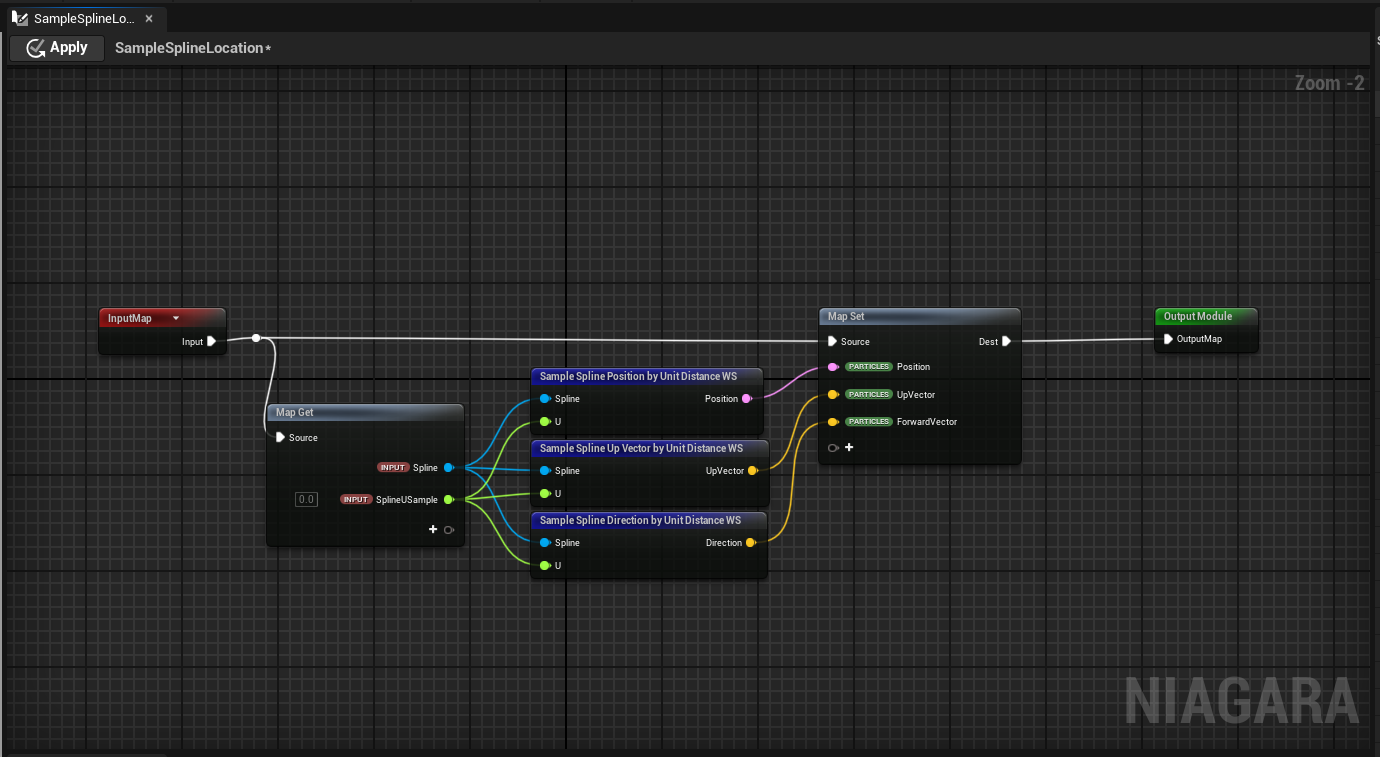
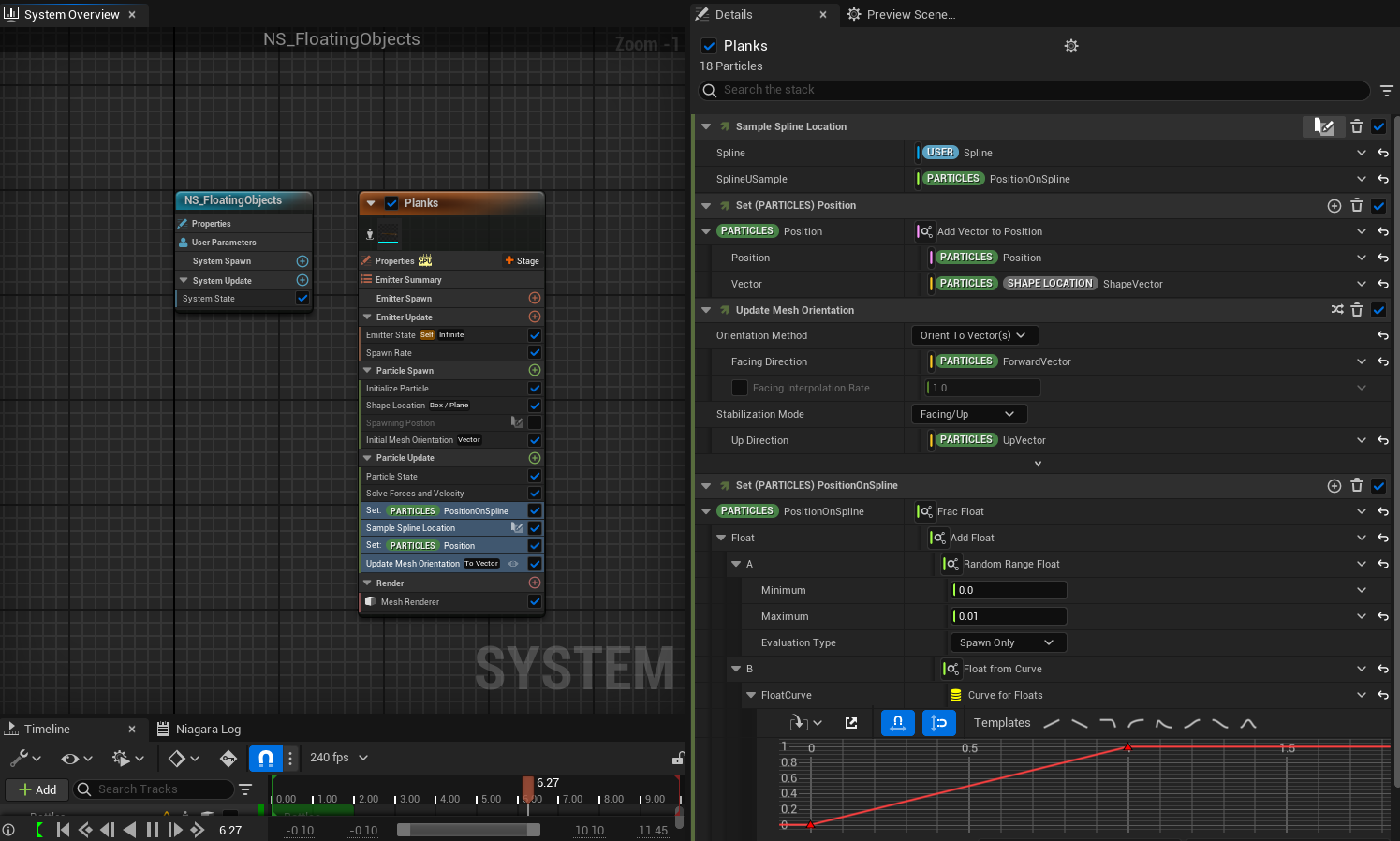
What if you don’t use shape location at all (including the one in particle spawn), and instead of Particles.ShapeLocation.ShapeVector, use spline right vector.
Also since you are rotating the meshes, check that the origin does not have an unexpected offset
Yes that’s what I want to do but don’t know how :S How would I offset them spawning from the middle of the spline?
Adding a vector to the position u get from Sample Spline Position by Unit Distance WS should do it though you may need to multiply the vector by the direction you want the offset to be in first.
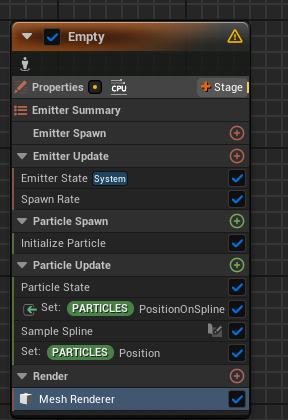
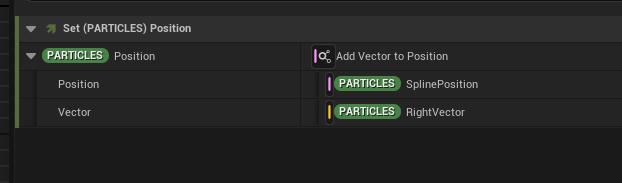
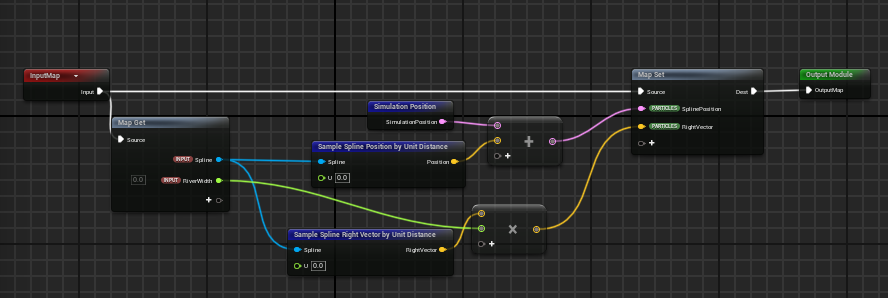
Yeah tried it still doesn’t work :S I think its definitely something wrong with the river BP. Even tried adding the sim position like you did, in that case nothing happens at all. Thanks for the help guys I will dig deeper in the River tool and check :S If I find something I will let you know. Maybe its because the spline uses the spline heights from a curve? Not sure. I tried on a simple Spline Road Blueprint and it still gets offset so the issue might not be the River Tool. Thanks for everything!