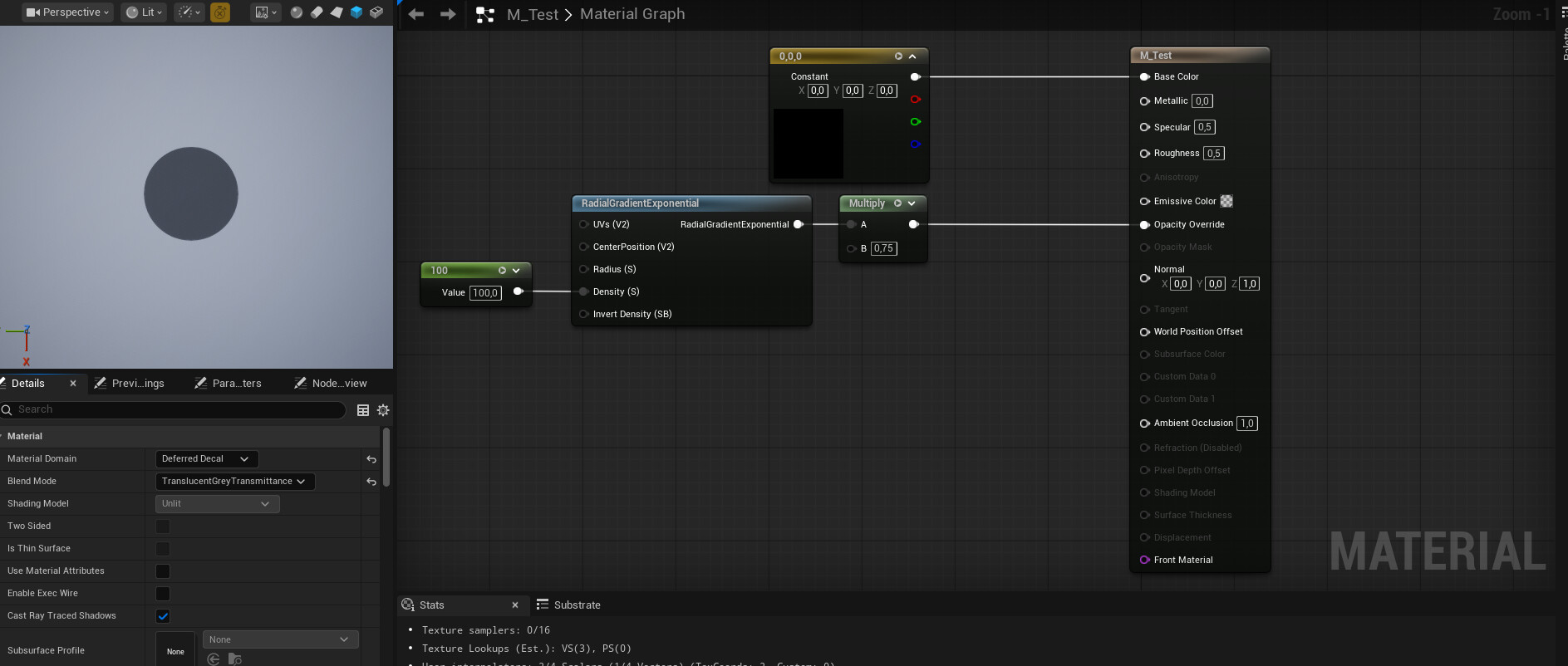
I created this plant that shoots seeds at the player and I want to add some type of indicator that shows where the seeds are going to hit.
Is it possible to get an shader or a material node that is like a distance field with a one minus, gives me the inside area of a mesh?
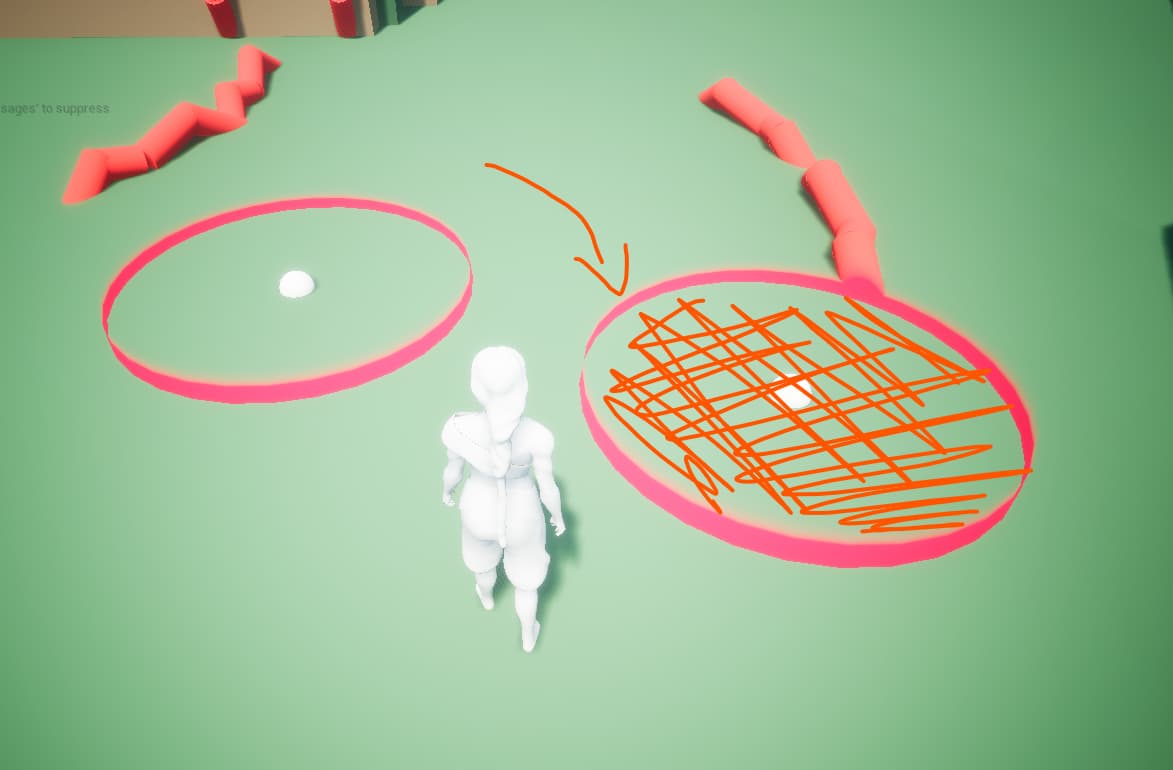
Maybe it’s just me but I don’t understand the situation/question. Maybe you can get better answers if you try to explain it differently.
The shadows that is created at the bottom of wile e. coyote. I want to recreate that but without having an object casting a shadow. I thought of using planes and decals but I can not get them to work on any type of surfaces shapes while project properly.
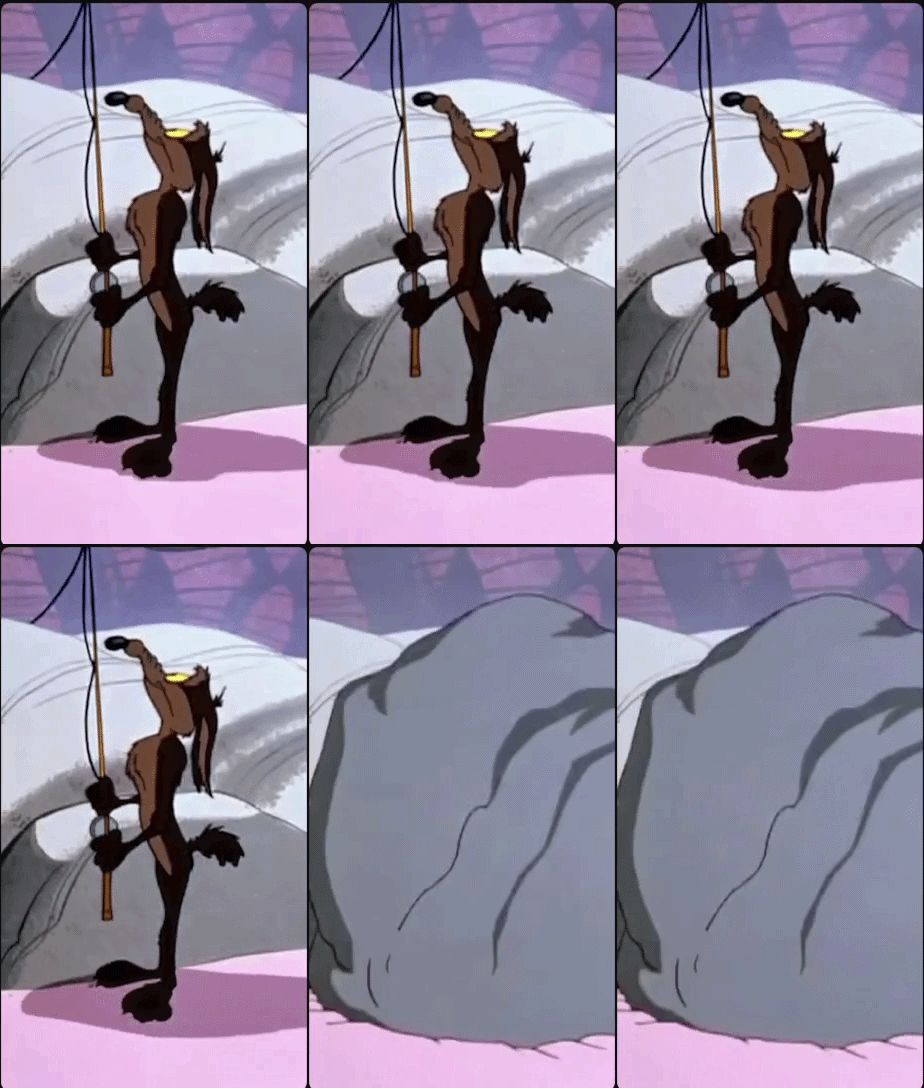
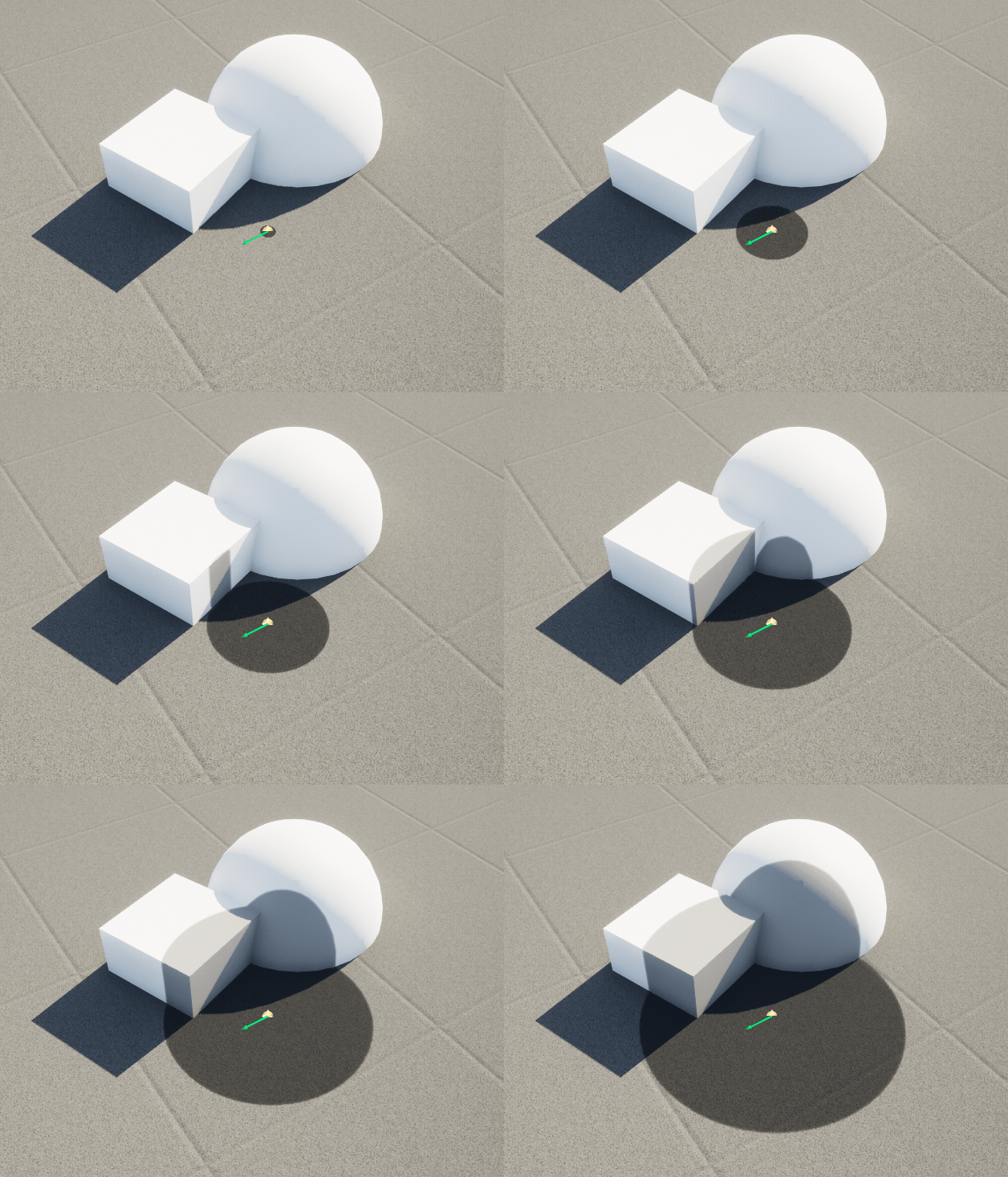
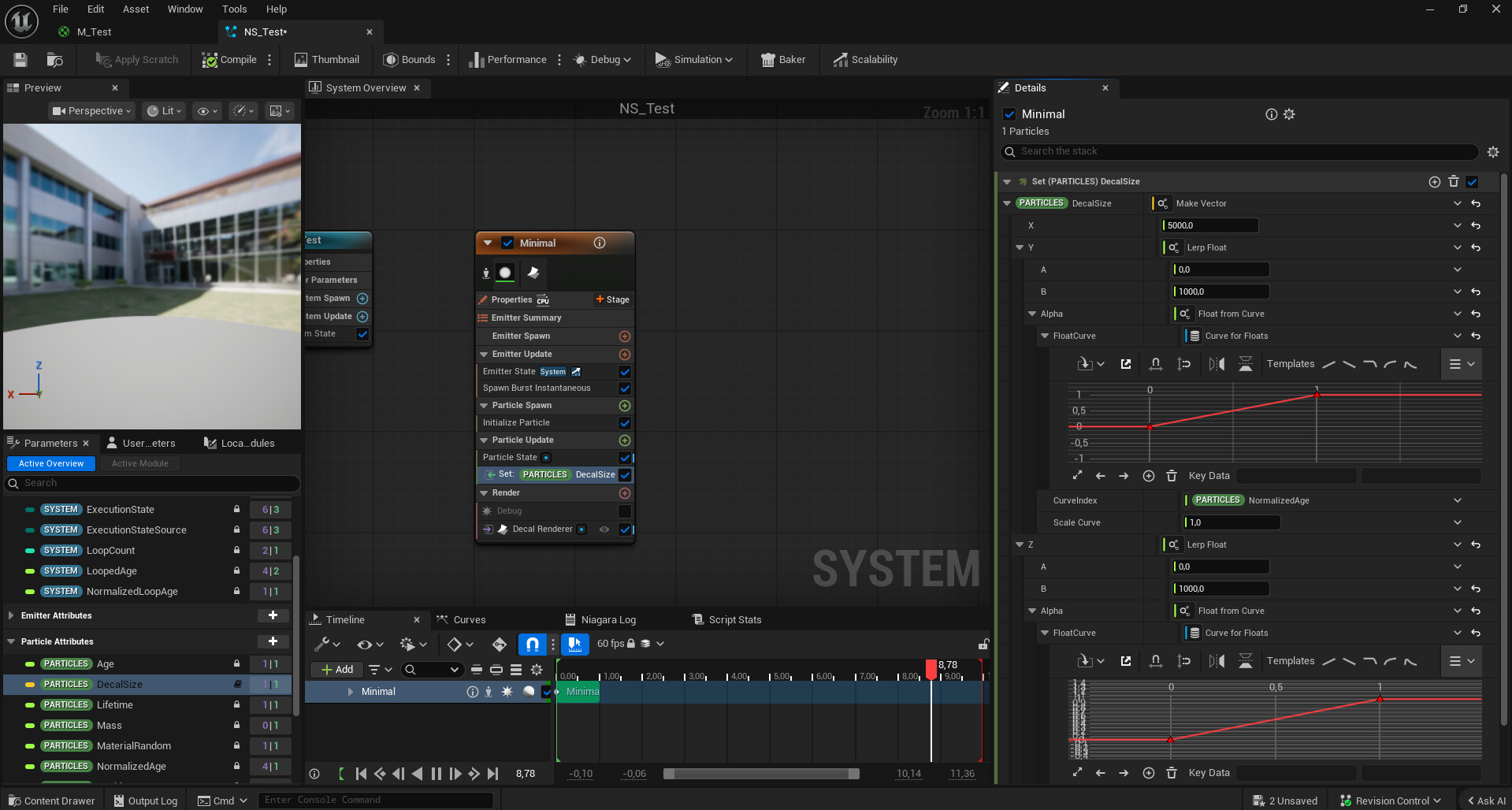
If the shape that you want is a completely filled shape without any texture like in the reference I think decals should be your way to go since the usual decal stretching issues won’t appear. Not sure what problems you might have encountered but here’s an example using Niagara
1 Like
Ah now I know what you mean with the inside area of the mesh, kinda like an intersection? As the poster above mentioned, decals would be the standard way. As always it highly depends on your use case/goals. You could get fancy and do stencil buffers, e.g. there’s a sphere growing where the shadow would be, but the sphere doesn’t render directly, it just writes values to the stencil buffer so the ground mesh can use that to render a different color there.
1 Like
Ill try again both solutions u guys suggested thank u!
Ended up using the decal. However I made a little change with how the sphere is projected as I wanted something that did not acquire the stretched look once the decals was intercepting with a straight surface.
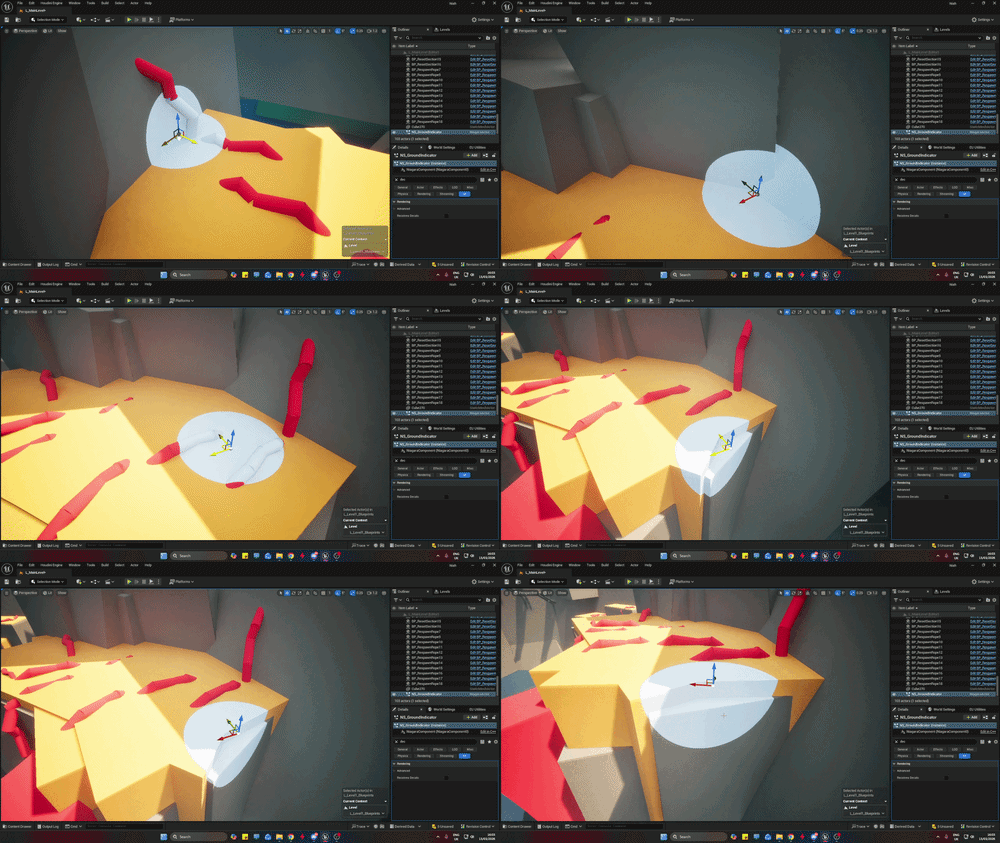
I used a sphere mask with a world space and object pivot point to line the sphere to the decal centre. While doing so I noticed that Dynamic parameters do now work with decals for some reason.
how did u maintain the sphere shape while increasing the size of the decal without making it look squarish?