Hi everyone! I’ve had this problem for some time now and I don’t know how to fix it or what’s causing it since I haven’t seen anyone else encounter this issue.
Whenever I use transparency in materials in which the texture is moving, it leaves trails of pixels behind, making it look sort of like a low quality video. Here’s an example:
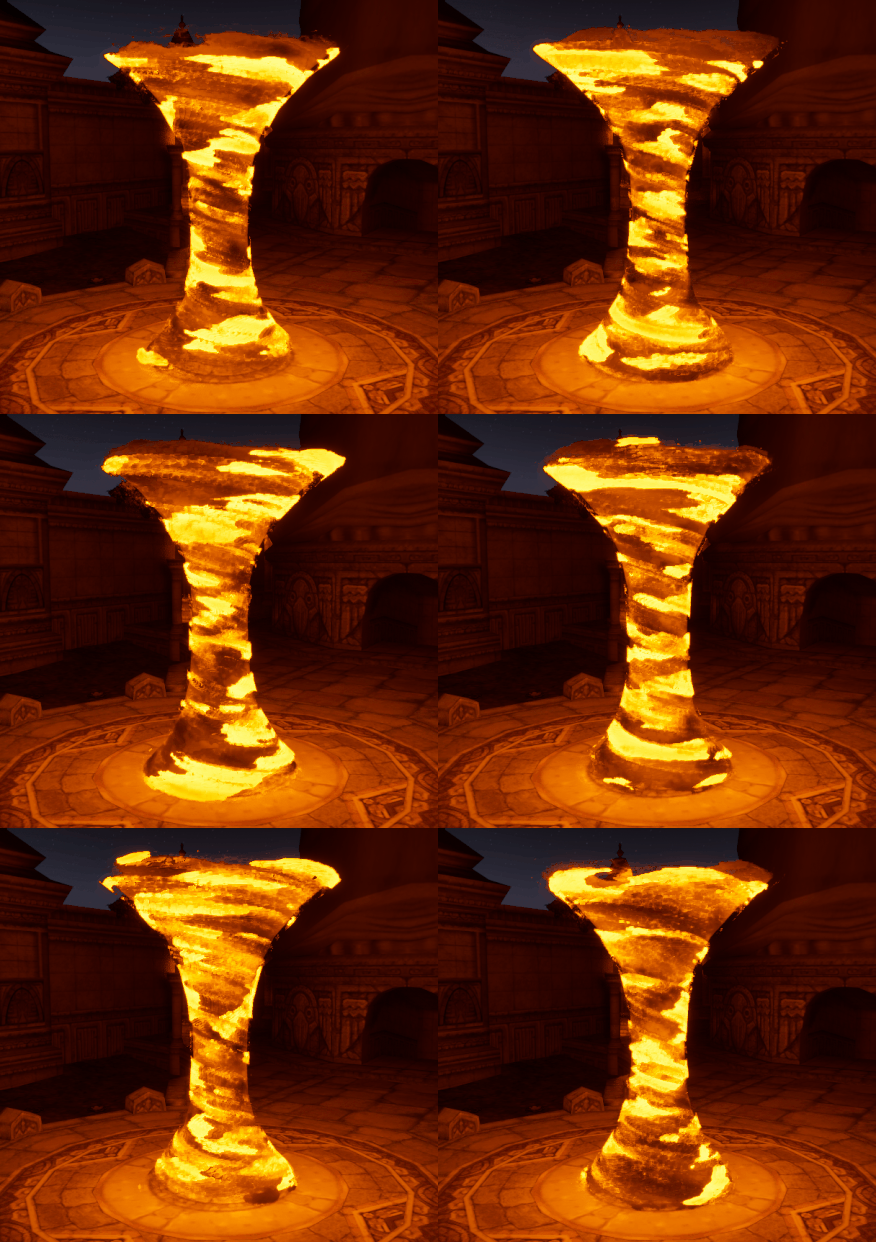
This is how it looks from the level editor, playmode and material editor. It mostly happens when using masked materials for stylized effects but translucent, additive and even opaque blend modes have had the same issue (though less apparent) when the texture is animated. The only way it doesn’t appear like this is using sequencer to film the scene, unlit view mode or from Niagara’s viewport.
Has anyone ever come across something similar or knows what could be causing this? It’s really hard to iterate or asign values to the parameters without being able to properly see the outcome 
Thank you!
