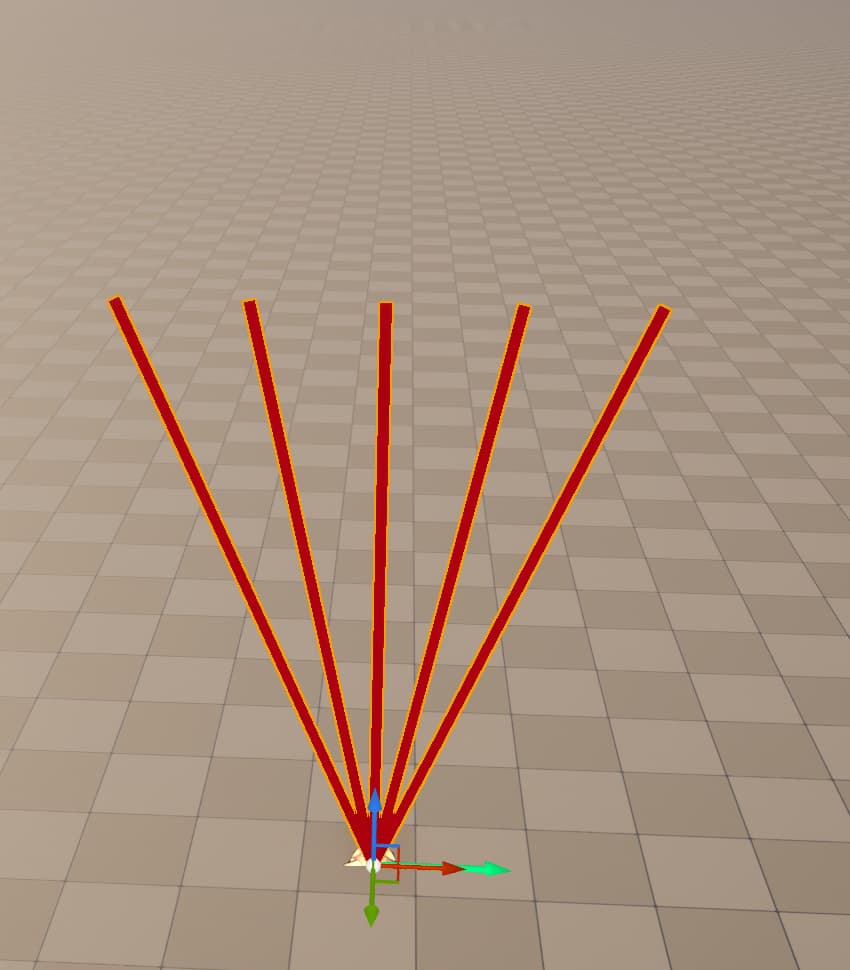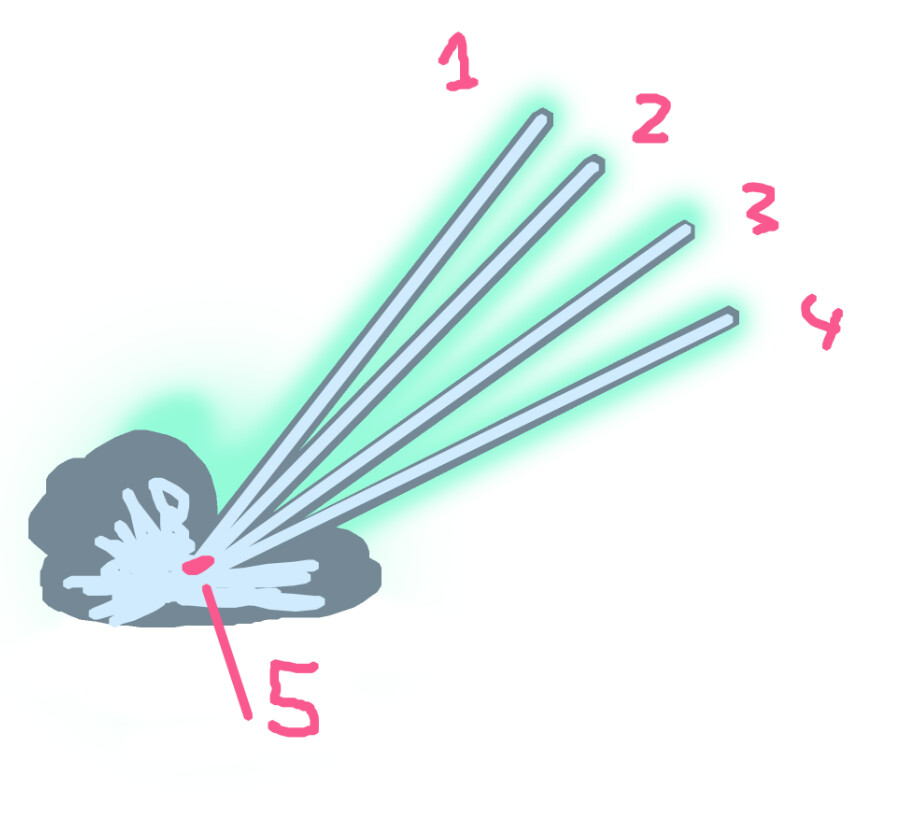
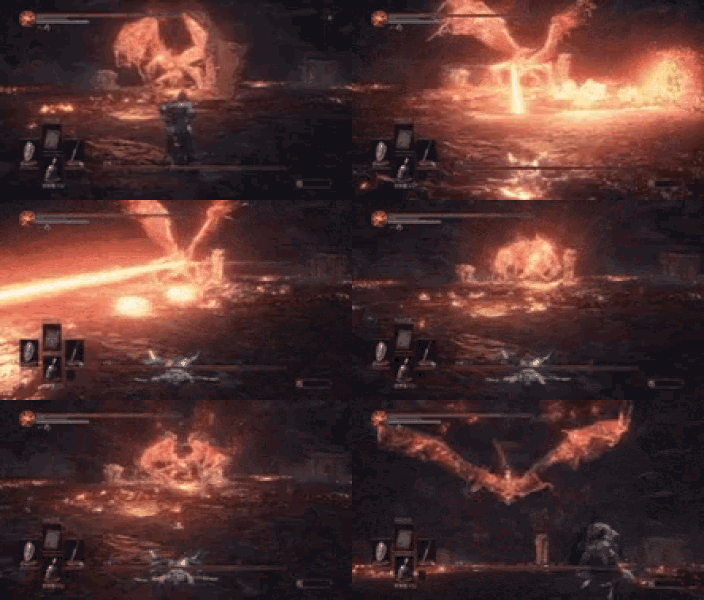
Im looking to make something simular to this very small gif with a dark souls laser attack.
But instead of one laser I want 4/5 starting from different points but the end point being the same.
How would you guys attack an effect like this?
Im looking to make something simular to this very small gif with a dark souls laser attack.
But instead of one laser I want 4/5 starting from different points but the end point being the same.
How would you guys attack an effect like this?
Hey,
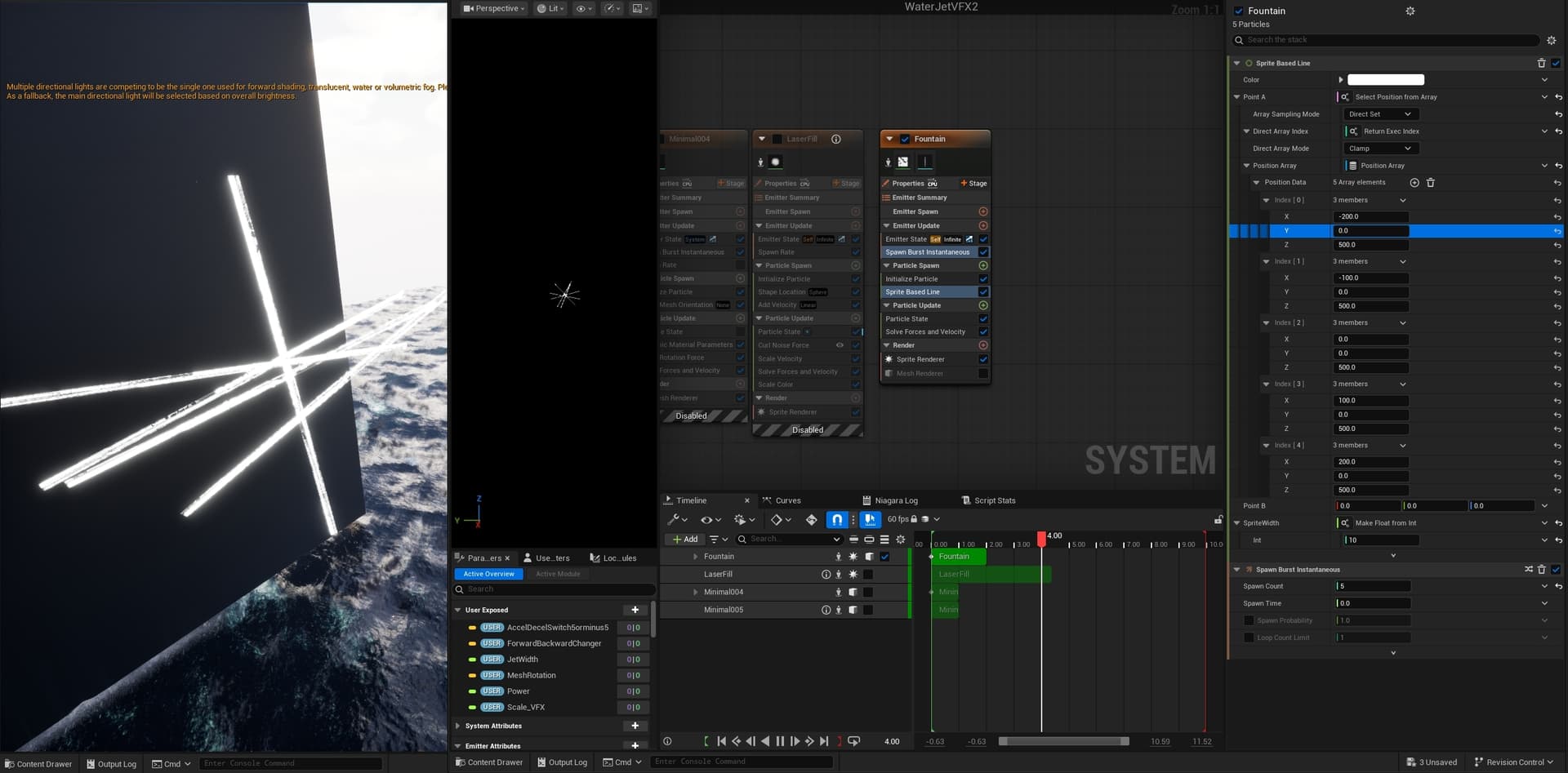
I build an example of how you should get your position points using and array and line renderer to help visualize the process.
Depending the the complexity of you lasers, you could mesh particles, ribbon or beams to acheive your goal.
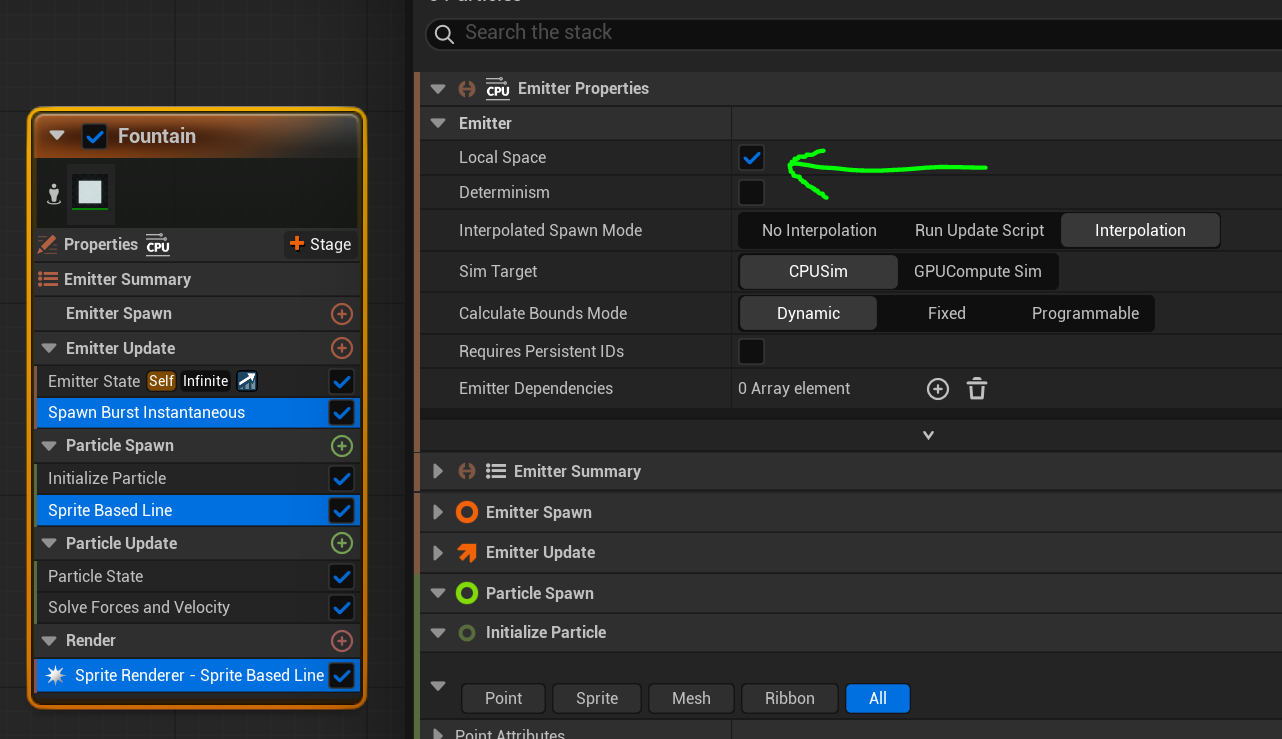
First, to use the “sprite based line”, you should set the emitter into local space.
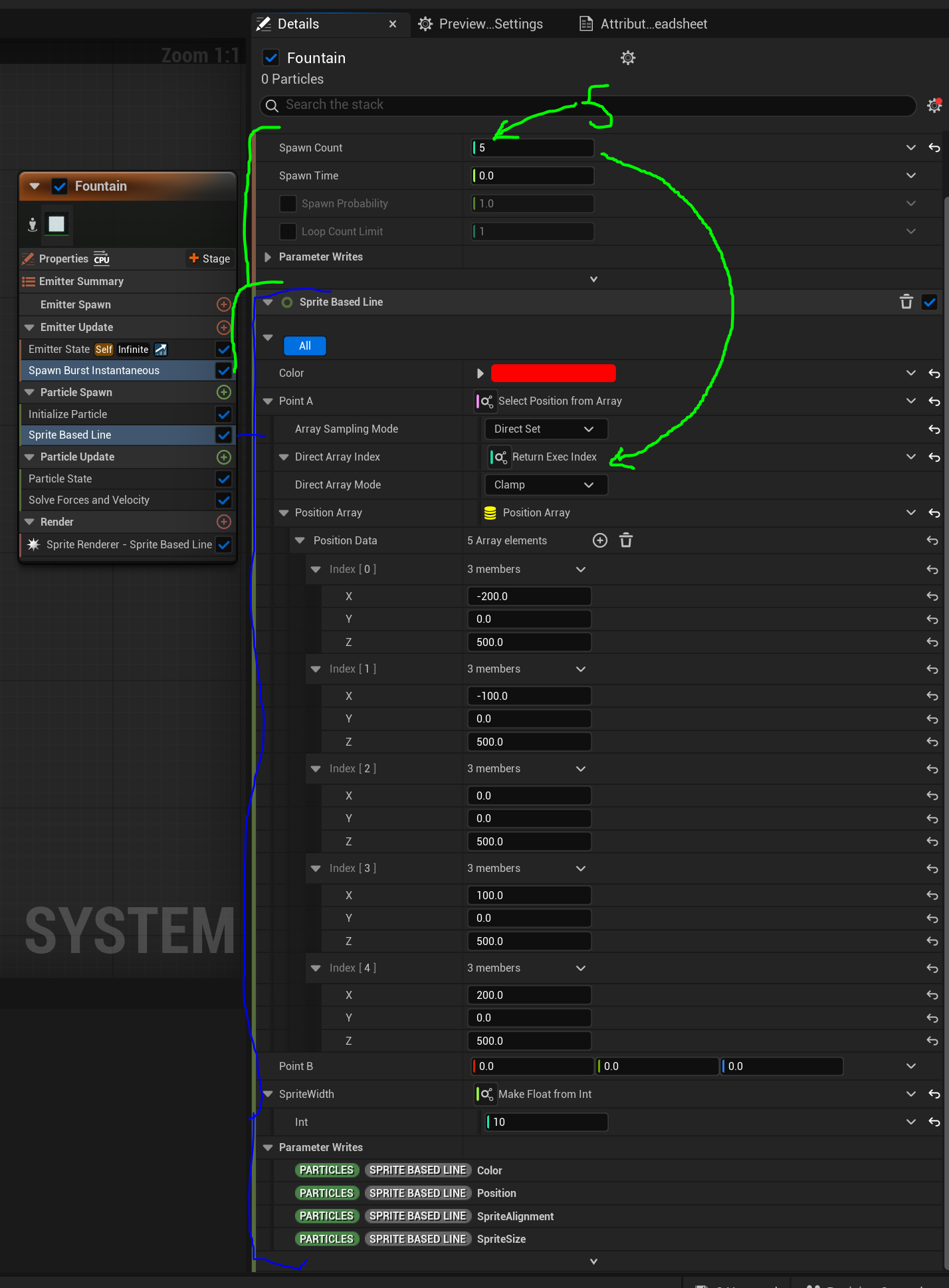
Next set the spawn burst to the amount of beams you’re looking for, in this case I used 5.
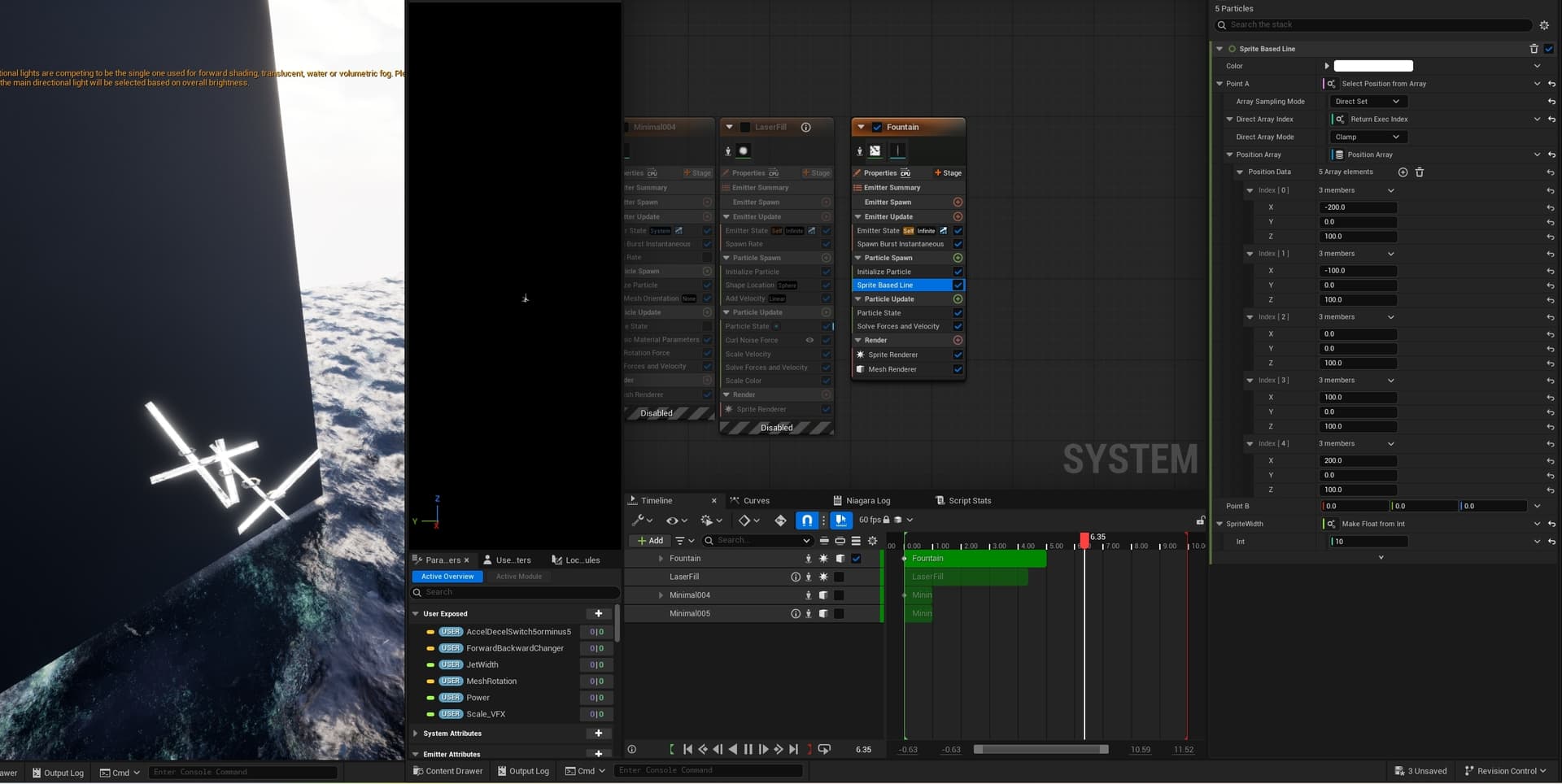
In the “Spire based line” module, you can add an array to the A or B point. here you can set the offsets of wehere you want your beams to start. Then you want to set the direct index array to use the execution index to determine the offsets for which particle is spawned.
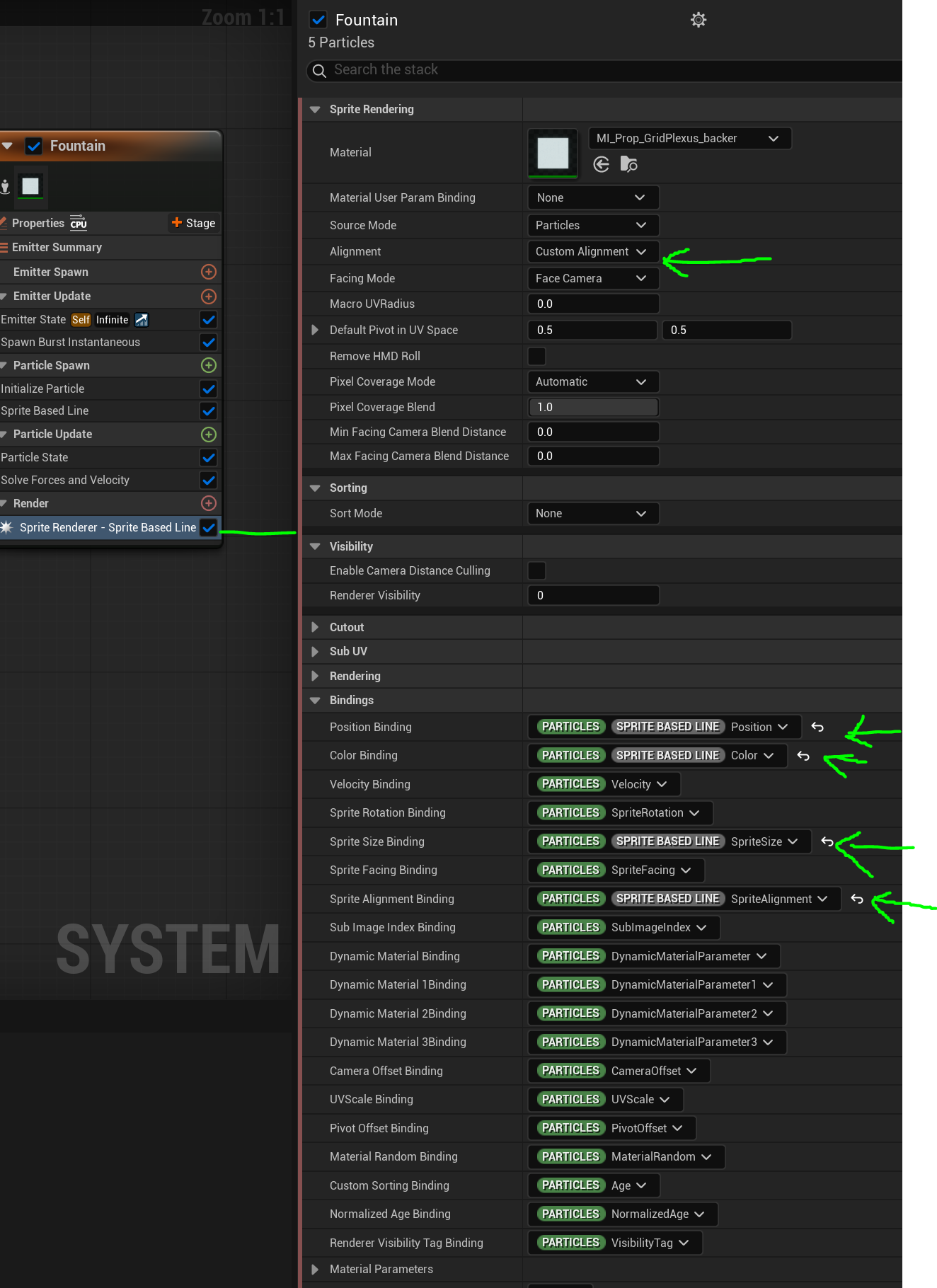
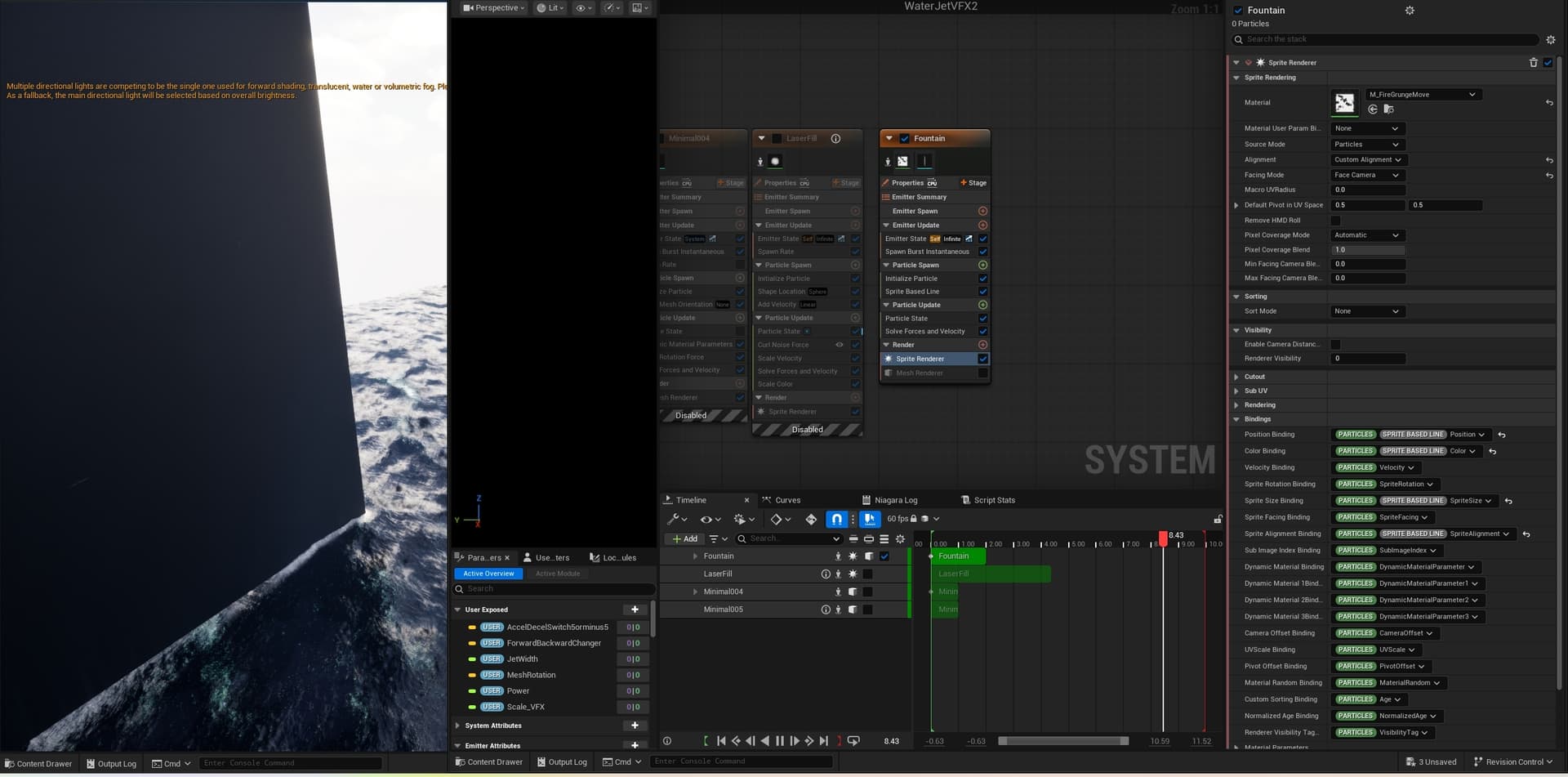
lastly, for this module to look correct, you’ll need to change some of the sprite renderer bindings.
I hope this help a little in understanding how to get array position data. The next step would be to determine in which way do you want to spawn your laser beams.
Hey!, thanks for the reply. I’ve tried to set it up the same as you have to better understand how it works and what does what. However for me it doesnt convert to one point.
The way I understand it in the array A in local space I set the start location of point A of the sprite. And at point B I set the end location. Starting with 5 different ones and ending them all at point B (currently 0,0,0)
But it doesnt act that way for me, what did I misunderstand there?
try posting you images here
In your Initilize particle, disable the random rotation
Thats it! foolish mistake haha. Thanks for pointing it out 
Earlier you mentioned its possible to do this with mesh aswell, with mesh you have less options with the bindings. I’ve tried some out but they didnt give a simular result. Is this a simular process?
The single laser base I already made did use a cyllinder mesh for the laser, would be super cool if I could transfer that over!
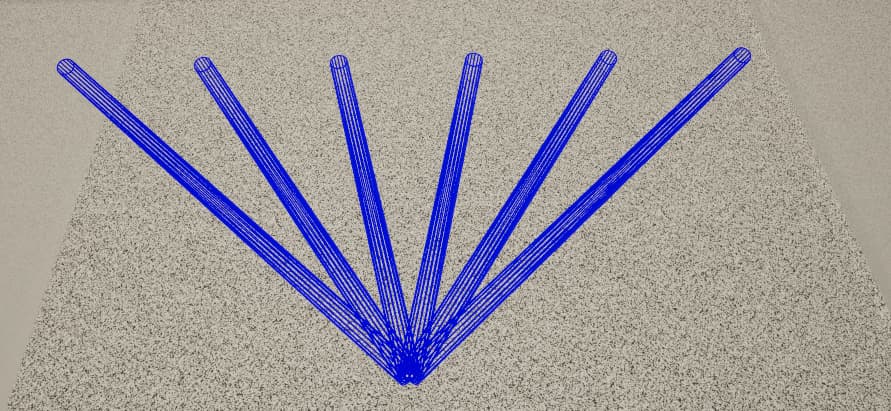
Im not sure you can use meshes with the sprite based lines module, I’ve taken a different approach and did it with ribbons which can take the shape of a 3D tube.
For this to work I first set up the number of ribbons and how many particles each ribbon should have (down to a minimum of 2) as user parameters which I used for the spawn burst module.
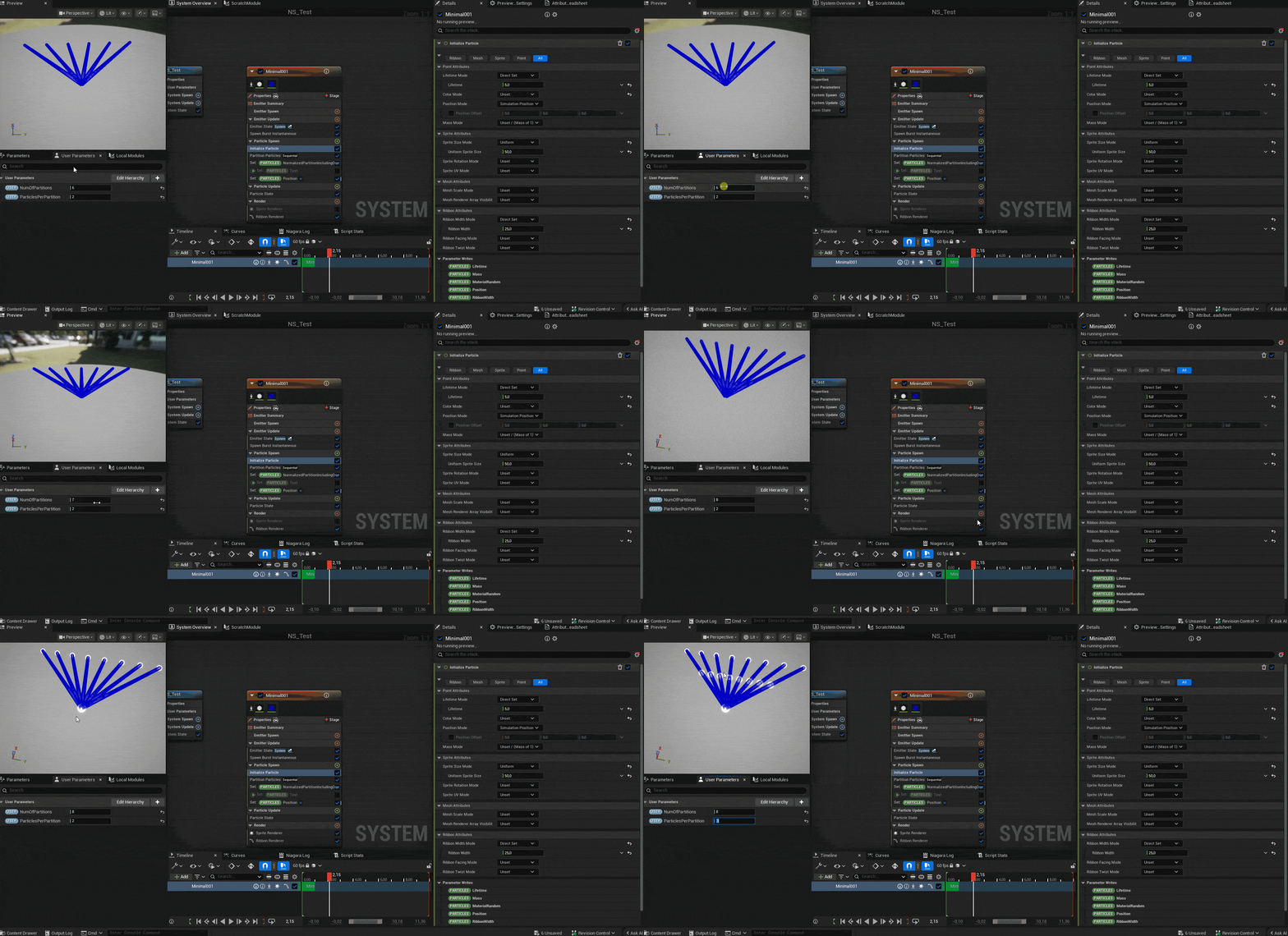
Then I used the Partition particles module (here’s a great tutorial) to separate each ribbon and then it’s just some lerping between values using the Normalized Index in Partition and a normalized partition parameters (in this case i had to manually create a normalized partition parameter because the one thats created from the partition particles module doesn’t have the option to include 1 and i needed it for lerping).
Here’s the complete setup:
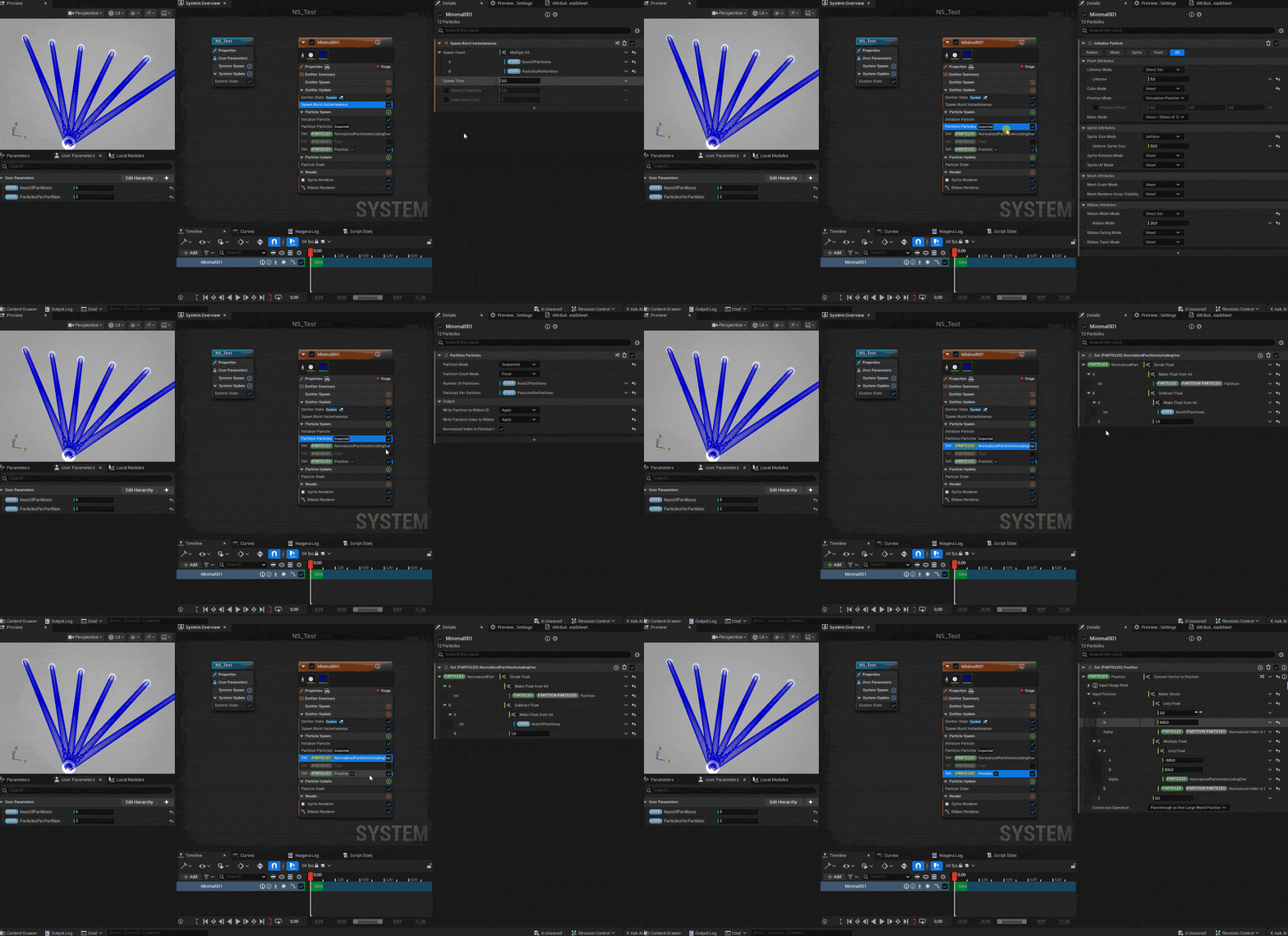
In this case I used lerps for the positions but you can definitely use the array method if you want to set it up in specific points.
Super intresting!, thanks for sharing this
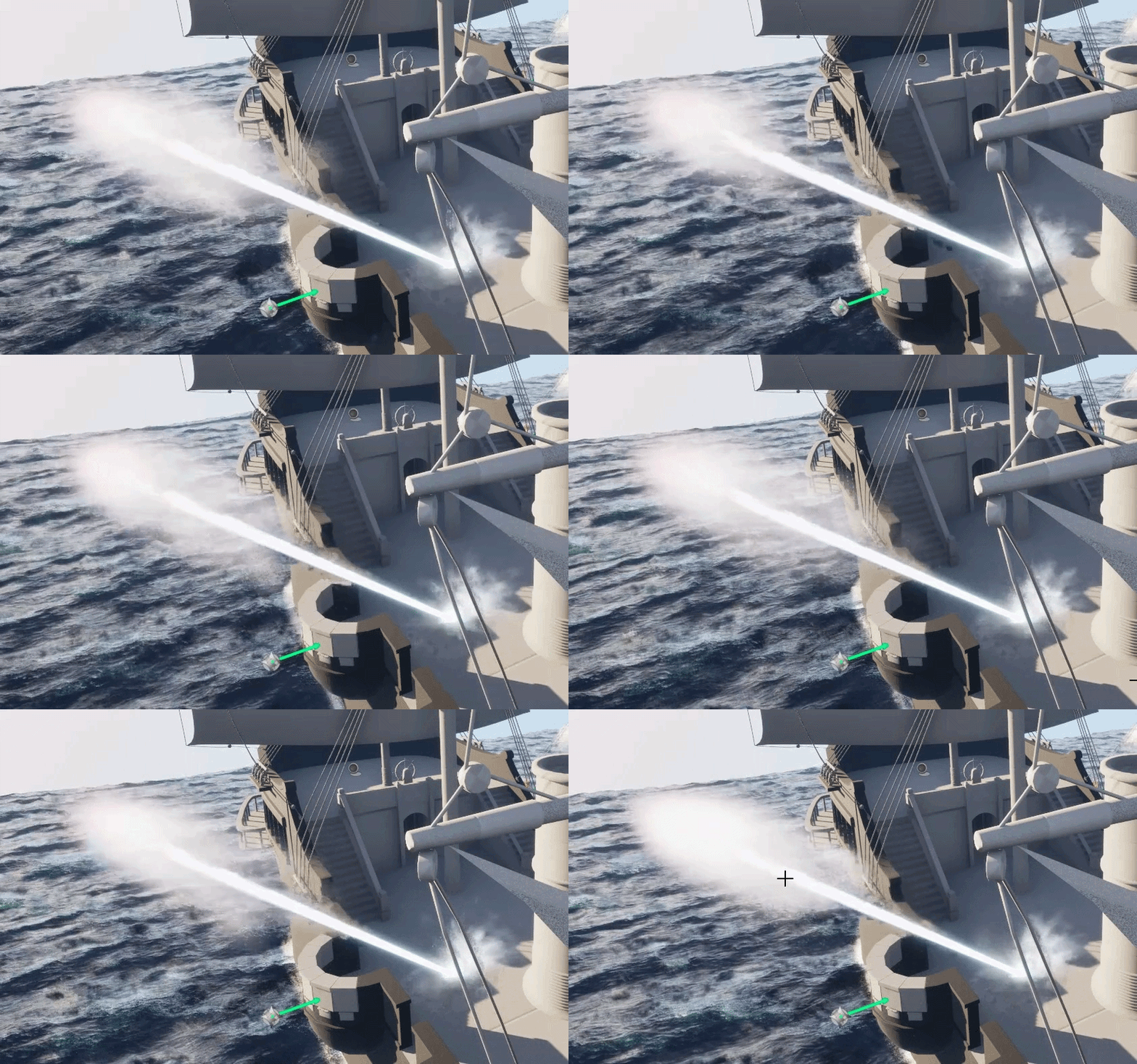
This is what I got for now, thanks to you guys responses. Can’t show it but the lines can seperate and attack from all 5 positions aswell!