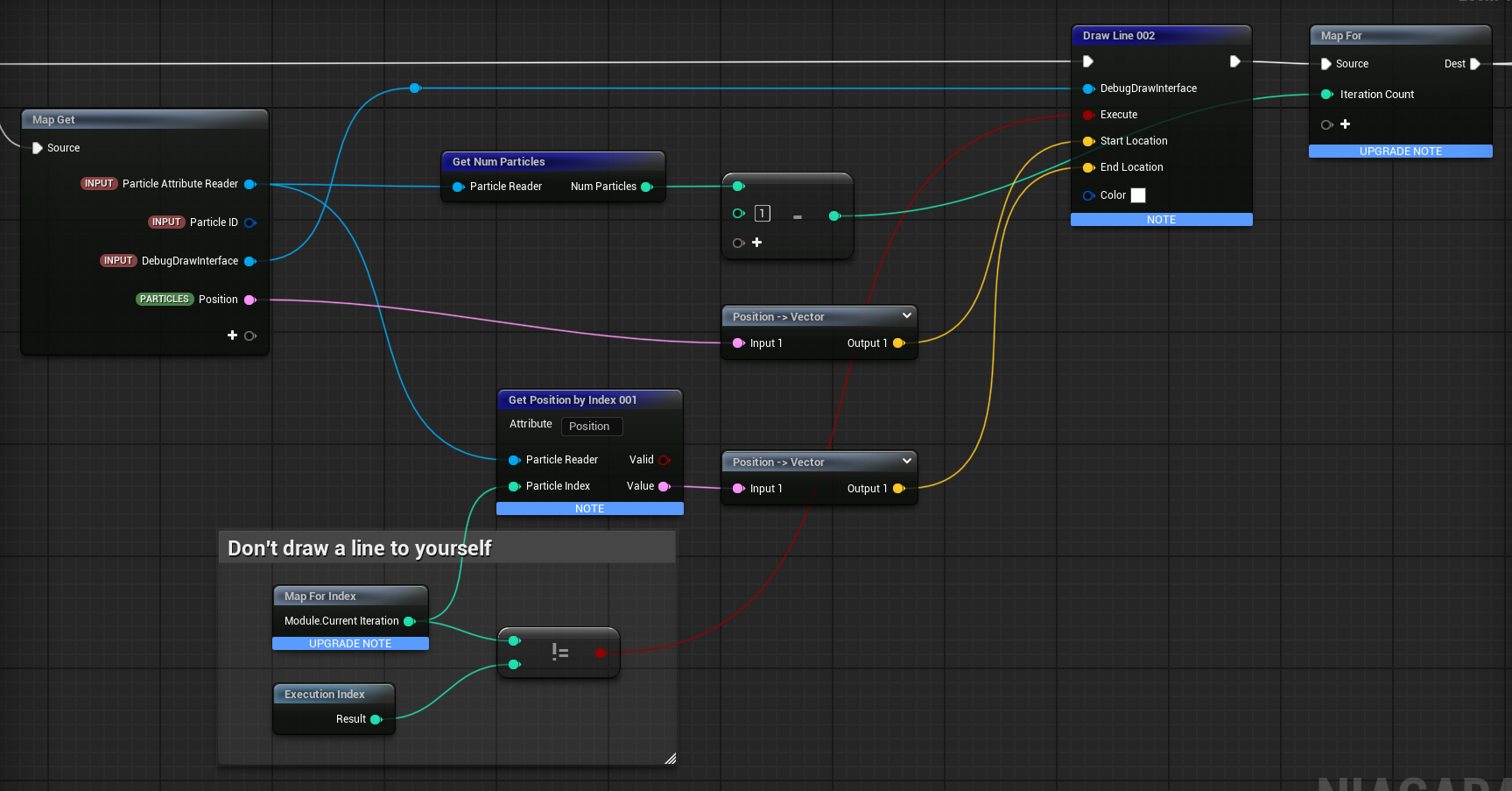
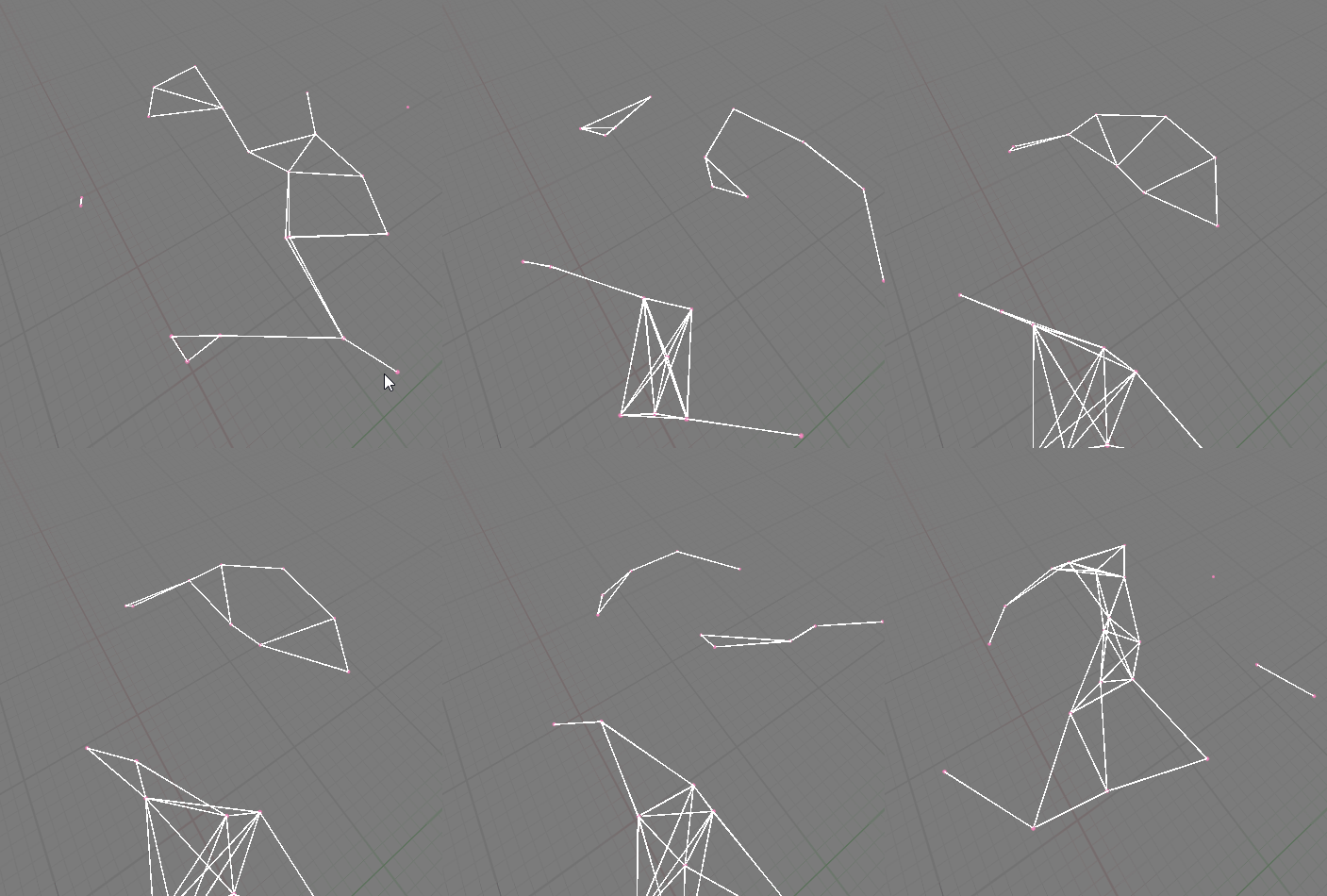
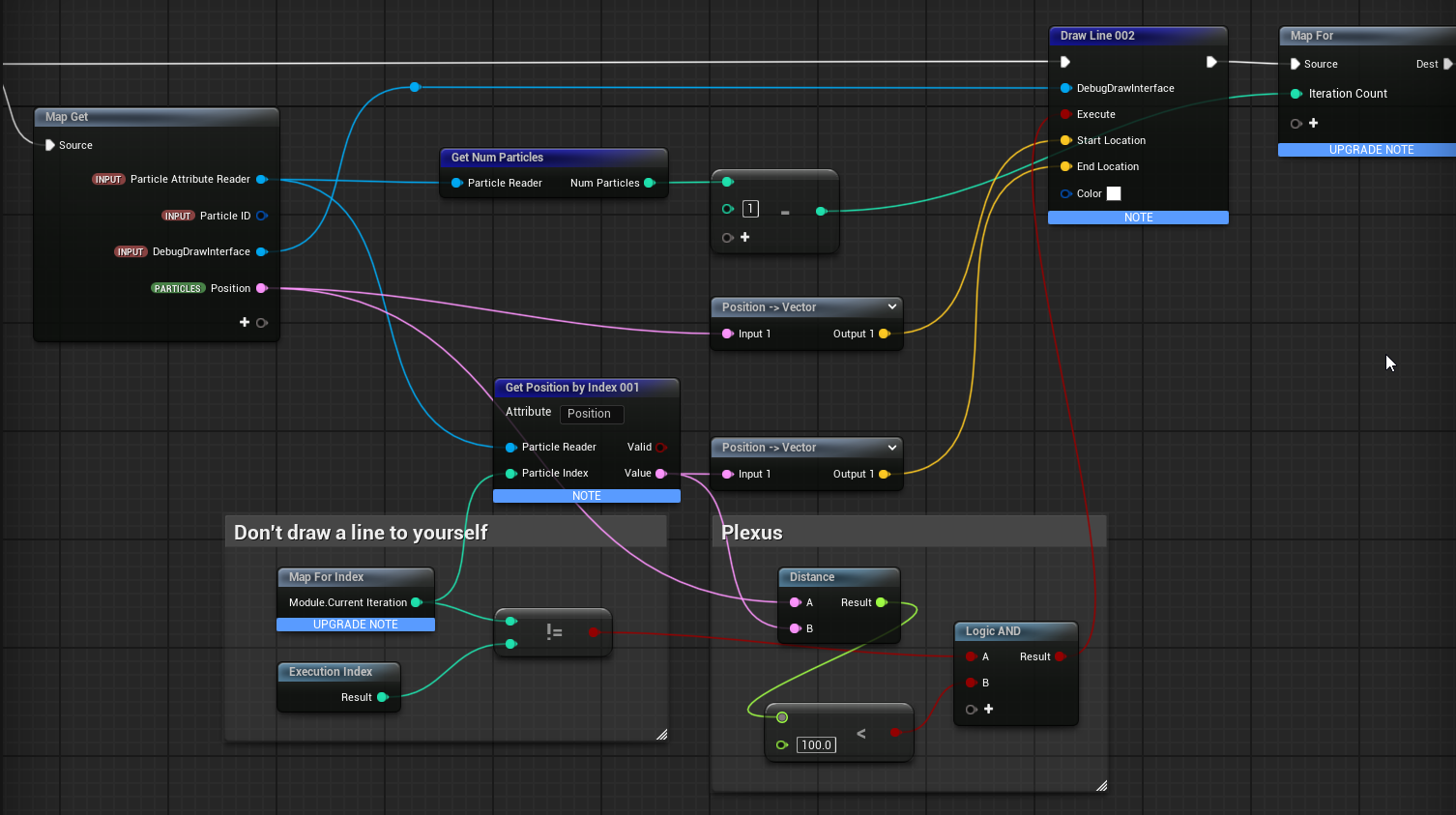
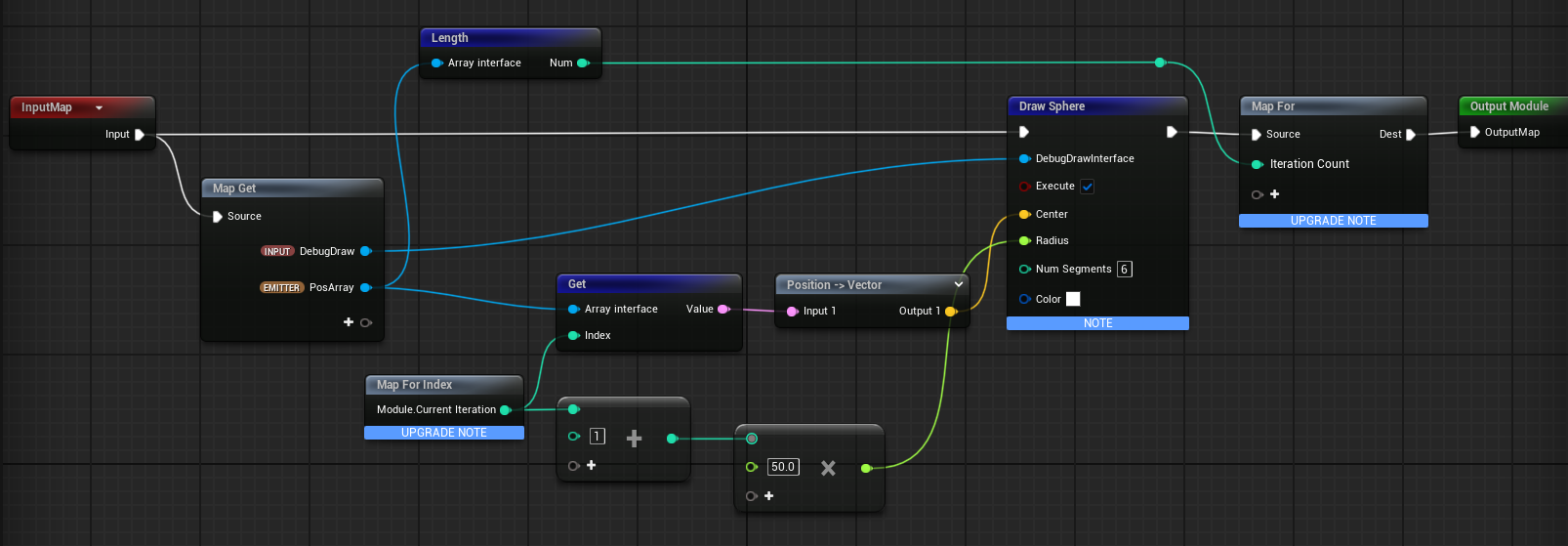
Couldn’t find much examples for For-Loops in Niagara. Here a simple Example where for each particle, I read the position of EVERY other particle (via for-loop) and draw a line. Can be useful for Plexus-VFX (e.g. [Niagara 5.1] Plexus Mini Tutorial)
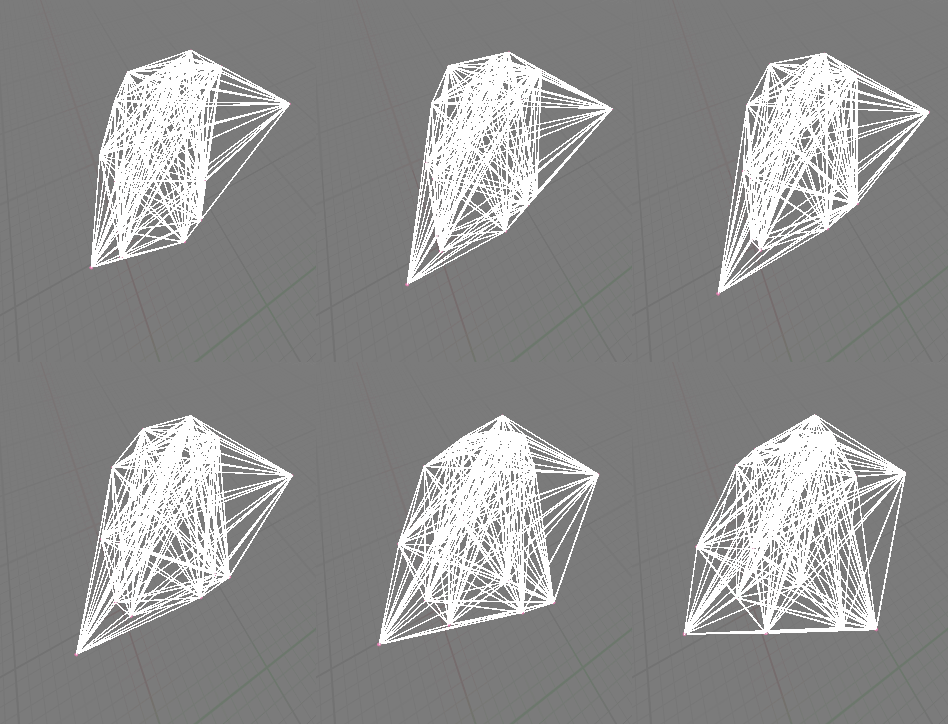
Couldn’t find much examples for For-Loops in Niagara. Here a simple Example where for each particle, I read the position of EVERY other particle (via for-loop) and draw a line. Can be useful for Plexus-VFX (e.g. [Niagara 5.1] Plexus Mini Tutorial)
Oh my ! I’ve been trying to understand how to use the Map For node outside of simulation stage for years to be able to build some array based logic withing niagara scripts.
Thanks you so much for your findings @simonschreibt, a life savior as usual 
If I understand correclty, any function that is plugged before the Map For in the script AND is connected in some way to the “Map For Index” node will be triggered several time ? Do I get this right ? 
Glad to hear! I struggled with it too and couldn’t find much documentation about it. Then I stumbled across this post here where a screenshot shows a setup and it let me to experiment again: Niagara array for spawn particles - #4 by sarahlenker - FX - Epic Developer Community Forums
As far as I understand, everything is executed several times even without the Map For Index. This is just containing the current iteration number.
To add to this there’s this video by Tharle that I think sums up pretty well how the for loops work in Niagara
Some more knowledge about iterating over array:
 Works:
GPU Particle SystemParticle Update At least 1 particle must exist, otherwise the Particle Update isn’t executed (makes sense)
 For better testing, each debug sphere uses a slightly bigger radius with each iteration
 Does not work: CPU
CPU Particle System → For Loop iterates only once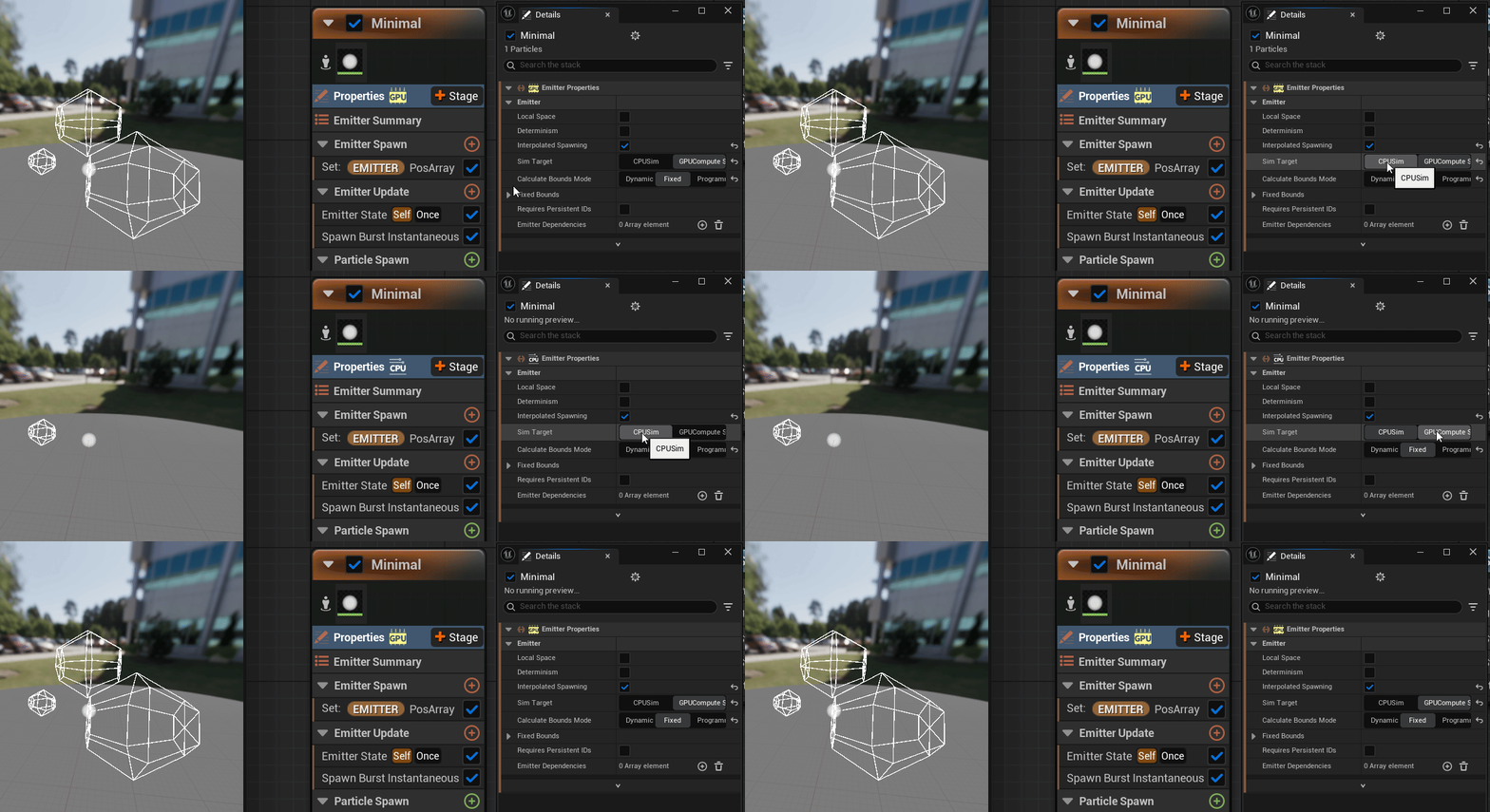
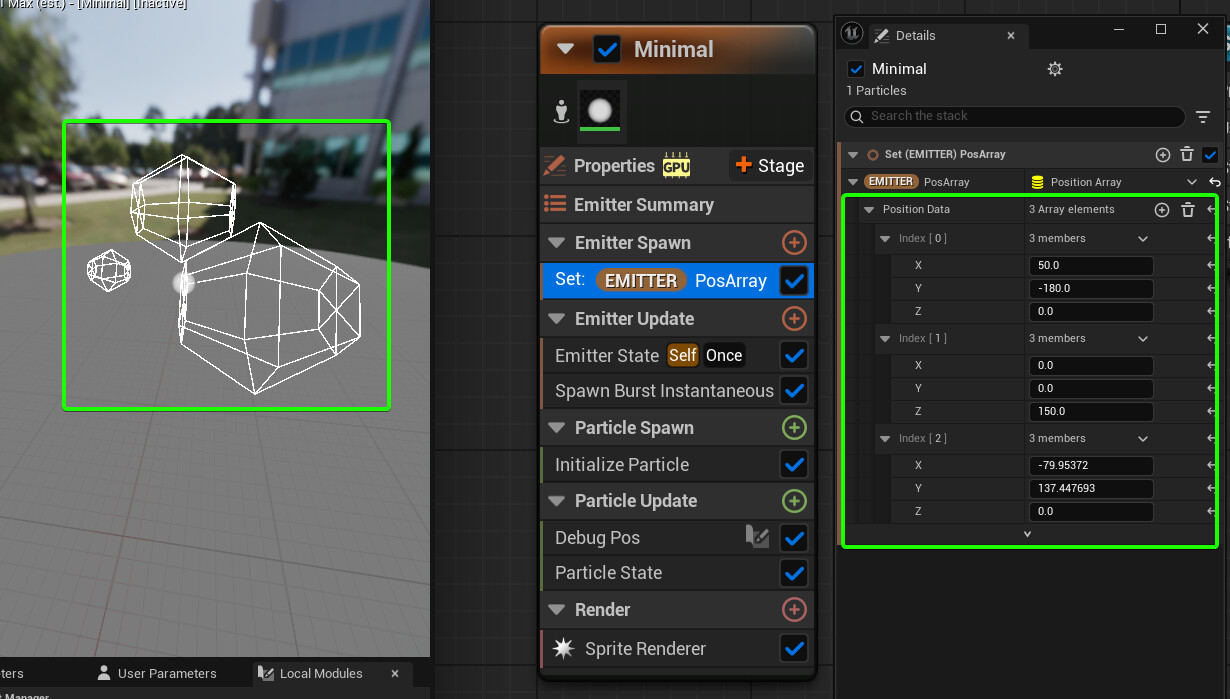
Does not work: Emitter UpdateEmitter Update → --> For Loop iterates only once The problem is NOT the array data (see below)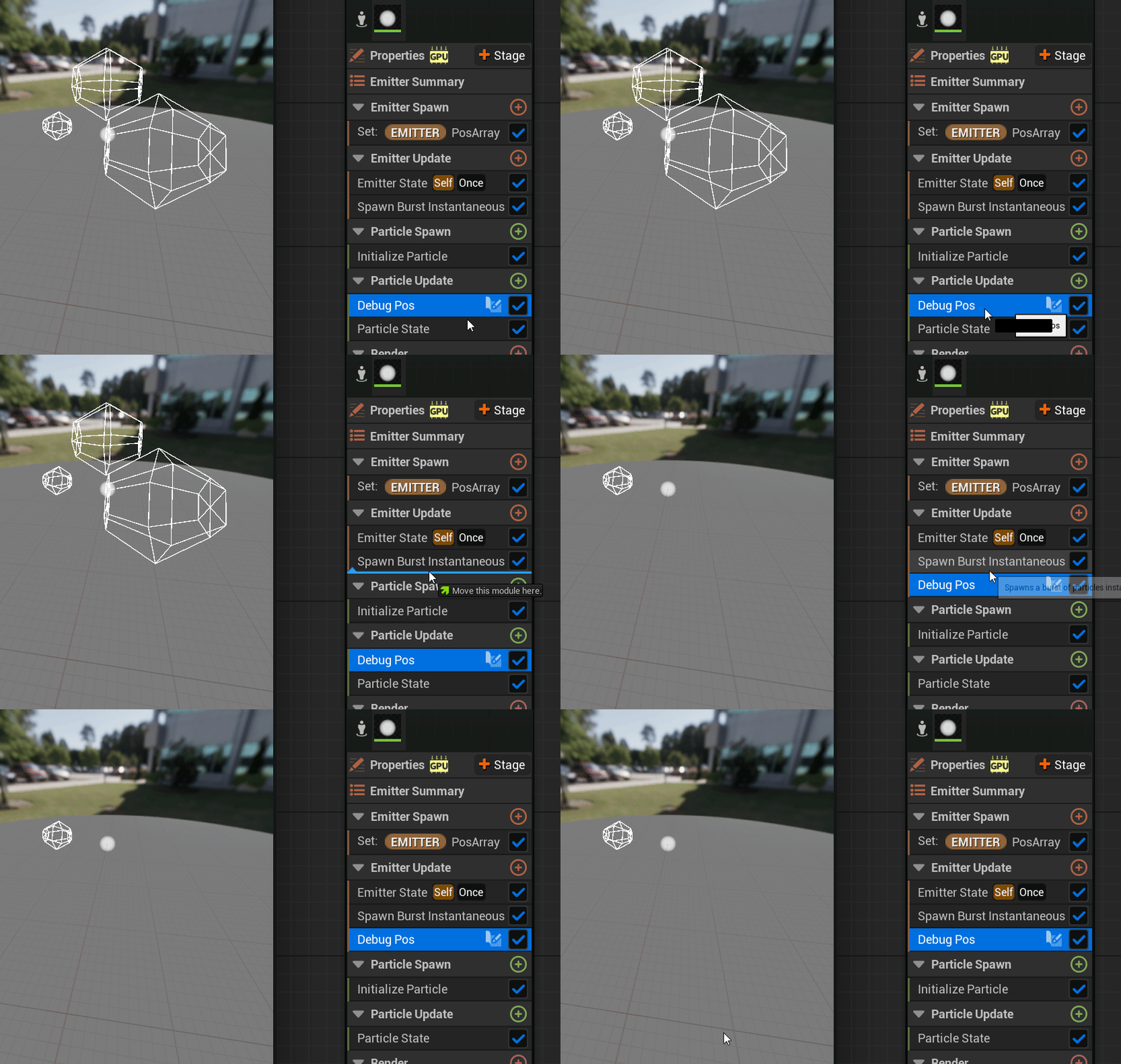
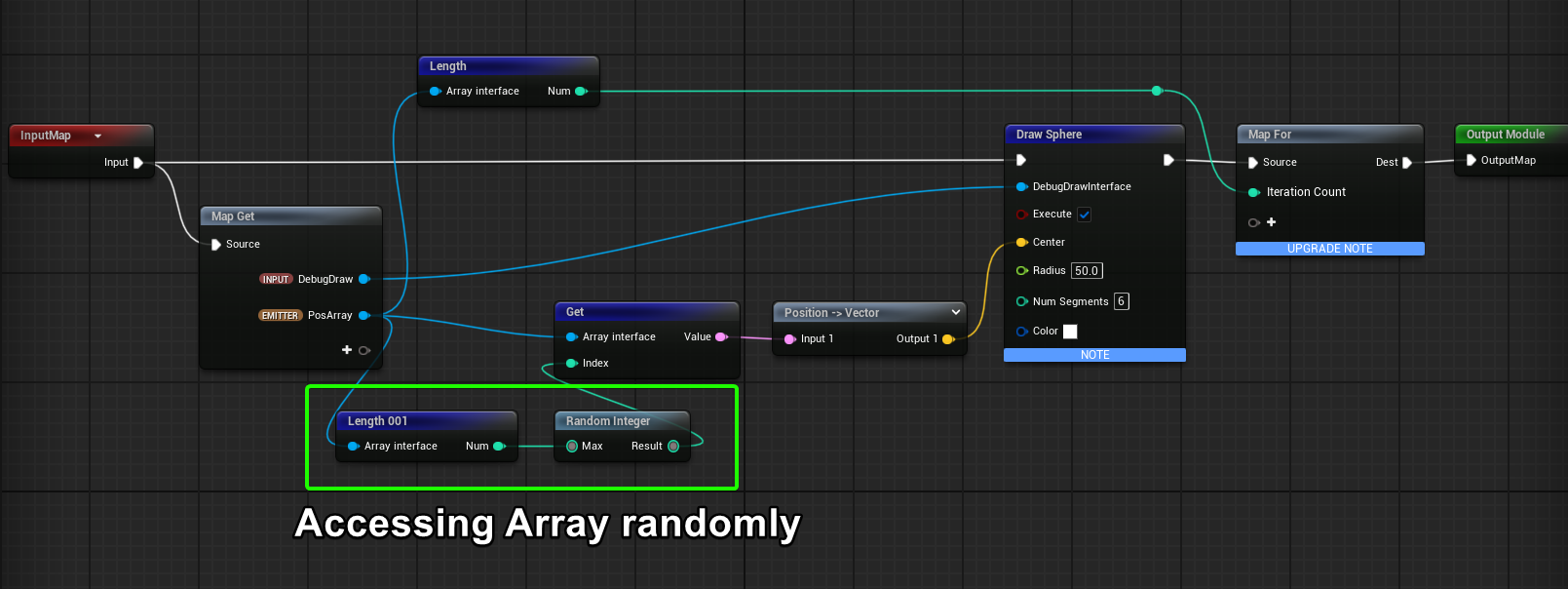
The array data is correct. It’s really the iteration which doesn’t work when executing the For Loop in Emitter Update! Proof: When I access the array randomly, I get the correct positions:
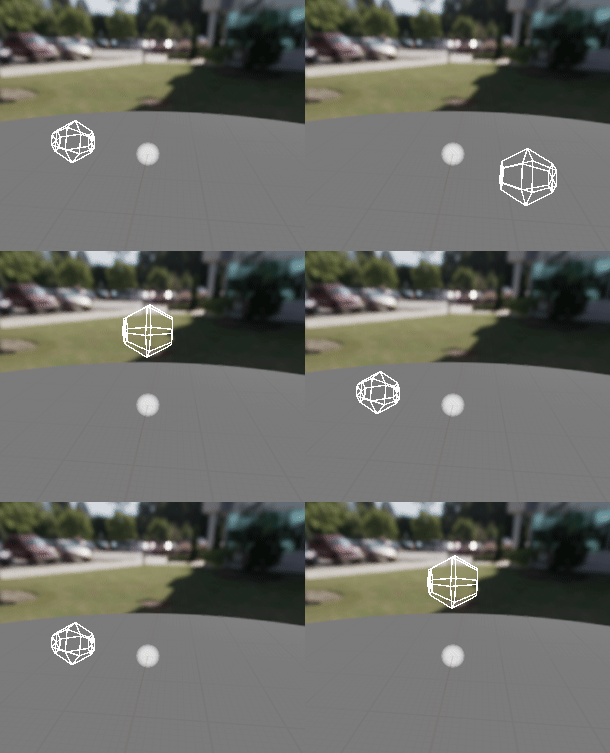
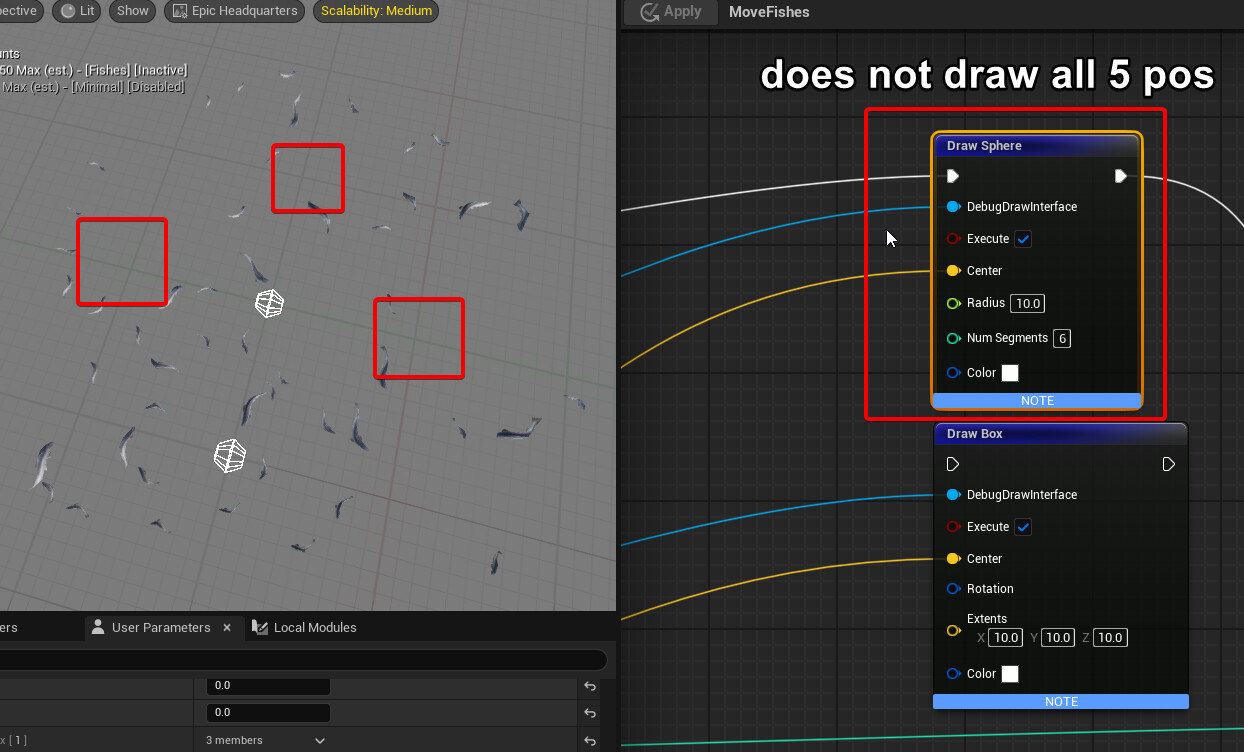
Interesting. Draw Sphere seems buggy (UE5.5) as it draws only 2 of my 5 array positions:
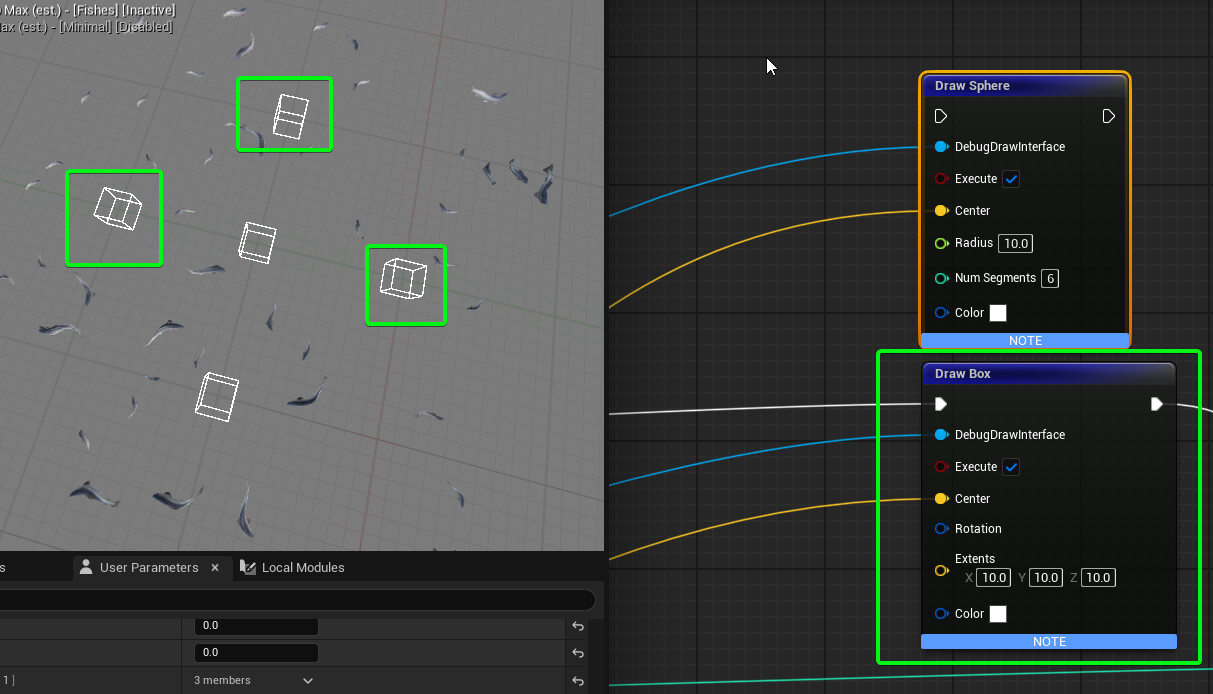
Works well if I use a Draw Box …
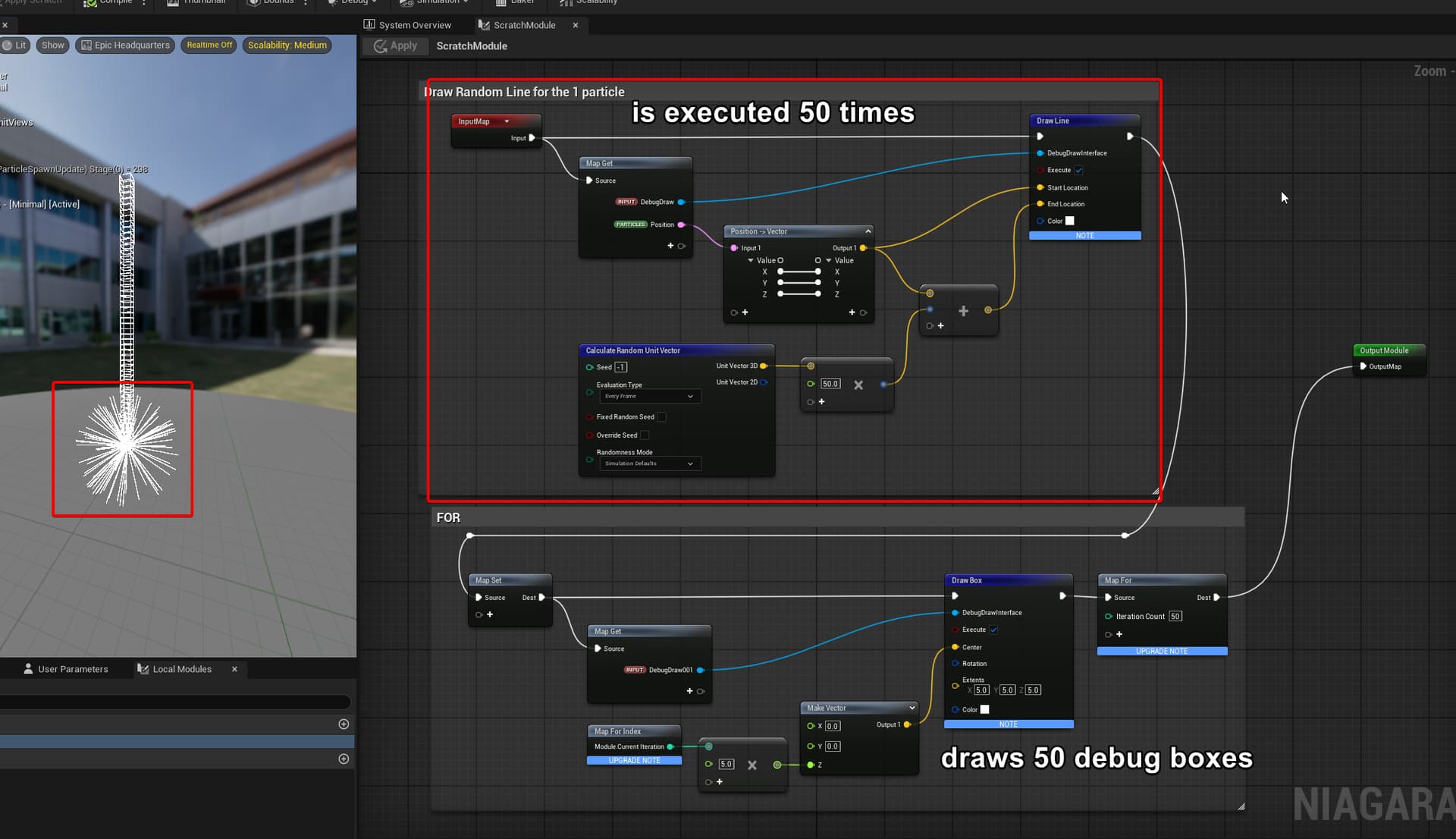
I did a test and it seems that you are right: The nodes before ARE executed several times !
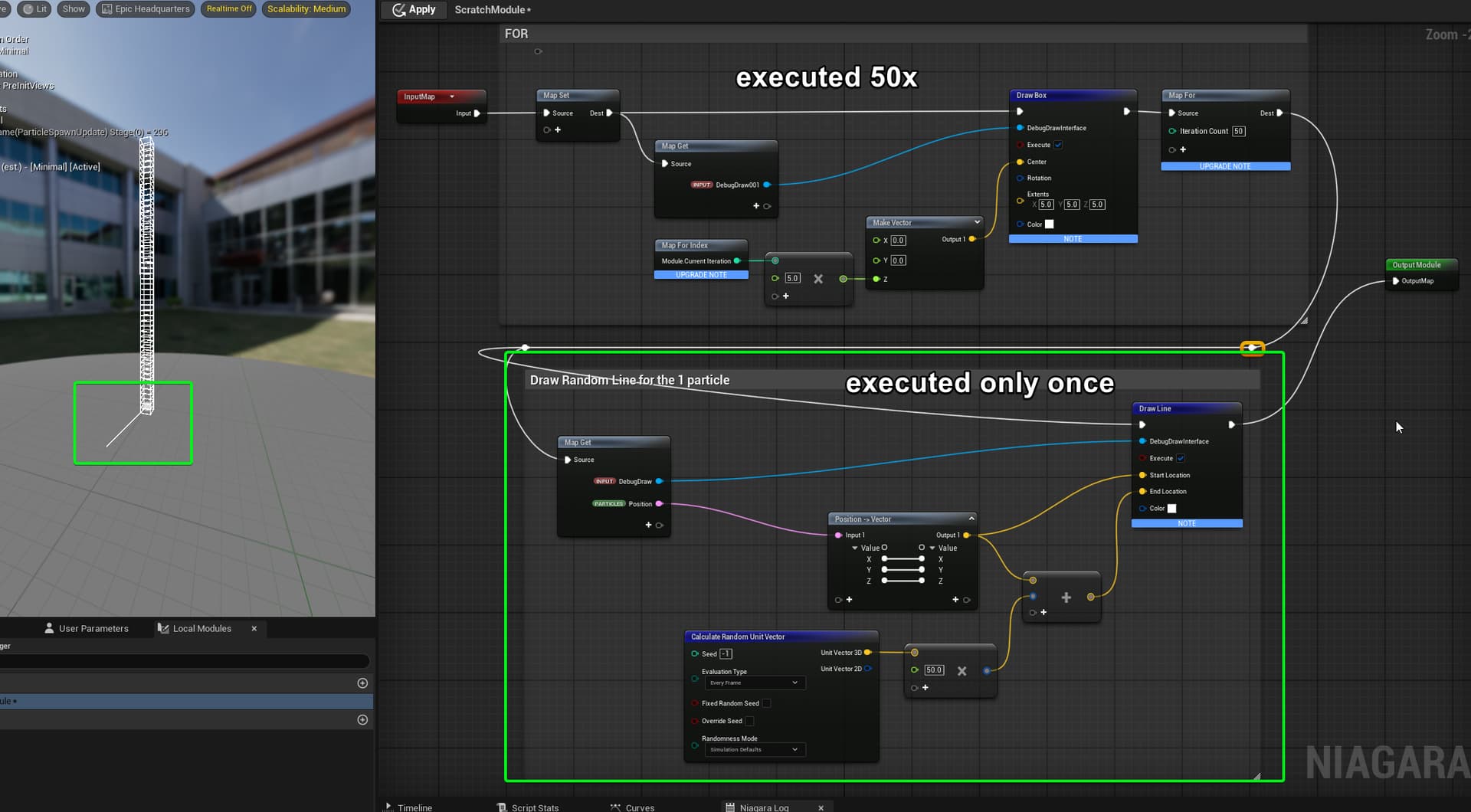
Here my test:
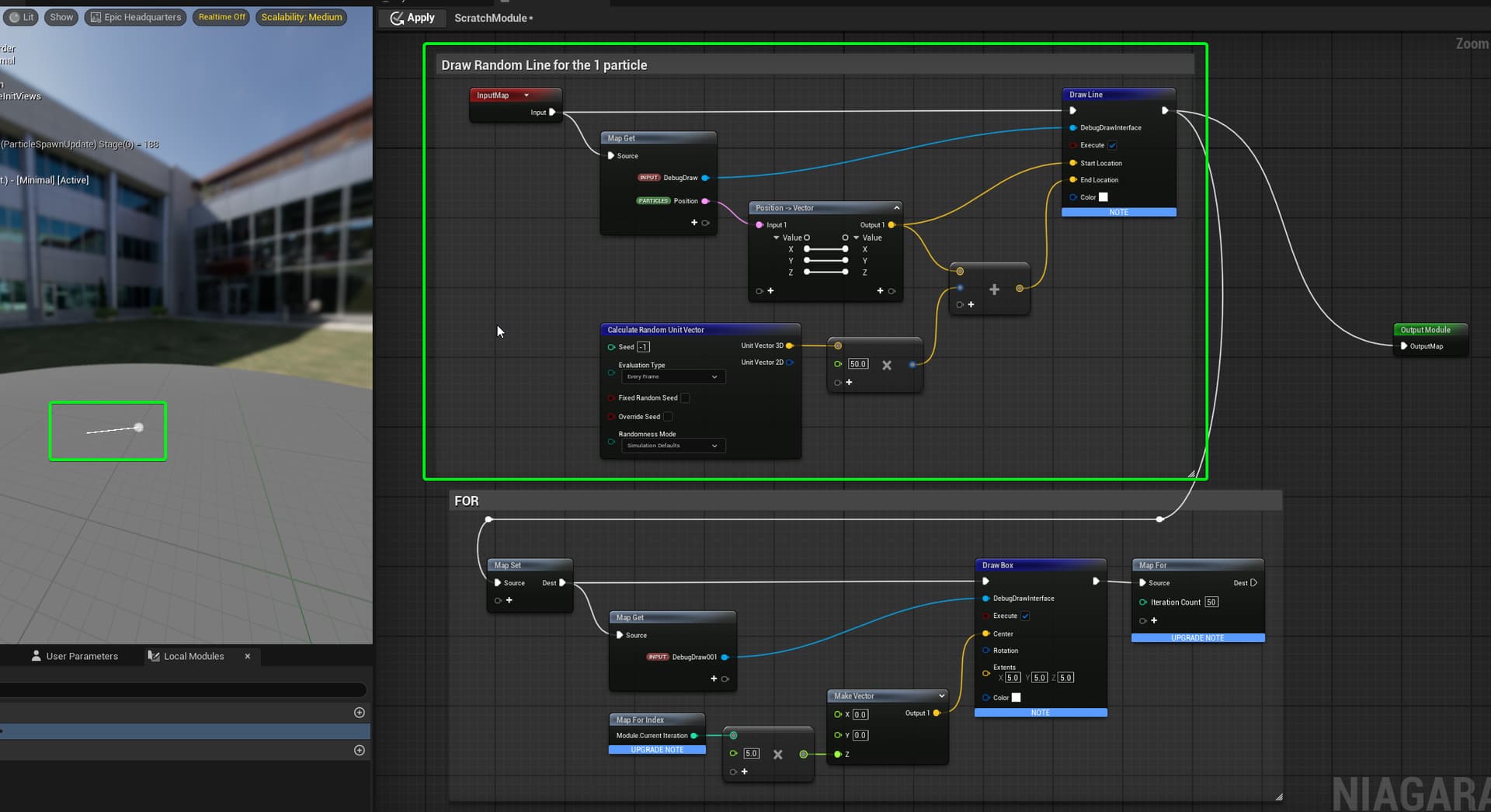
I have 1 particle and draw a random line each frame. We see one line per frame which is perfect:
Now when I put a For-Loop behind this logic, I suddenly see 50 lines on my particle! Dangerous!
When I switch the logic, it works as I want: Draw 50 Boxes but only 1 line.
Hmm… Ok thanks for the clear example ! Have to be cautious about how to use it then to avoid making some logic loop when you don’t want to.
If you want some logic to happen once after the loop ended, then no issues.
But if there is some logic that have to happen before the loop only once, most simple way would be to split the “once” and “loop” logic in different scripts and just pass the result of the first one with transient variables.
Other way would be to use the “Map For Index” node. As example, on the setup that draw both 50 lines & 50 box : You could check if the “Map For Index” is equal to 0, if yes set the “Execute” of the “Draw Line” node to true, if no set it false. Then the logic will still be executed, but the result will still be only 1 line I guess ? (hope I’m clear enough, don’t have my engine available right now)
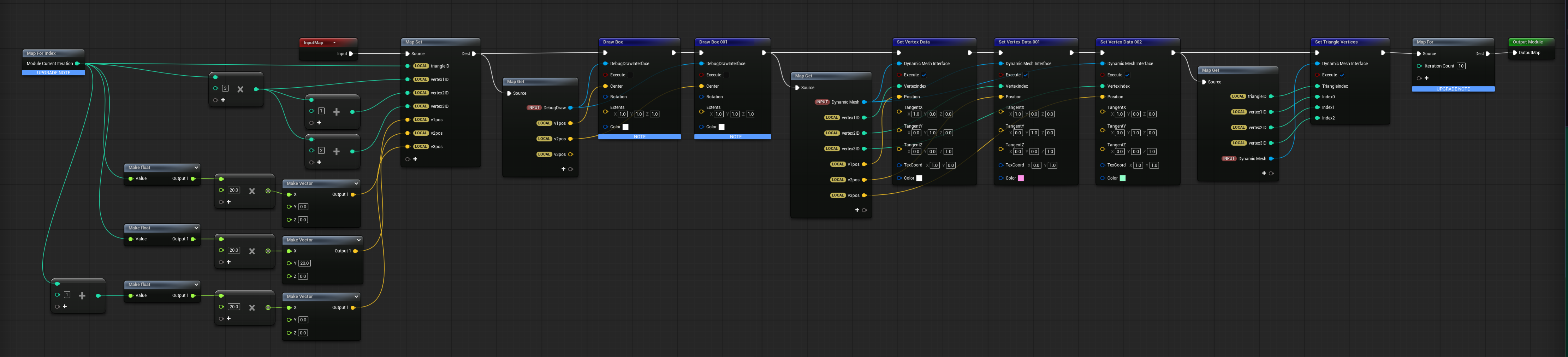
See this cool effect, learned that niagara can create meshes. Tried if it works with for loops. Yes it does. Short example:
Example
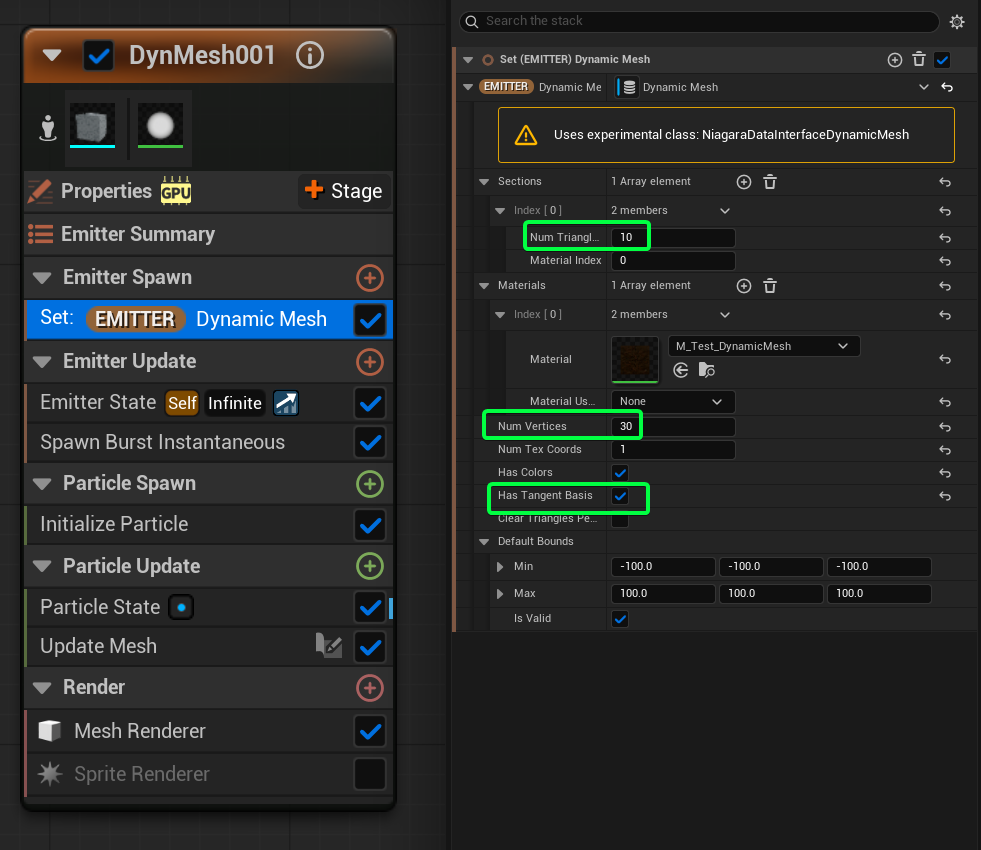
For Loop generated 10 niagara mesh triangles:

Setup
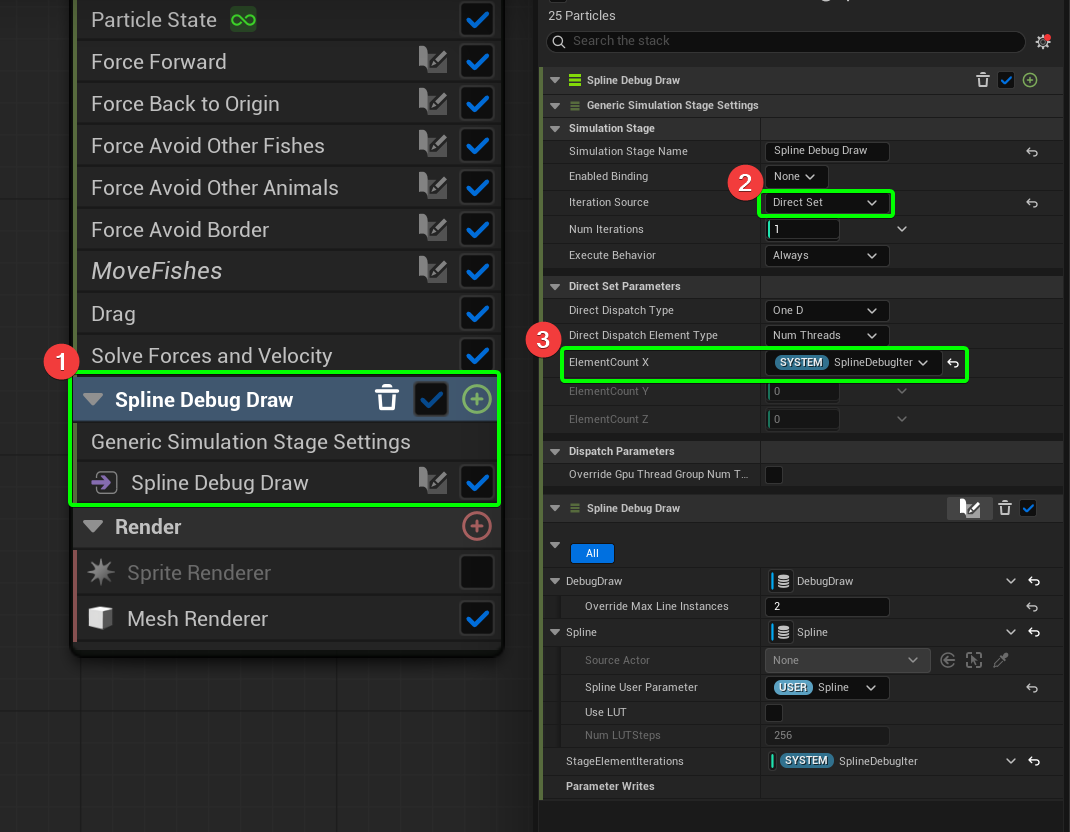
I learned about another method of doing FOR-Loops: Adding a new Simulation Stage
Here is a new tutorial: Niagara Advanced Guide – Basics of the Simulation Stage – HeyYo CG
Goal
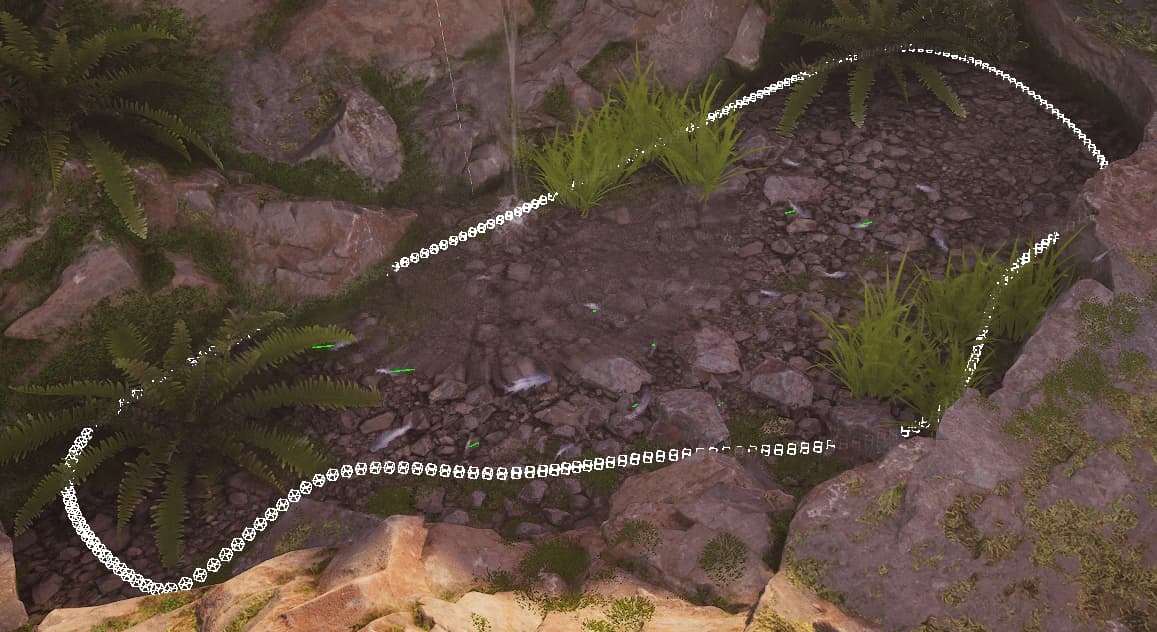
Draw Debug Shapes along a Spline for debugging:
Solution
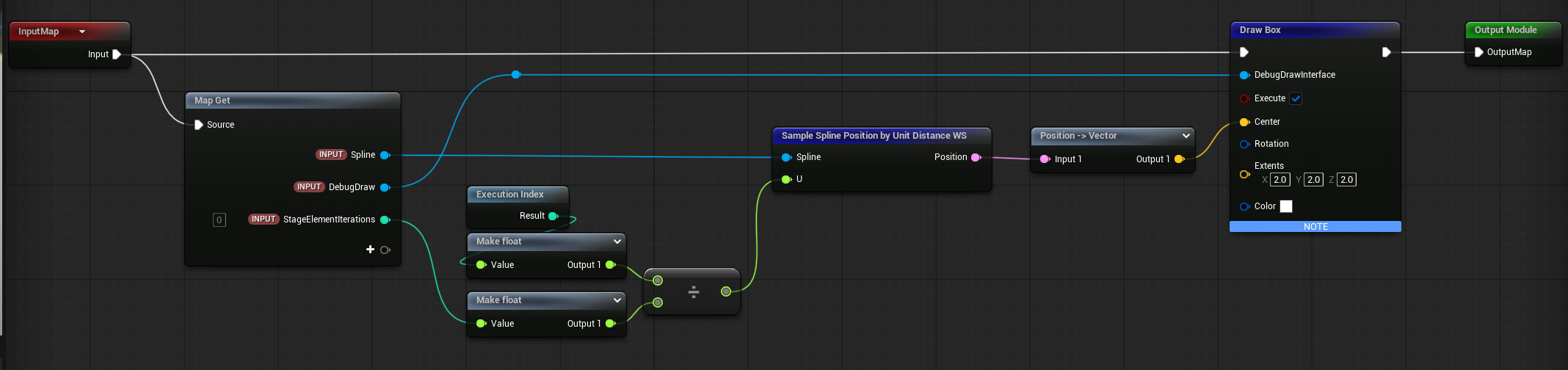
My ScratchPad is very simple. With every iteration I draw a little Box along the spline:
This is a nice way to Loop over something only ONCE instead of doing it for every particle.
wanna be super pedantic and point out that simulation stages are loops, but not technically “for-loops”