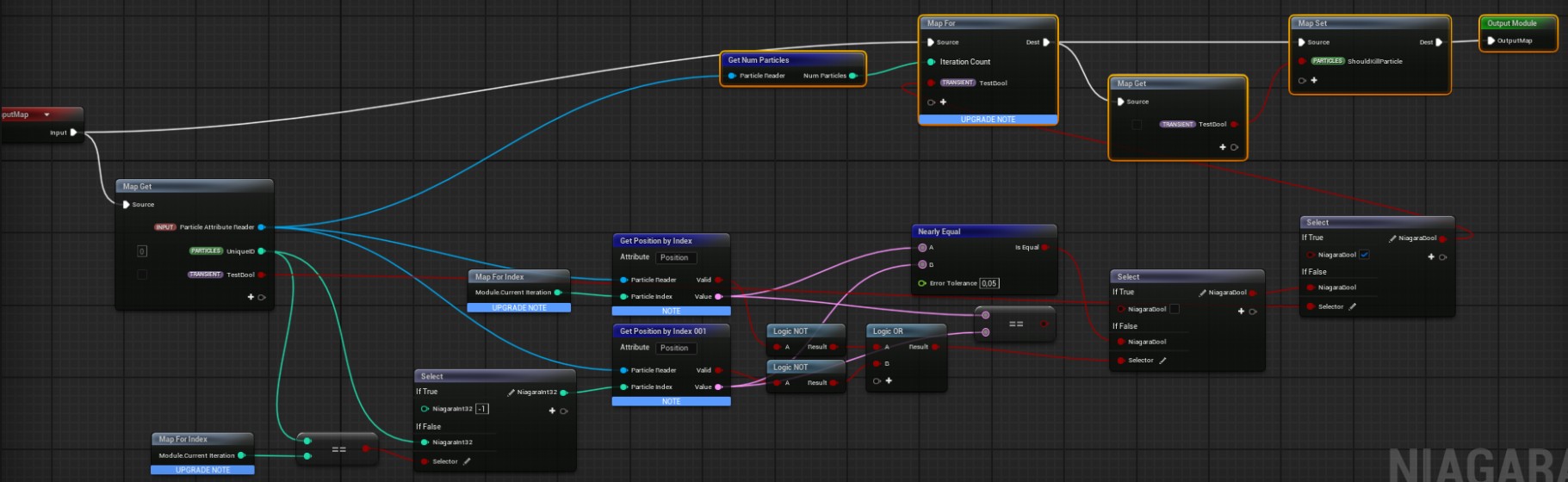
I’m trying to get rid of duplicate particles that are at the same spot as another particle. I’ve created this scratchpad module that is supposed to set a bool, which is then used in a “KillParticle” module.
However it doesn’t really work - it kills some particles, sometimes. It’s very random, even though the system is set to be deterministic. I’m wondering if there’s something obvious I’m missing here. Thanks!
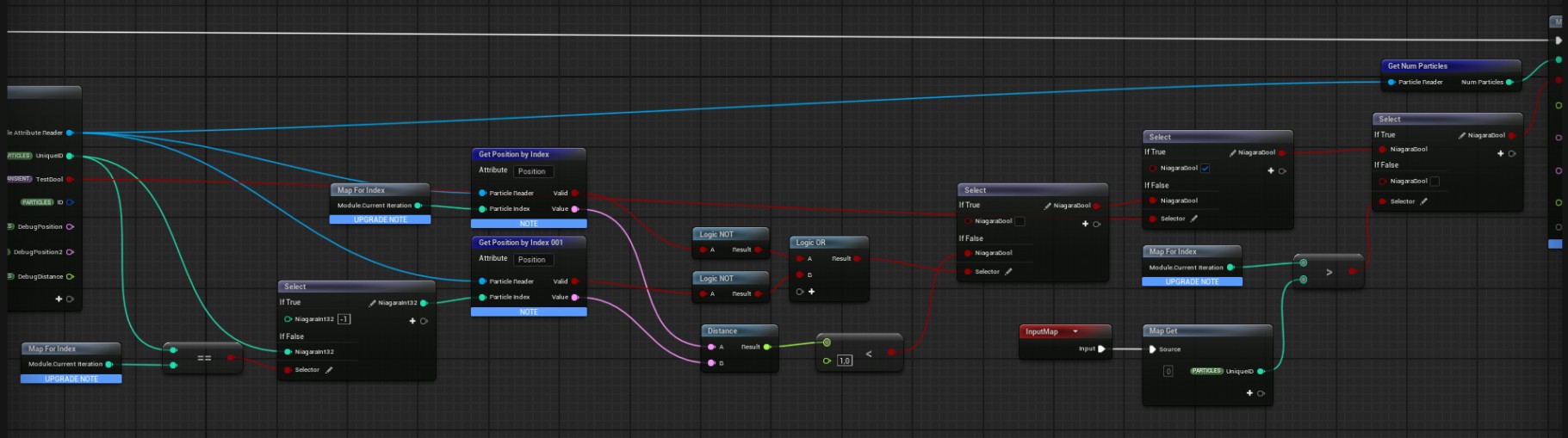
This works better, but still removes some particles that shouldn’t be removed and keeps duplicates, depending on the amount of particles spawned. My guess is that this has to do with the fact that it’s a GPU emitter and there’s something going on with the particle identifiers/indexes, but I’m not sure what exactly and how to fix it.
Also, the reason why I switched to GPU was that with CPU the for loop didn’t seem to work (“Current Iteration” in Map For Index would always be zero). Is that how it’s supposed to be?
yes - For Loops are a GPU only thing, wont work at all on CPU.
Is this just for experimenting or is it an actual issue you’re trying to solve? There’s probably a better way to write your spawning algoithm so that it avoids duplicates instead of trying to detect and kill them after?
Something like a grid layout with random offset or spawning on mesh vertices and killing a few at random might work better?
Thank you both for your answers. By the way, how do you know this stuff? I’m having a hard time finding this kind of in-depth information on Niagara.
This is my setup: I have a humanoid mesh with very thin body parts, like wires. I’d like to spawn particles at the points that have their vertices painted red. That part works well.
Next, I’d like to spawn only one particle at each vertex. While experimenting I found out that multiple vertex IDs can point to the same vertex. So it seems like the only way to have one particle per vertex is to delete them afterwards.
partly i’ve been doing this a long time (15 years), partly i’ve done quite a bit of research into niagara in order to write courses on it (gumroad and udemy)…
sampling a vertex painted mesh should be doable - i’ve not tried to be that accurate with mesh sampling before but you should be able to do it exactly - have you double checked you havent got duplicated geometry there?
are you using the inbuilt sampling modules of have you written your own? i’m not a huge fan of the provided ones - maybe it’s doing something you’re not expecting it to?
Cool, I’ll take a look at your courses. Are there any learning resources you’d recommend besides for gathering more of arcane Niagara knowledge?
Yeah, I now tested it with a simple cube and two vertex IDs do point to the same vertex. I read somewhere that this is normal due to how Unreal handles meshes.
I’m using the provided sampling module, I don’t think I have enough experience yet to build my own.
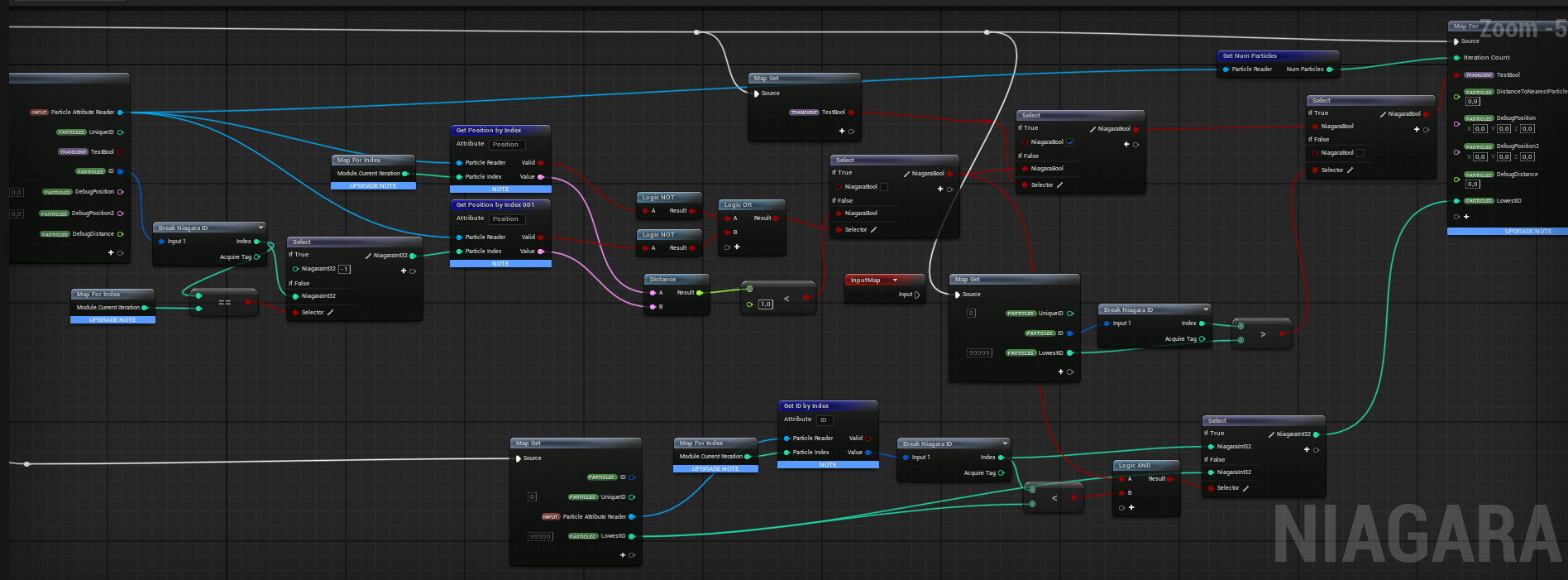
I’ve made some updates to my script. It kills too many particles (some vertices don’t have any), while leaving some duplicates. Not sure where to go from here