Guys, do not install comfyui unless you have express permission from IT
(or if it’s your own pc, at your own risk), it’s an extremely vulnerable program
5 Likes
I completely agree. ComfyUI is a powerful framework that essentially executes arbitrary Python code, so installing it in a corporate environment without explicit IT approval is a major red flag.
For those concerned about security: use an isolated environment. Running it inside a virtual environment (venv/conda), a Docker container, or a dedicated sandbox machine is the gold standard for mitigating these risks. In this case, caution isn’t just panic — it’s basic engineering hygiene
buddy, we make stuff go boom, do you think we know basic engineering hygiene?
3 Likes
Haha, fair point! I guess I got a bit too lost in my ‘latent spaces’ and forgot that at the end of the day, we just want things to look cool and go boom.
Thanks for the reality check! I’ve completely overhauled the post to be more ‘VFX-friendly’—swapped the academic jargon for a State Atlas approach and added a simple HLSL snippet. Engineering hygiene might be boring, but this 16-bit precision actually makes those ‘booms’ look much cleaner without the banding artifacts. Hope it makes more sense now!
Hey @Niels, I kinda feel like this is another one of those “user hasn’t been online for a long time, suddenly starts posting AI-generated (semi-nonsense) texts” situations.
I think by now, we need to forward this happening to @Keith , because it’s worrisome.
I honestly think they are scraping RTVFX.com for AI reasons. (and possibly then posting here to see if what its gibberishing makes sense)
Besides it being atrocious to read AI-only text, I honestly have my doubts about what has been posted. In theory, it works, but --besides it feeling like 90% ai AI-generated suggestions taken as gospel-- in reality it’s pretty pointless.
Not to mention that dumb AI catchphrases like “CRT era math” make no sense.
IIRC Simon already researched this matter.
To utilize this, you’d have to disable mipmaps, texture compression, and filtering, which causes a plethora of issues. (especially for normal maps)
Since compression ratios are either 8:1 or 4:1, depending on the presence of an alpha channel. Meaning if you use only 1-3 channels, you are using 8x as much memory. If you actually use all 4 channels, you only reach parity with the compressed image before factoring in the extra texture sample and memory for the gradient.
Then there is that 80% vram/disk reduction claim.
Even if you magically manage to make every RGB texture a grayscale, I’m pretty sure that, at least in Unreal, there is no compressed grayscale format. So that would only be true if you go from uncompressed RGBA to uncompressed grayscale.
But who even uses uncompressed (32-bit) textures systematically anyway?
I doubt you’re actually getting even close to that 80% reduction in disk space usage.
I’m also wondering if this is related to a trick called “Basic Vectors” where the ML kernel is decoding i.e. 5(x) channels back into 12(y) colors.
Ben Clowards & Deathrey’s research paper “Palettes, grayscales, and HLSL assembly” also hints that what has been posted should be taken with a grain of salt.
Since ninpo doesn’t post any evidence of the claims, not even a proper DXT1/3/5 BC1-5 comparison, or how to set up shaders/textures properly, I have absolute doubt this is anything but semi-dreamt-up VFX-related-scraped partial-mumbo-jumbo.
Subject: Clarification on Omni-Extractor (Technical Specs & Evidence)
Hi everyone, thanks for the feedback. To clarify a few points:
- AI Usage: Yes, I use LLMs to help structure my posts and translate technical thoughts as English is not my native language. However, the logic, HLSL, and the extraction workflow are my own R&D.
- VRAM/Disk Claims: Let’s look at the numbers for a 1024x1024 texture.
- Original (BC7): ~1.33 MB.
- Omni-Extractor (BC1 Mask + 1D Atlas): ~684 KB.
- This is a ~50% reduction using “standard” settings. Moving from uncompressed 16-bit or high-precision formats to this protocol is where the 80% figure comes from.
- Filtering & Mipmaps: You do not need to disable them. By using a 16-bit Topology Map (R16/G16 or even BC4), we maintain sub-pixel precision. In fact, mip-mapping on a coordinate map often produces cleaner results than color-averaging in BC7, which tends to “muddy” high-energy VFX colors.
- Coherent Signal (V2): I am currently finalizing an update that implements Greedy Sorting for the Atlas. This ensures that neighboring indices in the Topology Map point to neighboring colors in the Atlas, making the signal temporally stable and resistant to compression artifacts.
- Format Support: Unreal Engine handles BC4 and G16/R16 perfectly. The “CRT-era math” comment refers to fixed-palette indexing logic, which I believe is still highly relevant for VRAM-constrained modern pipelines.
I will post a side-by-side DXT1/BC1 vs BC7 comparison and a video showing temporal stability shortly.
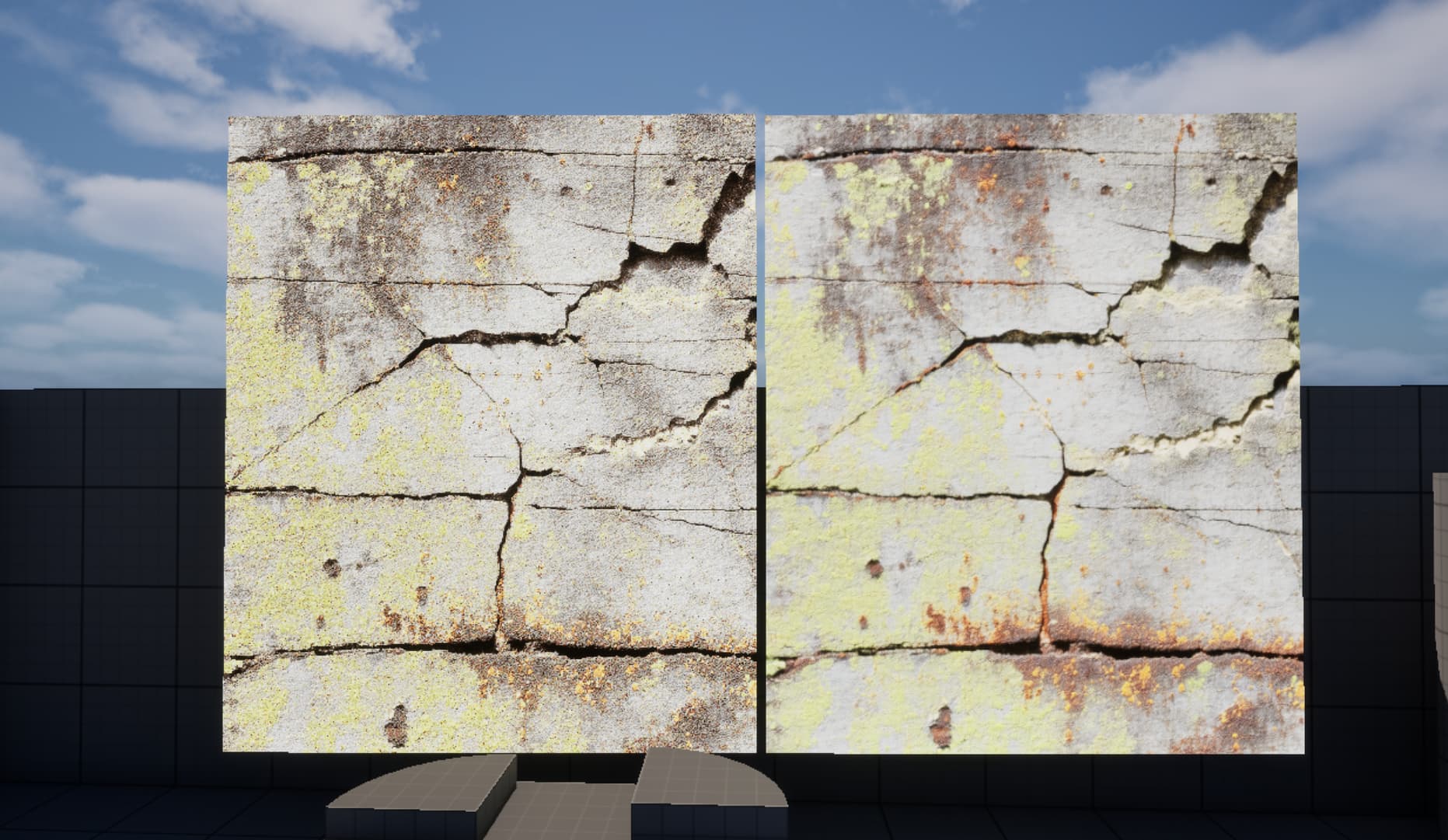

Here on the left is a reconstructed image, on the right is the original
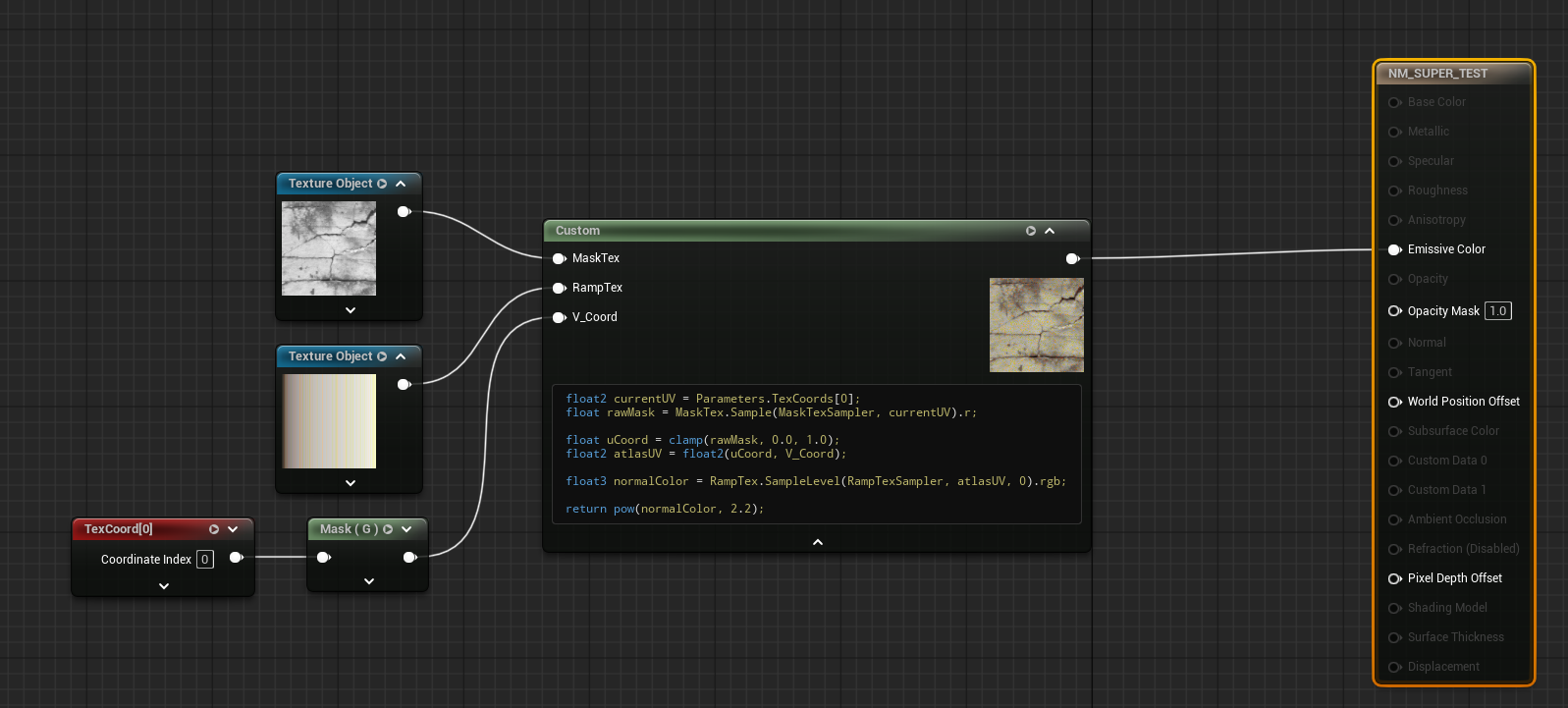
This still doesn’t really make much sense why someone would use that in production (for everything).
Also I don’t understand why the claim of helping with an VFX specific issue but not showing comparisons in that field. Maybe it would help to know todays date and know what you would prefer. Can you provide that please?
I think Luos is on to something.
1 Like
This is a very good optimization for textures, but here’s what I didn’t take into account right now: it’s really not suitable for effects at close range, although at medium and distant distances details are even more visible. It also looks interesting for stylized effects.
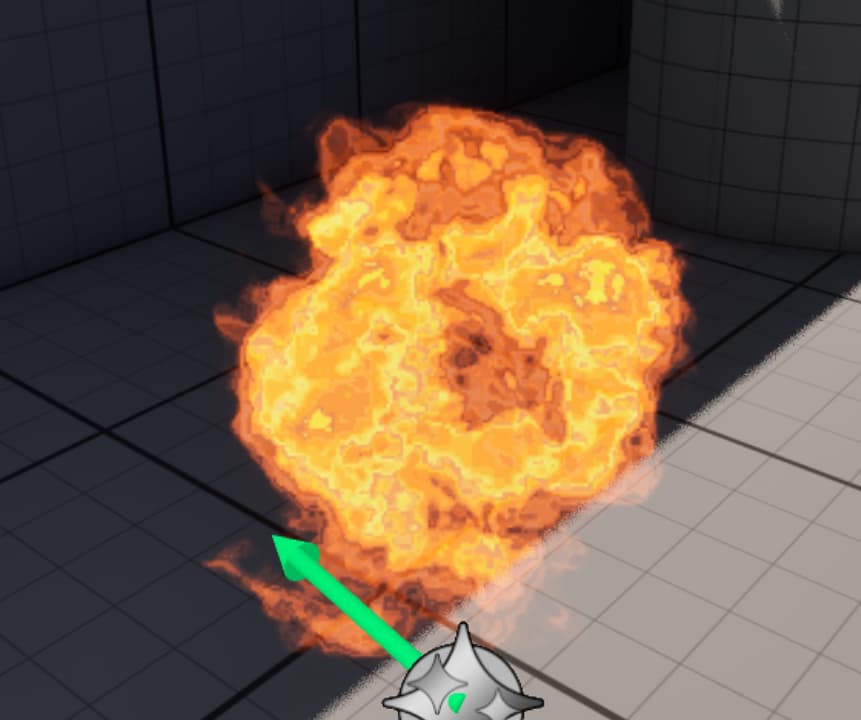
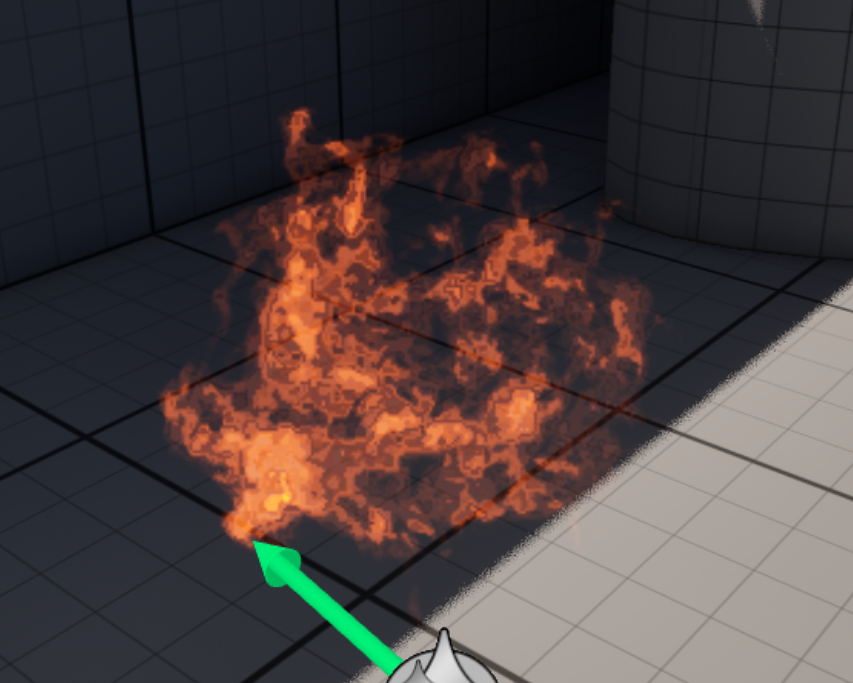
Hi everyone!
I just wanted to say a huge thank you for the amazing response to my Omni-Extractor post.
In the past 48 hours, there’ve been 15 downloads on Zenodo and over 60 clones on GitHub — and seeing that kind of interest from the RealtimeVFX community honestly means a lot to me.
I know the tech behind it might look a bit “extra” at first, but the whole idea was to make something simple and useful — something that can actually make your daily work easier.
We’ve all been there: digging through old texture libraries, trying to turn some legacy texture into a clean grayscale mask and a matching color ramp. Doing that by hand in Photoshop is such a soul-crushing task.
That’s where the Omni-Extractor can help — even as a completely “dumb” automation tool. Just throw your texture at it, and it’ll spit out a clean luma map and a perfectly matched ramp automatically. No more manual masking or color picking.
This small “automation trick” is just the visible layer of a larger idea — a framework for separating structure and color data in a more intelligent way. But even at this basic level, it can already save hours of routine work.
It’s a small way for me to give back to this awesome community.
Give it a try — and if it saves you even ten minutes of Photoshop grunt work, I’ll be happy.
Looking forward to hearing your thoughts!
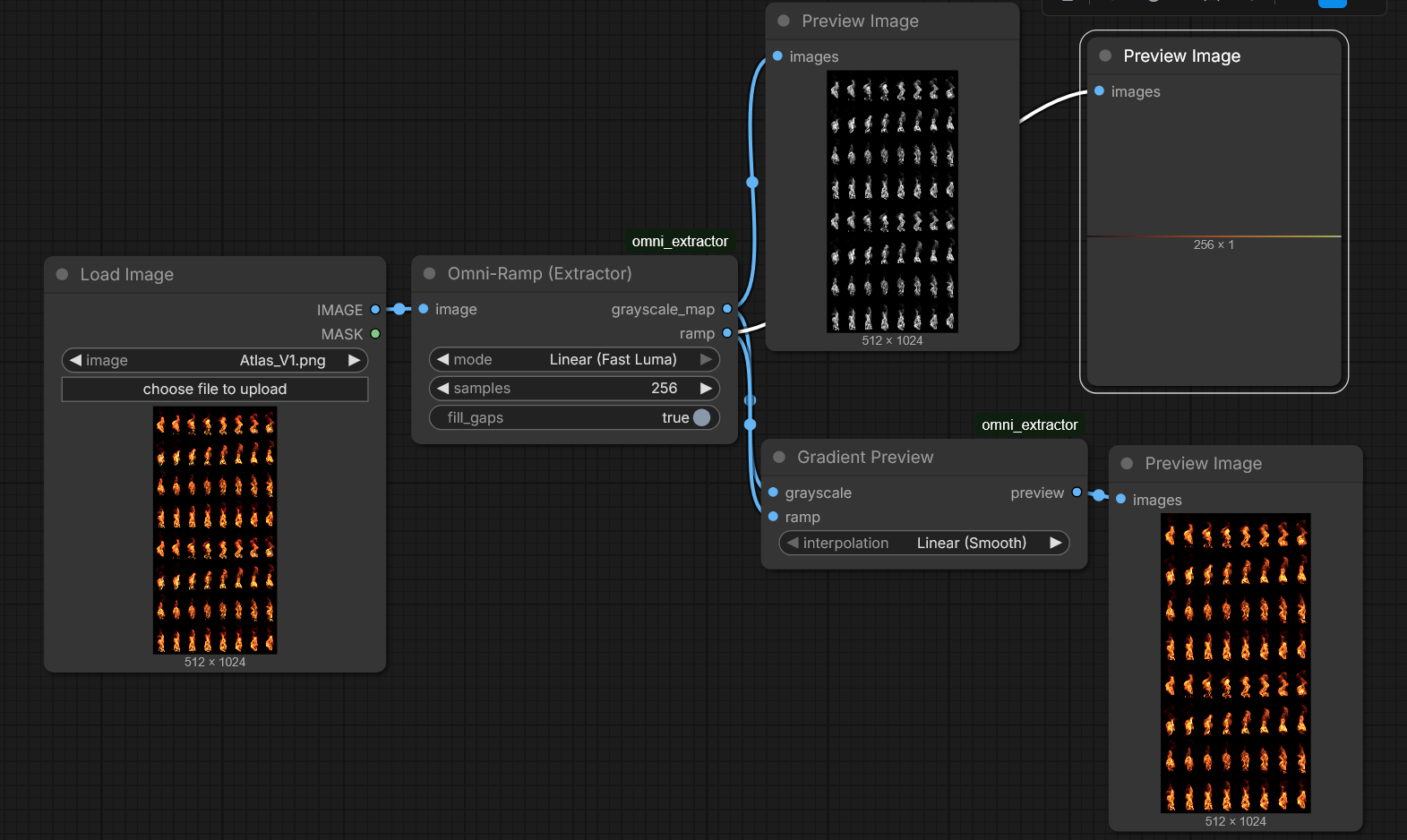
Omni-Extractor output example
Should this be packaged into a stand alone tool or photoshop actions script so we dont need comfyui to make it operate?
Fair shout on the standalone tool – I totally get that not everyone wants to fire up ComfyUI just to bake a texture.
To be honest though, a Photoshop action would be a massive bottleneck here. The math behind the signal/structure decoupling relies on 16-bit K-means clustering and iterative error-checking, which would just crawl if implemented via ExtendScript.
Right now, this is strictly in the R&D phase. I’ve put the working logic into the ComfyUI nodes on GitHub so the tech is actually usable today, and there’s a deep dive on Zenodo if you’re curious about the ‘why’ behind it. A dedicated CLI tool or a Substance plugin would be the logical next step for a production pipeline, but for now, I’m prioritizing the core algorithm over building wrappers