Hello I have a static mesh with WPO, a little jiggle of the vertexes. I’m using Static Mesh Location in but I can’t get it to “read” the WPO of the shader. I’ve tried the Sampled Position Offset in the Static Mesh Location and tried several different things but nothing seems to work. Is it possible, does anyone know?
You need to subract the position of the object’s position from the world space’s position to get a WPO to wiggle when you offset the object from the worlds 0,0,0 transform.
please send a picture of what you’re trying to do in yyou material graph.
Unfortunately I can’t legally upload any WIP online, I’ll try and explain it as best as I can, English isn’t my first language.
Basically I have a basic sphere with a basic material. The material is using a vector noise node that pushes the sphere’s vertexes in a sort of aethereal motion and has 0 opacity.
I attached a NS to the sphere in the level, in the NS I have a simple (currently it’s RnD) emitter that uses a Mesh Renderer with a basic cube for the purpose of the RnD and a Static Mesh Location (Vertexes) that’s set to use Source Mode Attach Parent.
The basic cubes do indeed spawn from the vertexes, but as the sphere’s vertexes move (driven by the material) the cubes don’t adhere to the vertexes’ motion. Basically the cubes form a perfect sphere but the actual sphere they are attached is more like a blob shape.
Somehow I need to feed Niagara the vertex position of the attached mesh including the WPO from the shader and use it as an offset to the vertexes’ WPO without the shader. (not sure if this makes sense).
Basically if the position of a vertex is 0, 10, 10 and the shader adds 5 on the Y, I need to communicate that to Niagara. I don’t know how or even if it’s possible.
EDIT: Now I’m looking at the Scratch Pad and using a Static Mesh Reader to somehow get the vertexes’ position in WS including the offset caused by the shader.
It’s been a while since I tried this, but no, you’re not able to do this with NIagara. It has to do with NS sampling the vertices in a different buffer.
1 Like
Instead of trying to force the connection between your material effect and your niagara effect, try replicating the same behaviour in both.
Here is a simple WPO material.
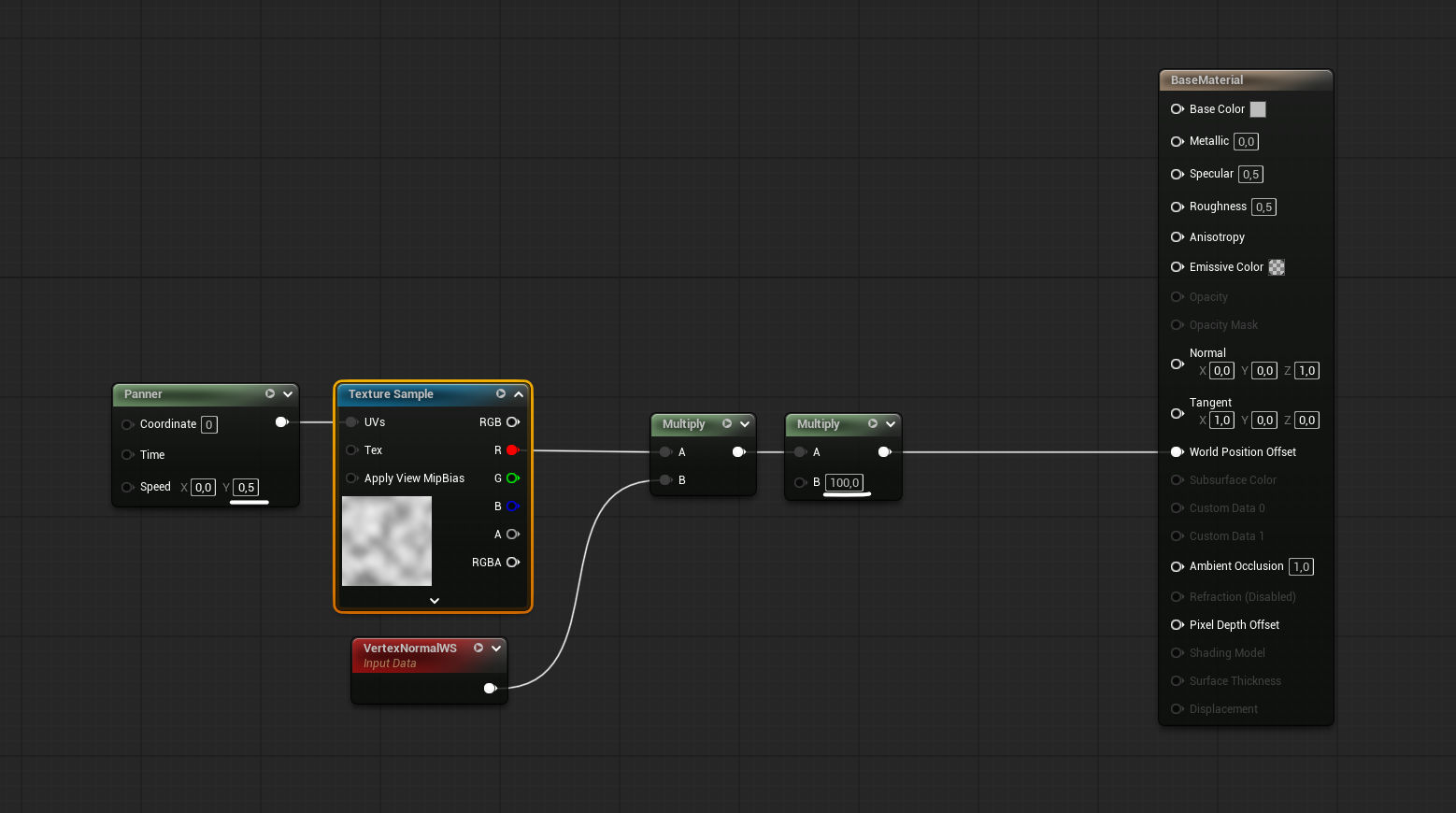
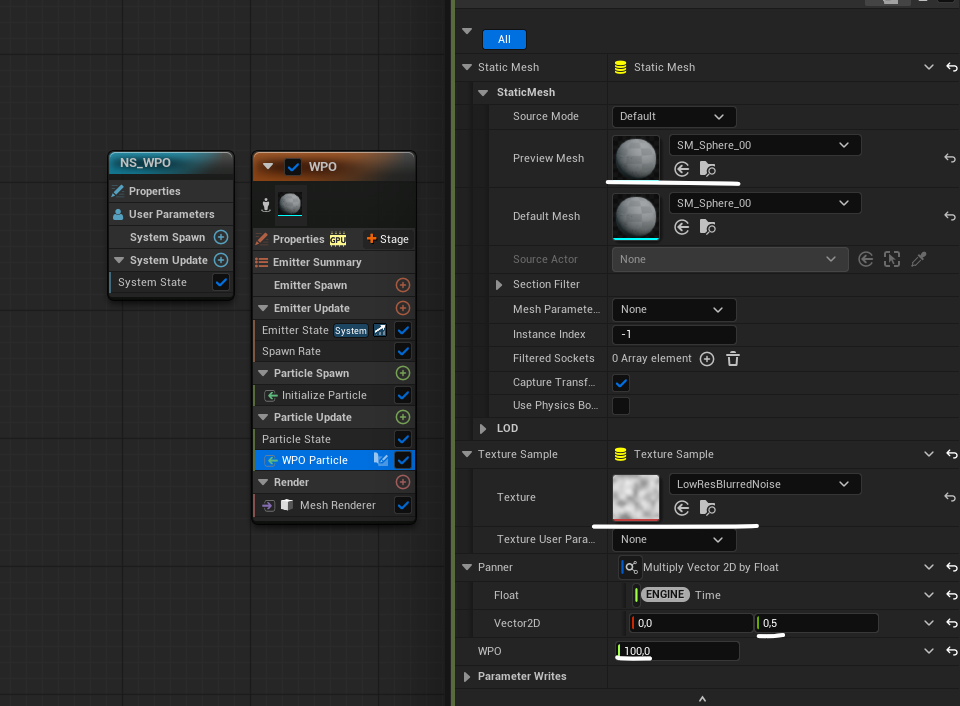
Adding a scratchpad to particle update.
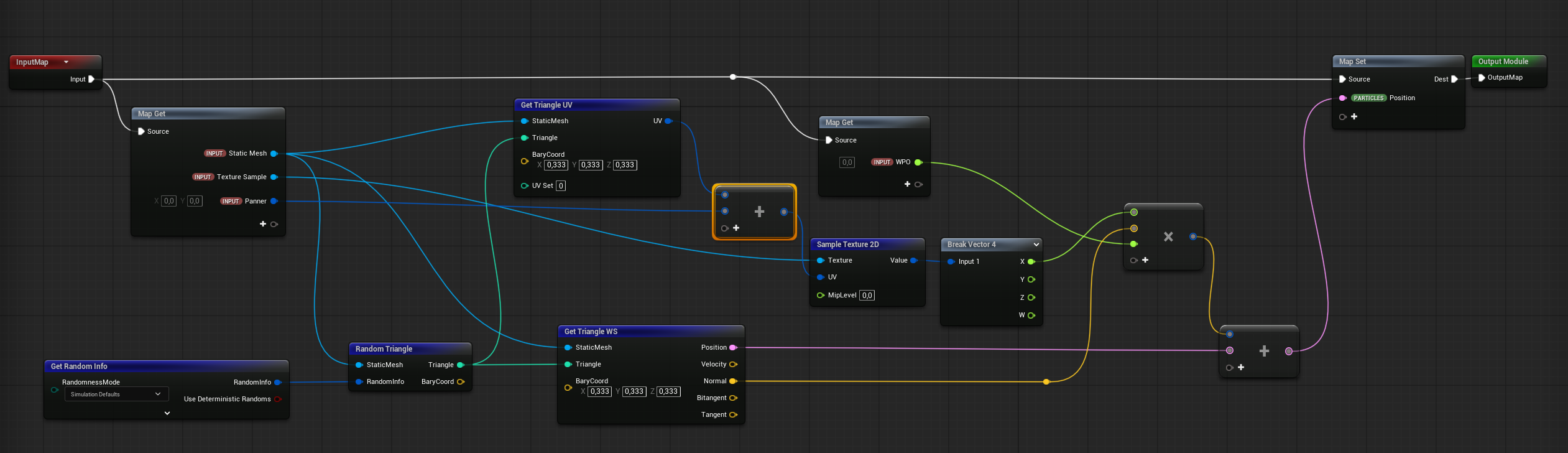
Here is the logic:
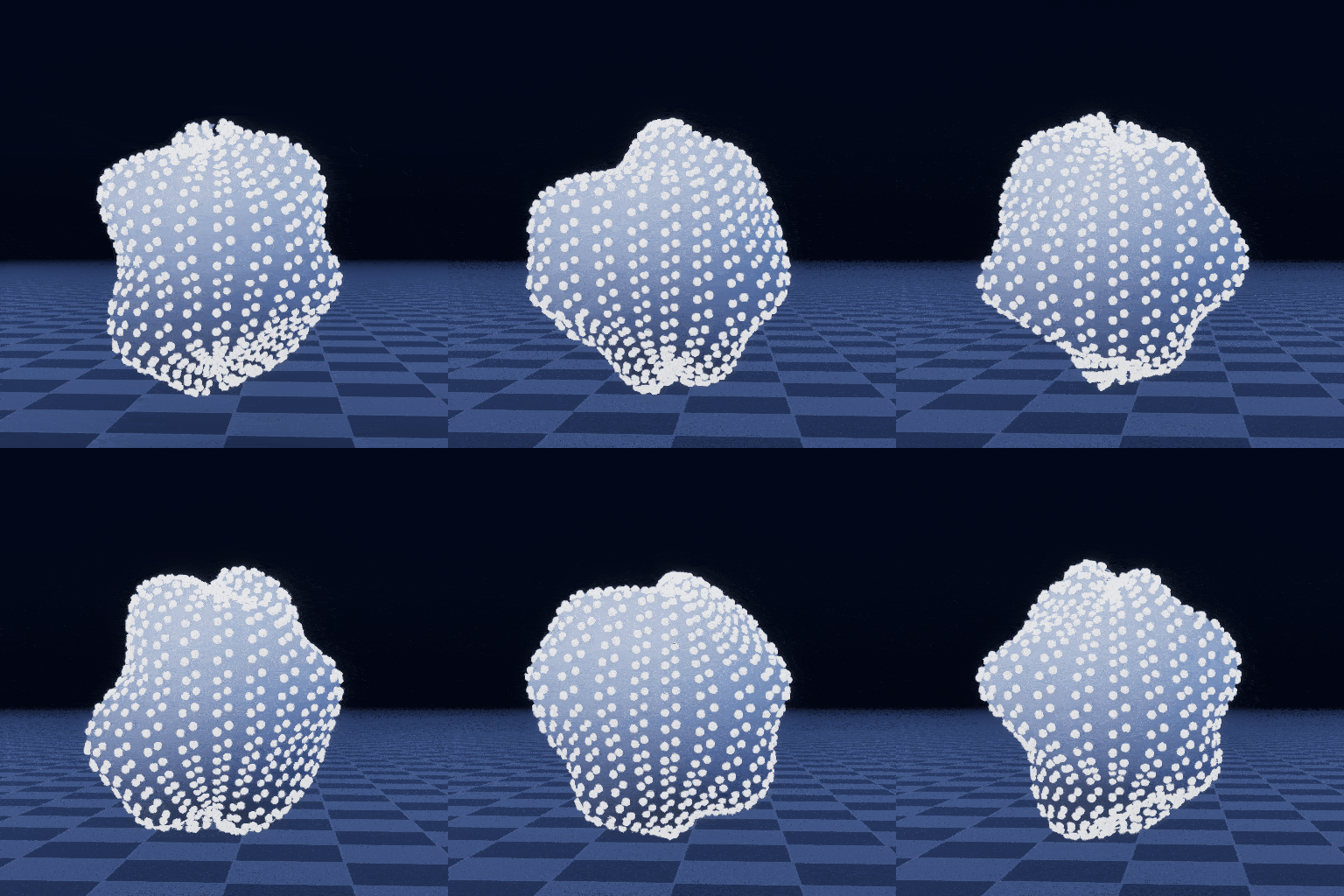
Same noise texture, same mesh, same values.
9 Likes
Thank you so much! This is a great approach! I’m having a small issue that I don’t know how to resolve, everything is working except in my case the particles seem to pick a new random position every frame. They are doing that sort of flickering where they are acting erratically, I’ve double checked everything but not sure why it’s not working for me.
I speculate could it be the Get random Info updating every frame? I don’t know why in my version it’s not working and in yours it is, everything I did is the same I checked several times
EDIT: I’m not sure if it matters but I couldn’t use a Static Mesh input only a Static Mesh Reader input. The Static Mesh input wasn’t connecting the anything and the SM Reader input seems to be pretty close to what you have in the screenshot.
Oof yea I had my particles set to white, so I didn’t notice this before.
You could do something like sample the mesh at the top of the stack, in emitter spawn, and grab the count of triangles. Then burst spawn that many particles. You could then “save” the execution index into a particle attribute in particle spawn. I recommend doing this because I noticed that “Requires Persistent IDs” checkbox is sometimes unstable.
Then just pass that attribute to the scratch pad instead of the random triangle. This should spawn a particle on each triangle.
2 Likes