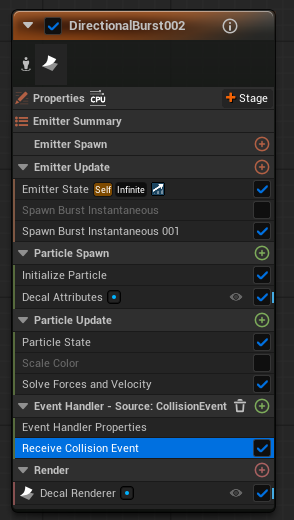
Hey I feel like this should be fairly simple but I cant seem to figure it out.
I got a emitter with a decal renderer, near the end of its lifespan I’d love to fade it out. However that doesnt seem as easy as I expected it to be.
Hey I feel like this should be fairly simple but I cant seem to figure it out.
I got a emitter with a decal renderer, near the end of its lifespan I’d love to fade it out. However that doesnt seem as easy as I expected it to be.
There are some things I tried and didnt work:
Multiplying a blue on top of the blue from the normal texture sample to remove the normals, done with dynamic parameter didnt work. Worked in the material but not in niagara.
Time - opacity override
In particle update: decal attributes fade 1-0 and 0-1. Didnt do anything
There are also some things I think should work but dont know how to get it to work:
Opacity override (But no clue how to animate it, It doesnt work with a dynamic parameter)
Decal screen size fade 0-0.23 (but once again I dont think we can animate this)
Connect Decal Color (A) into Opacity and then in Niagara just do Scale Color and set curve for alpha
I swear I tried that, but seamingly not.
That worked like a charm! Thanks for taking the effort
Things usually just start working just after others point them out, dw happens to me all the time!