The Godot basic effects shader uses the built-in Godot Visual Shader. There may be better ways to combine it. Its basic functions are to change the color and transparency of the texture, and it is unaffected by lighting, allowing for fluidity.
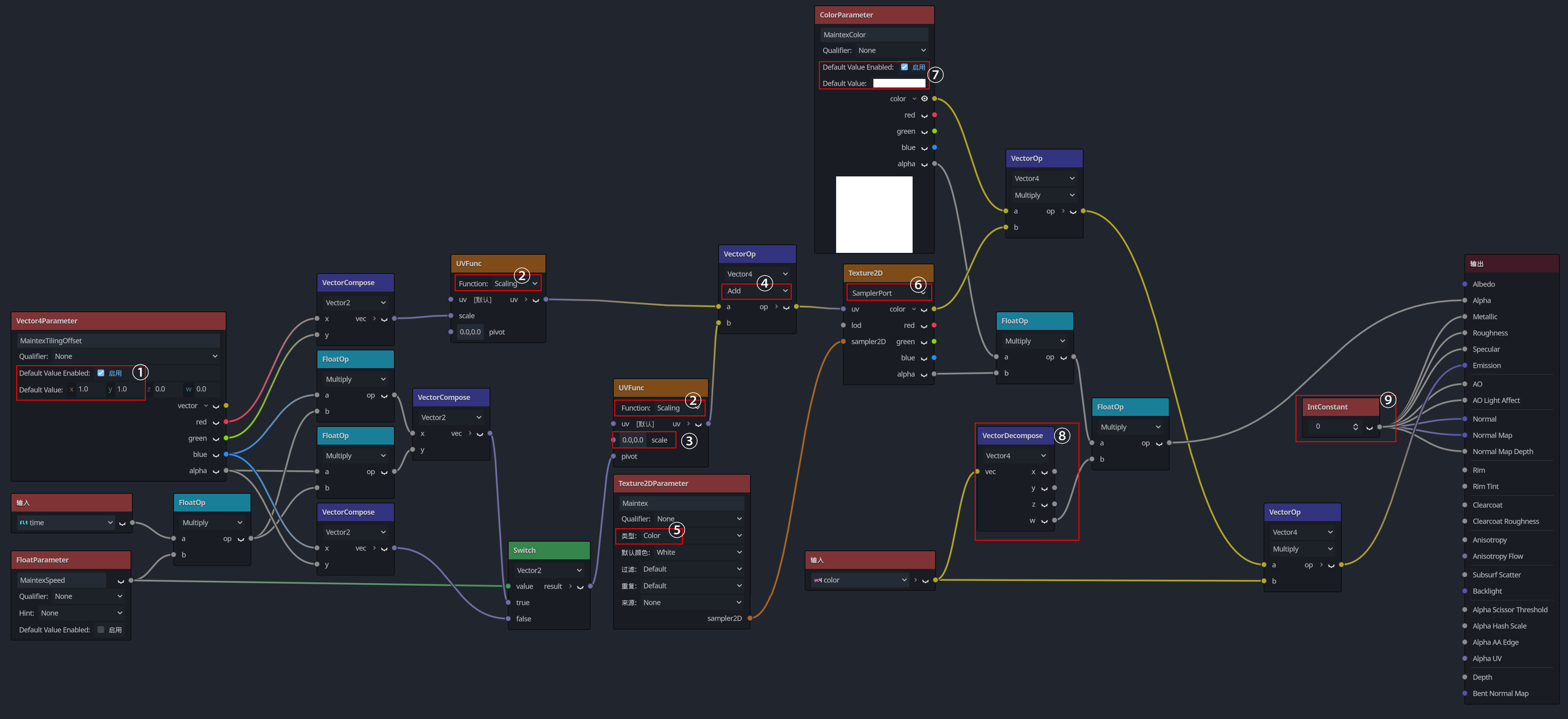
① Default Value Enabled : Remember to enable this. Set X and Y to 1 . This ensures the texture’s tiling behaves normally. Otherwise, the default value (0 ) will hide the texture.
② UVFunc Node Function : Ensure the Function is set to Scaling (缩放) for both settings.
③ UVFunc Offset Control : This UVFunc node controls the texture’s offset. Set Scale to 0 to avoid conflicting with the normal tiling value.
④ Operation Type : Use Add .
⑤ Texture2DParameter Node : This node allows exposing the texture for external name editing. Change its type to Color , or the texture color may appear incorrect.
⑥ Texture2D Node Type : Modify all Texture2D nodes to SamplerPort type. Otherwise, the Texture2DParameter node will not work.
⑦ ColorParameter Node : Enable Default Value Enabled . This ensures the default color is white. Otherwise, it defaults to black.
⑧ VectorDecompose Node : Used to split the input color vector. Extract the A (alpha) channel and multiply it with other alpha values, then connect it to the Alpha output port. This allows the particle system to control the material’s transparency.
⑨ IntConstant Node : Set to 0 . This prevents the material from being affected by lighting. Not sure if there are other side effects, but this is the only workaround I could think of.
Note :
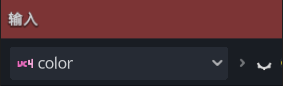
ensures the particle system’s color affects the material’s color.