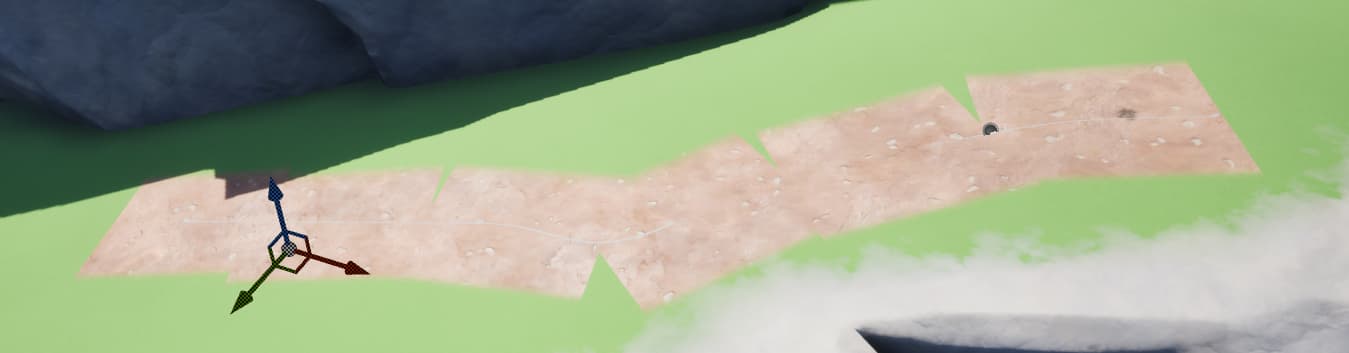
Does anyone know how to fix this? I would like to use decals if possible. When I made a mesh spline path it would warp correctly, but not glue to the ground like decals do, much of the terrain is very uneven. The environment artist also mentioned Z fighting issues with the mesh version.
I thinks that’s unavoidable because decals are boxes, so they end up with that space when they meet in an angle, but when you use a mesh you don’t have that restriction, so you can make the vertices match.
I’ve met this problem twice on the games i worked on, so i can tell you what workarounds i used, maybe it’ll help you.
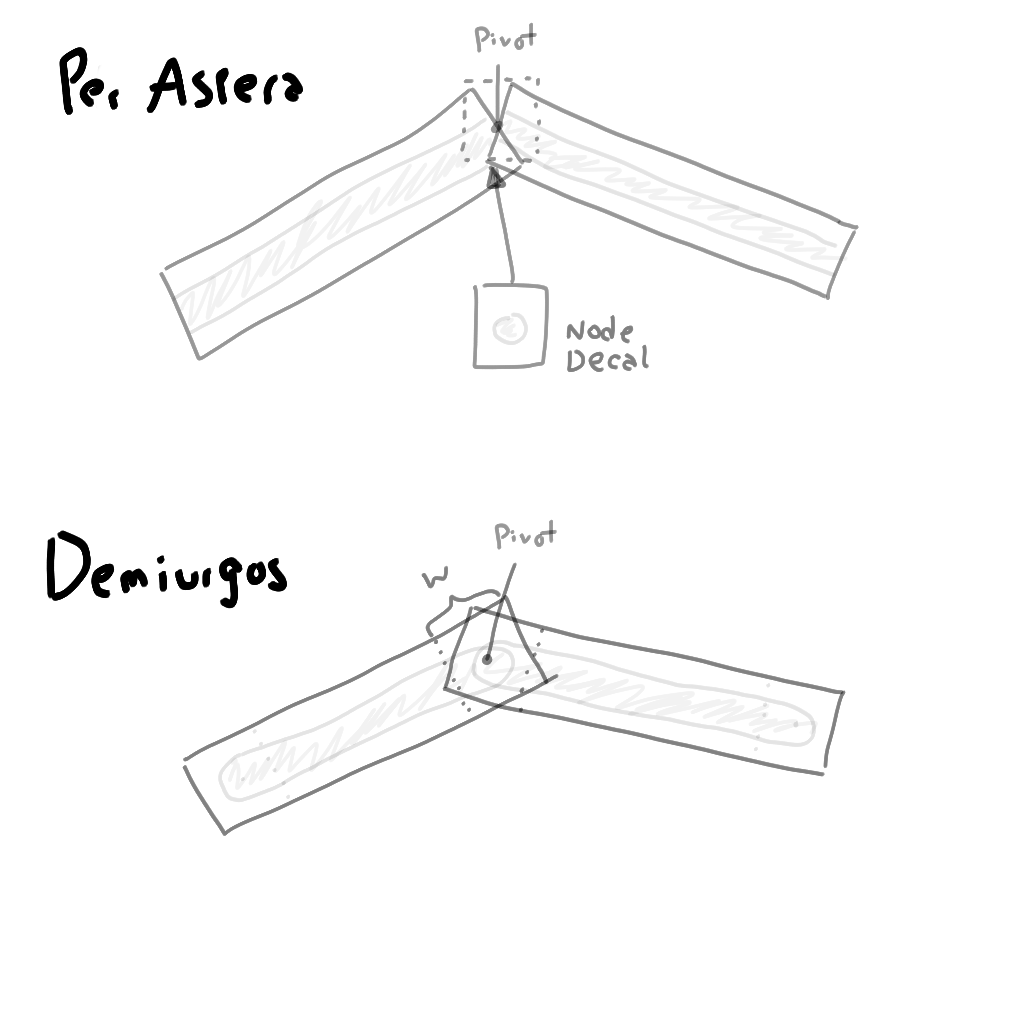
On a game called Per Aspera, we had similar roads made with decals, and to hide the connection of decals, we used extra decals on the “nodes” of the road with a circular shape, that were the same radius of the road, and were drawn below the road decals.
It wasn’t perfect but it made it less noticeable.
For another game called Demiurgos, i knew it before-hand so i tried to think a way to avoid having extra decals, to reduce the rendering overhead. I came up with the idea of crossing the decals not end to end, but overlapping some small distance that was the same as the decal width, and drawing the road with a rounded end using a specialized shader that draw the same end size no matter what the decal length was.
It also wasn’t perfect but it was good enough for the prototype haha