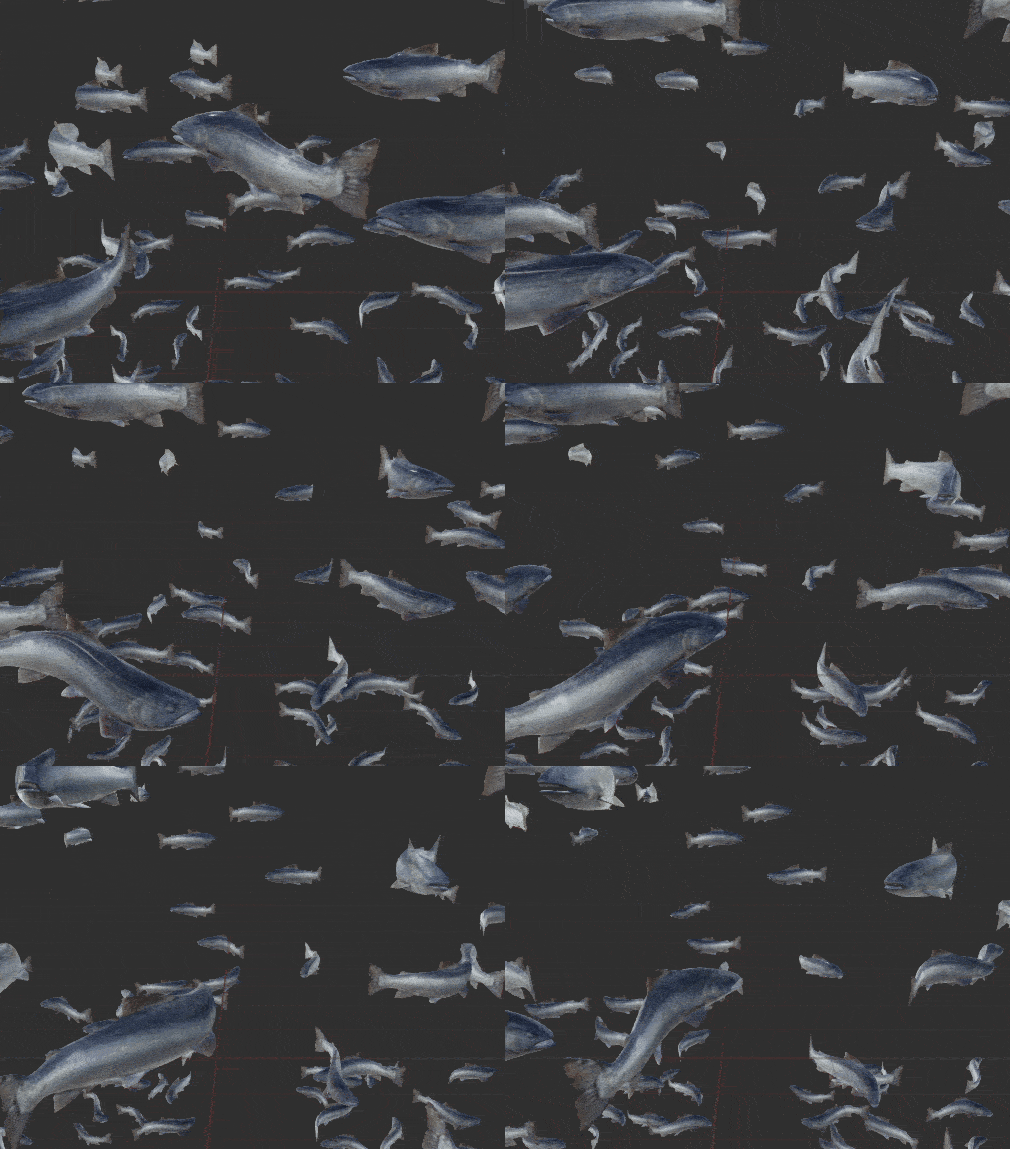
Deforming a fish-mesh to let it wiggle is a common task. Took a while to get it running, though (thx to weird transforms).
Notes
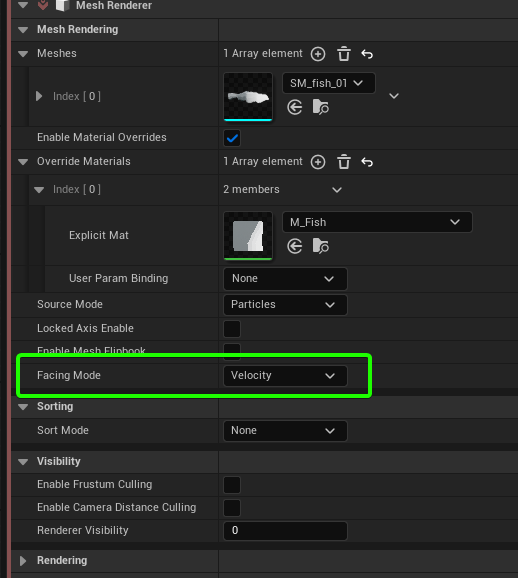
 Particles are aligned along
 velocity (set in Mesh Renderer)
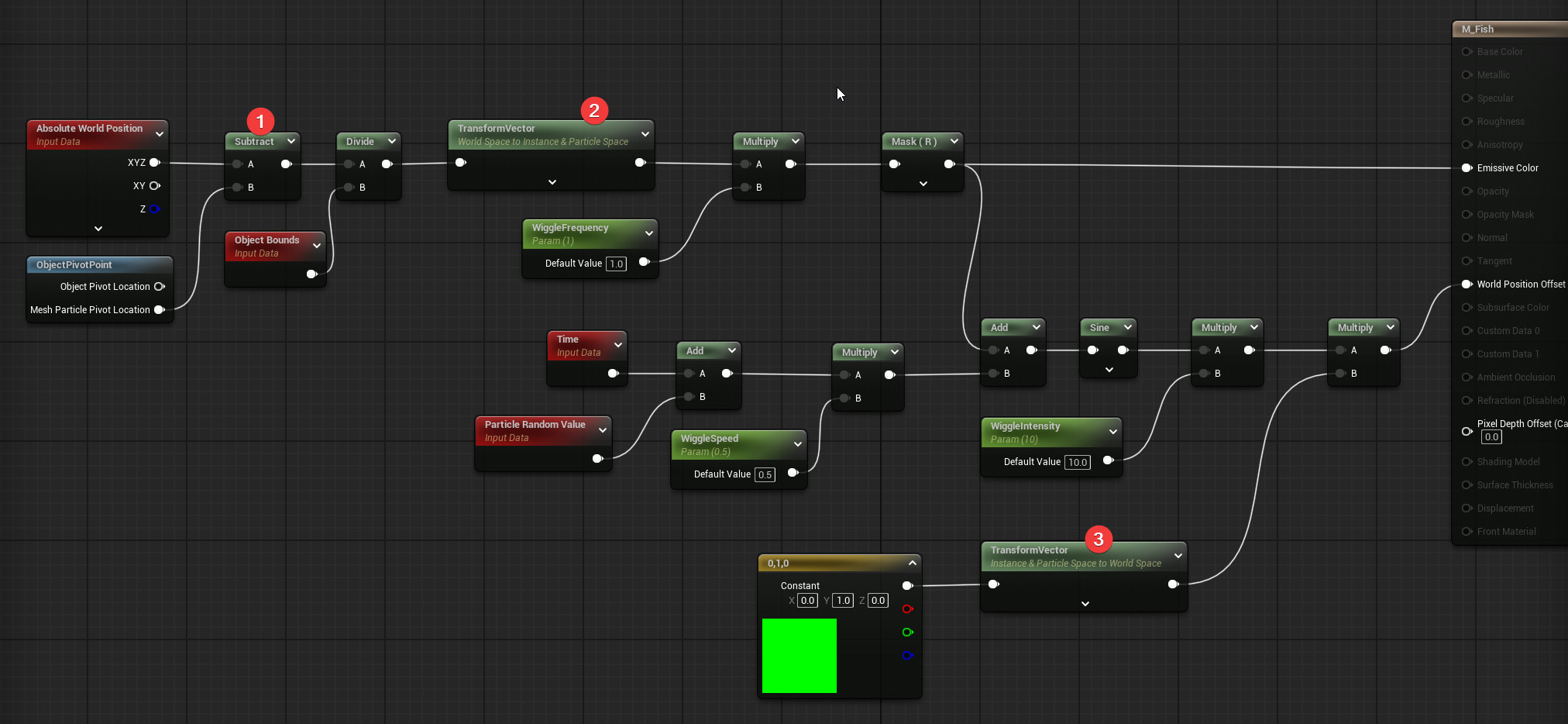
- Classic calculation but using the usual
Object Position (Absolute) did NOT work! Had to use ObjectPivotPos !
- Make gradient be aligned along the Particle Mesh (X-Axis)
- Offset Fish Mesh along the
local right/left
12 Likes
Is there a reason why you’re choosing to handle the offsets this way vs pushing the vertices around based on UVs?
In looking closer at the mesh, I may have reasoned through my own question.
It looks like you’re using a full 3d fish mesh? In which case, to do this with UVs you’d likely need a custom UV set in order to push the verts around with this motion, using vertex normals and a texture. Those UVs would probably look something like a side profile of the fish mesh and the results probably wouldn’t be very good, when looking from top down like you’re showing here.
Curious if you have other thoughts though! I appreciate the breakdown, I’m going to try this out on my end.
Yes, you are right. I could use a 2nd UV but I wanted to save the UV data and also find out how to do it in the shader - as a little challenge 
But you can not use the Vertex Normals. It would make the fish grow/shrink. To give it a wiggle-motion you need a constant “side-way”-vector modified by sine.
2 Likes
any inspiration from Abzu? they did this great talk on how they managed their swimming particle fish.