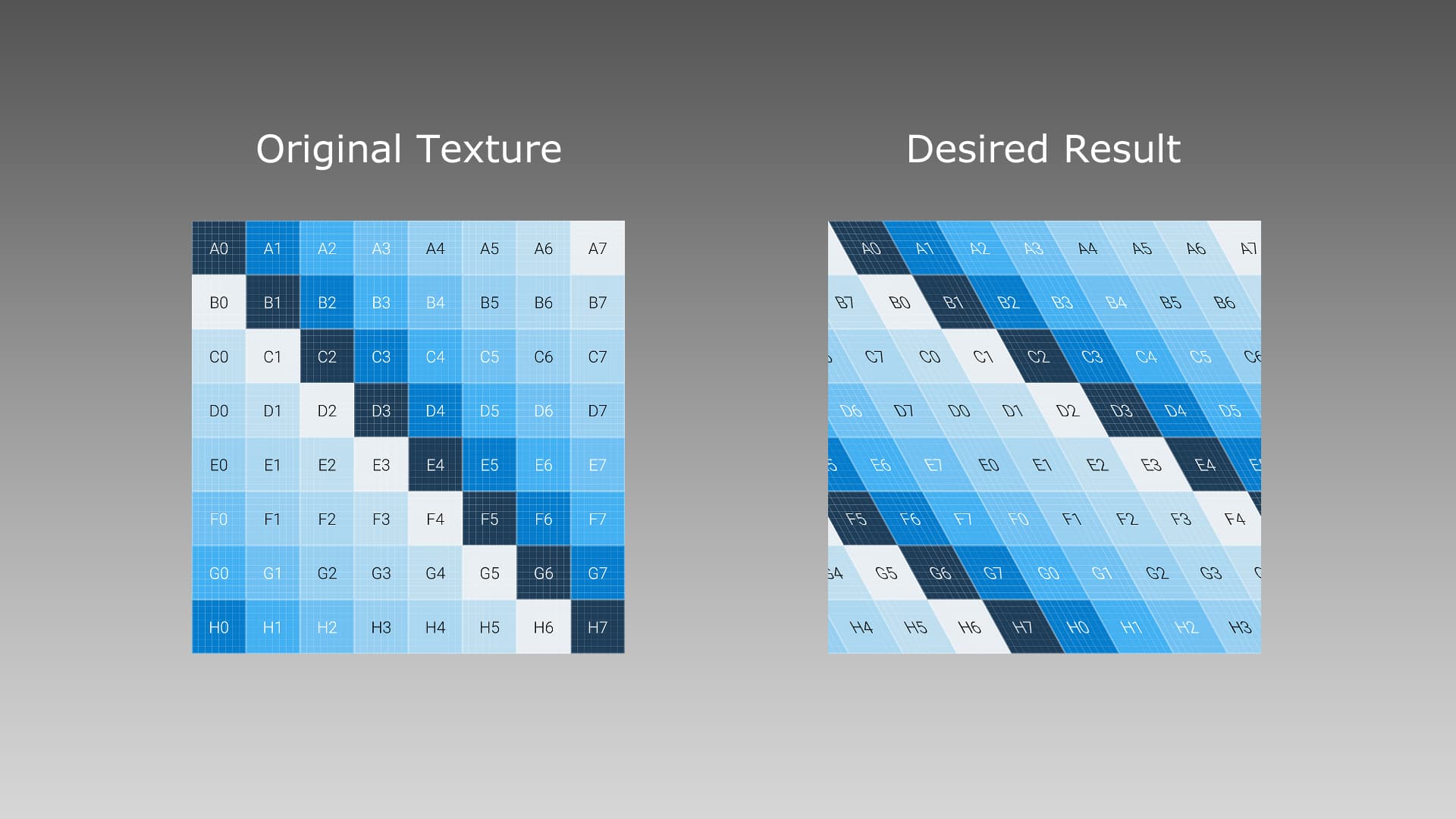
I’ve been wanting to apply this kind of effect to my textures, similar to the Skew transform in 2D editing software, while keeping it tileable without needing to change the original file.
In case anyone else is wondering how to achieve this but, just like me, couldn’t find a solution online or anyone addressing this, here’s how I did it:
NOTE: This was made in Unreal Engine 5, which uses inverted Y axis for it’s UV texture coordinates but it could be implemented in other software, like Unity, following the same logic.
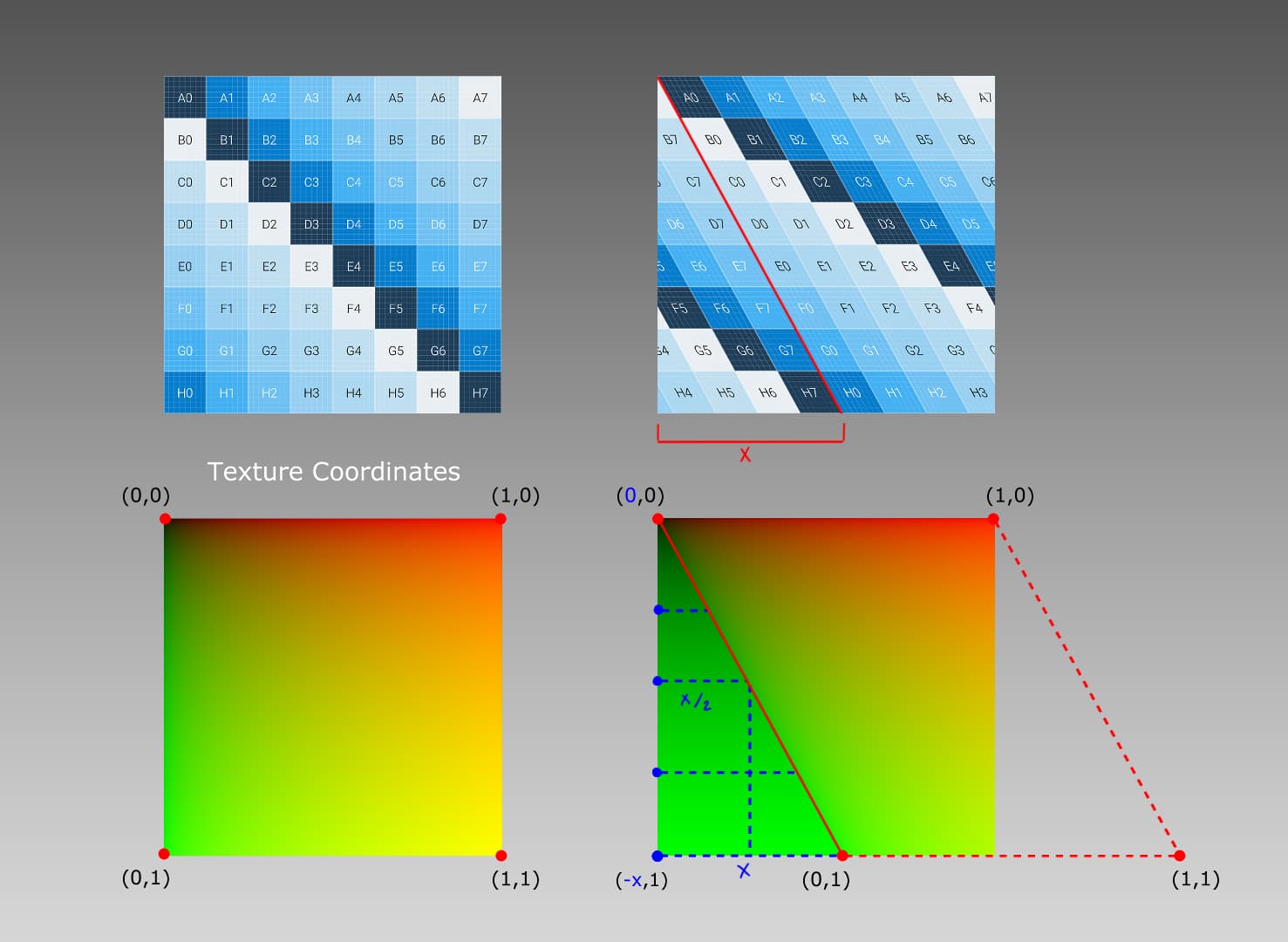
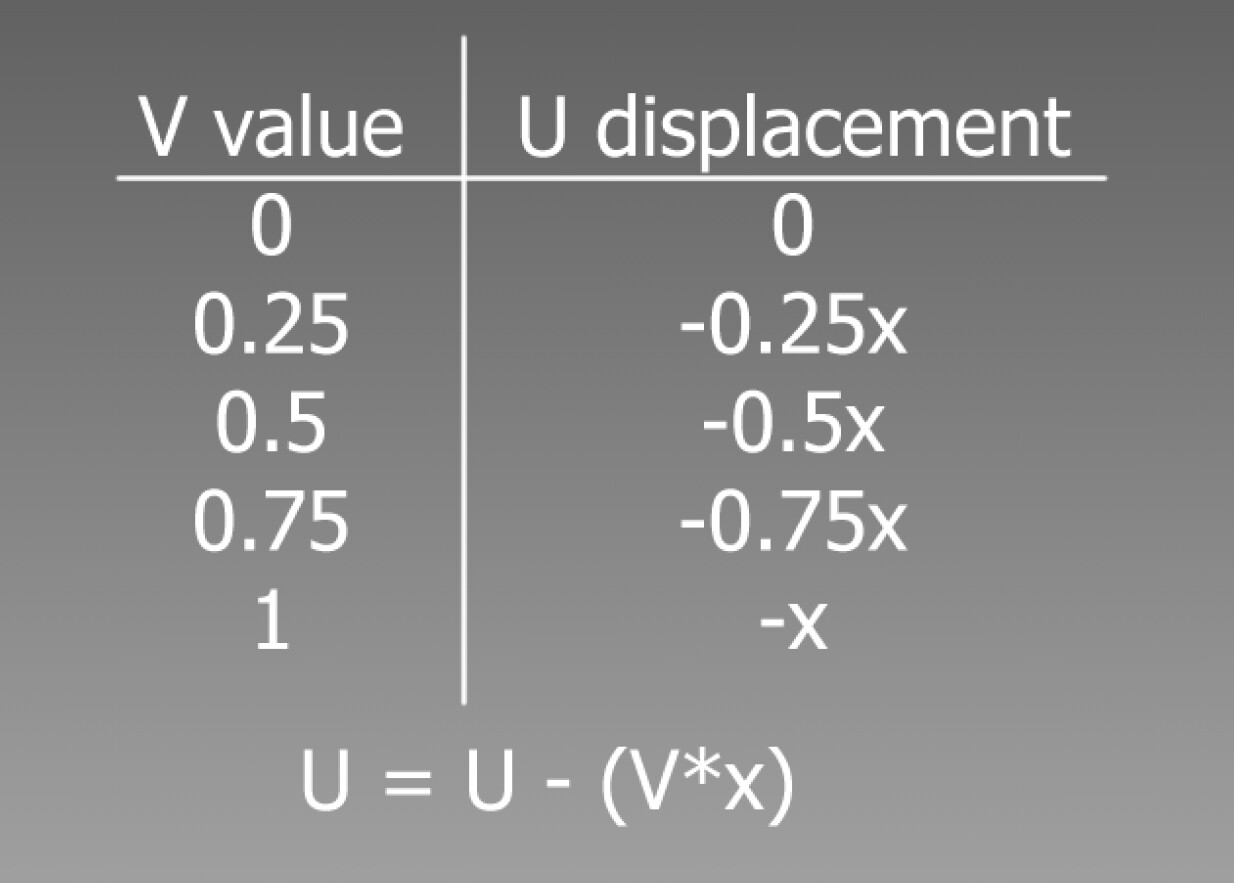
To create the skew effect in a texture the UV coordinates need to be modified in a way that the U coordinate of each pixel gets displaced by a certain amount proportional to its distance in the V axis. If the V coordinate is 0, the U coordinate should stay unaltered, but as it progresses in V value the U coordinate should be displaced more and more until it reaches a V value of 1 where the U coordinate will be displaced the whole value of x.
With this we get the following equation:
You can create a Material Function following the equation and introduce it in your material, the output being the new texture coordinates that will skew the texture sample. To allow vertical skewage, use the same equation swapping U and V.
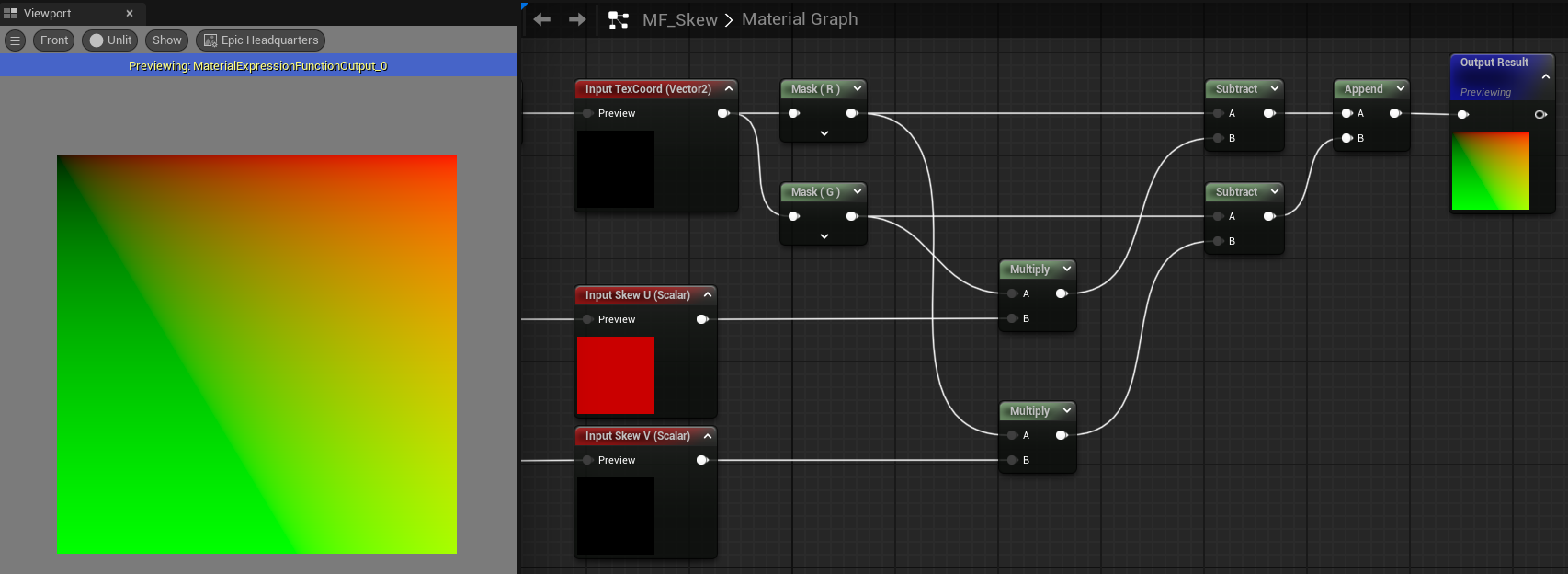
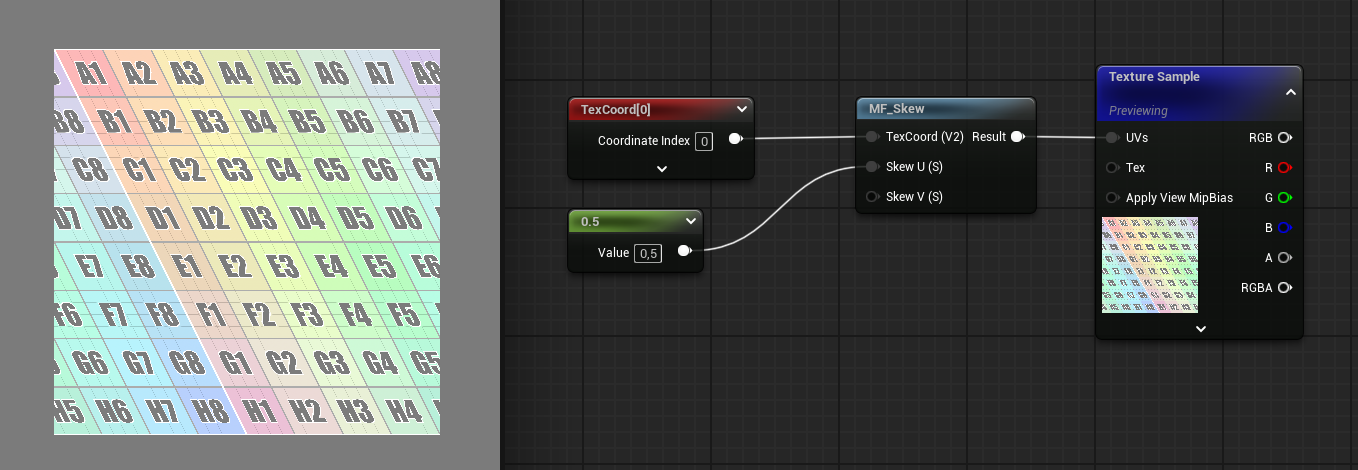
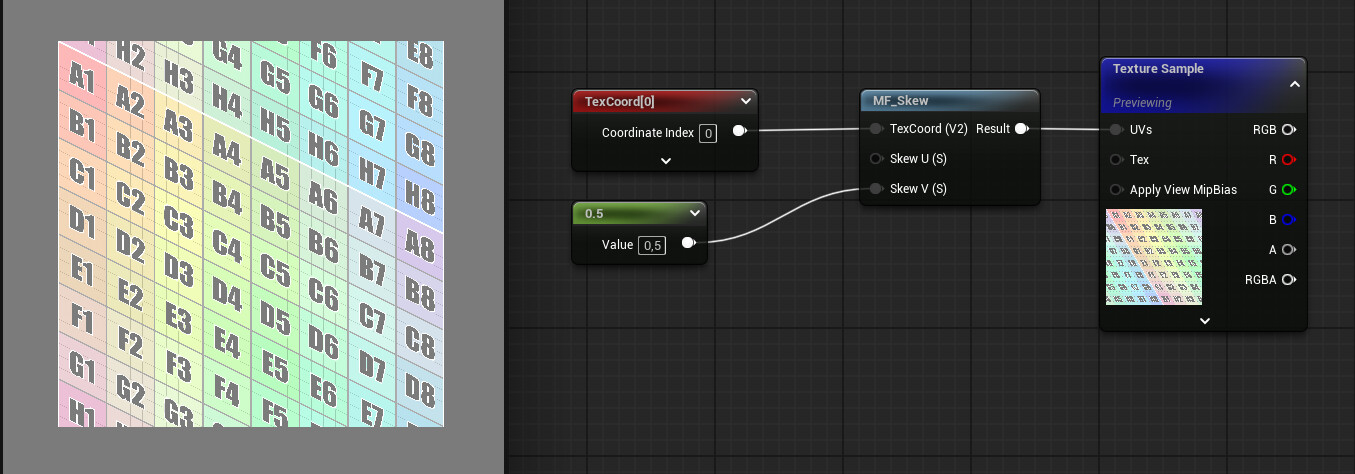
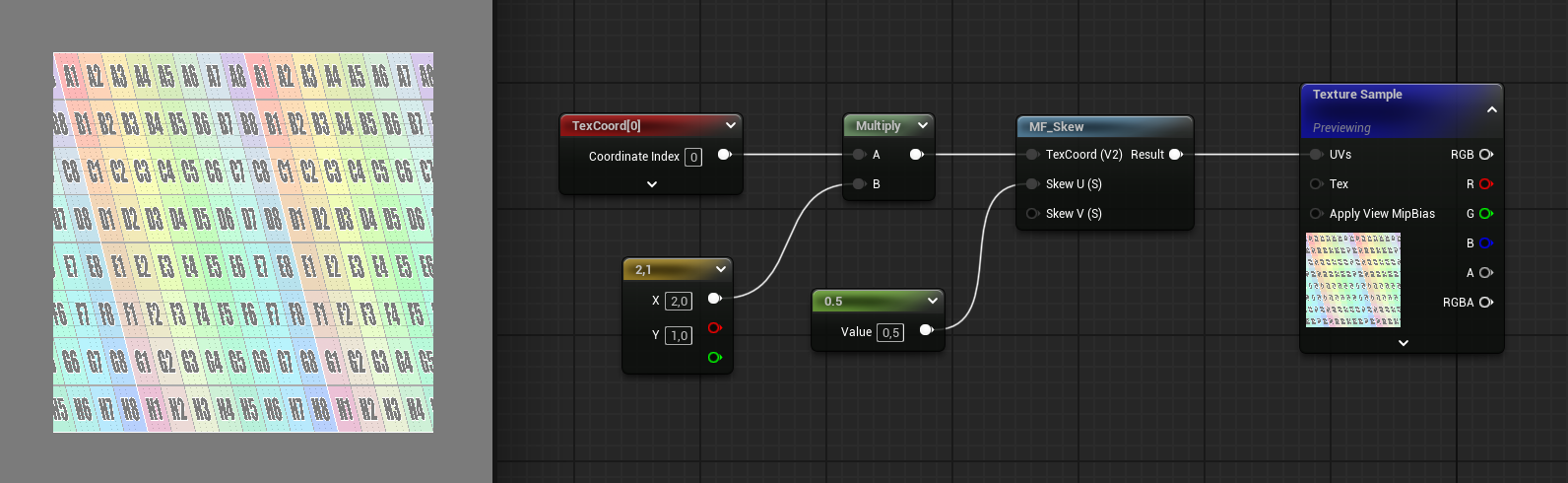
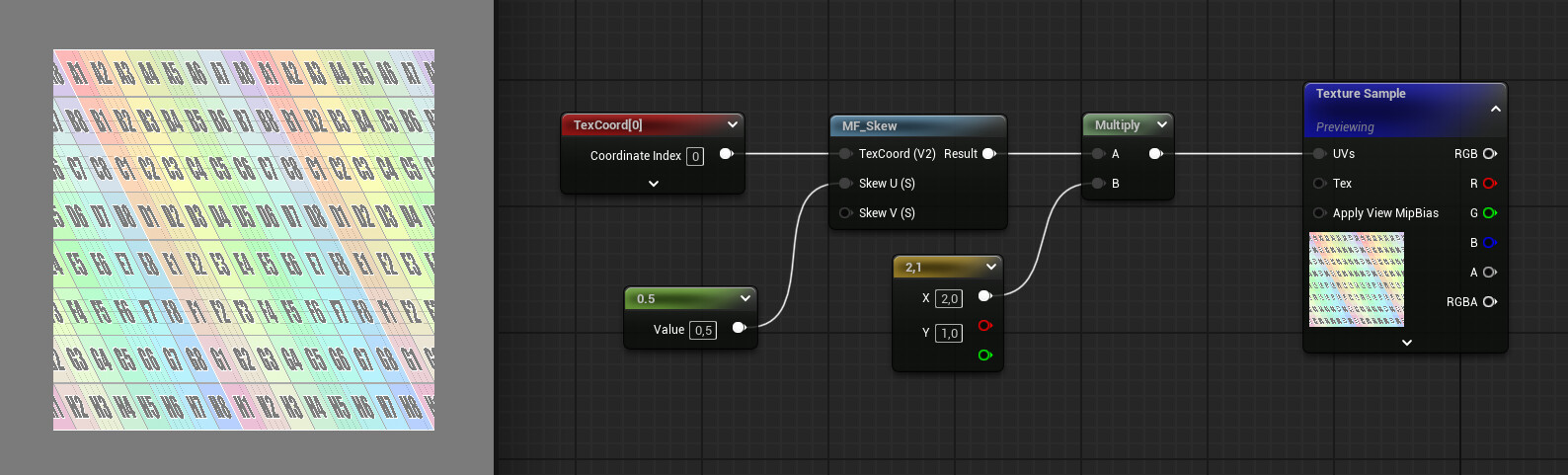
Having the previous TexCoord as an input allows to skew already scaled or moving UVs which could be desired in some cases as it creates different results.
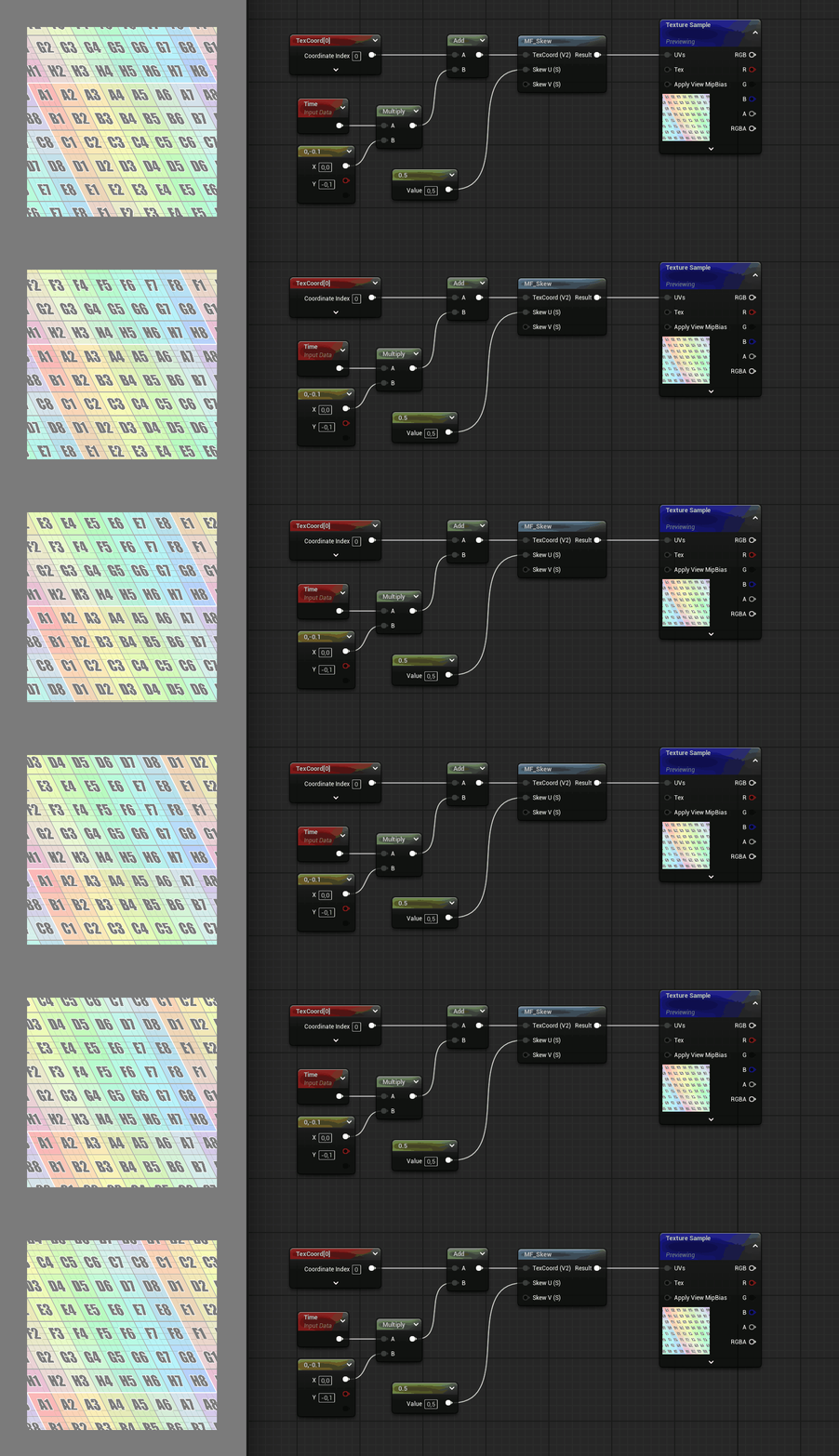
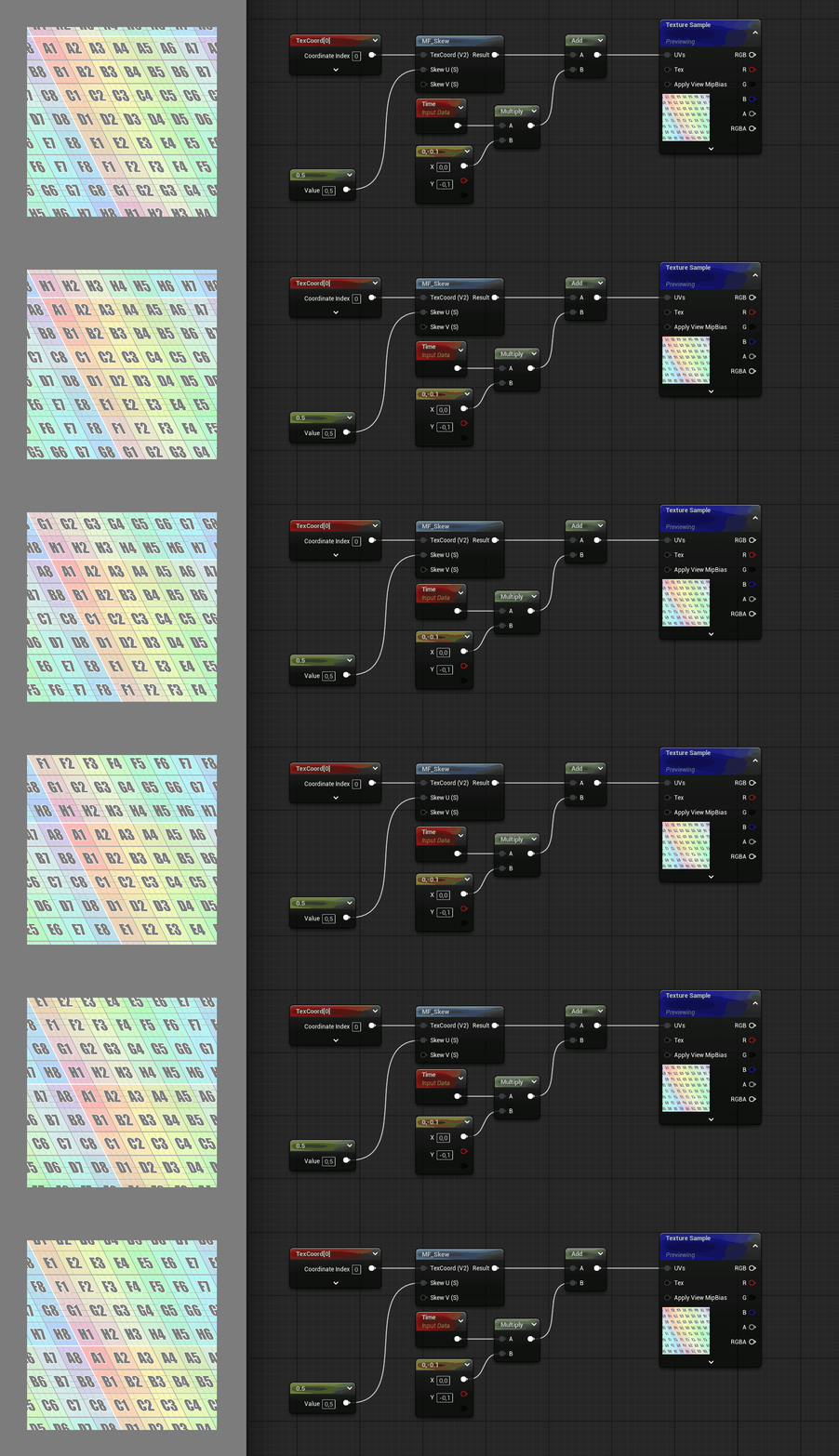
If anyone has any corrections or suggestions please let me know! English is not my first language so I apologize for any grammar mistake.