TassanaJ: Sketch #66

Hi all, first time joining RTVFX community art night. :wind_face:
Big thanks to Manus for encouraging me to post the work with breakdown instead (since I finished it without making a thread and post my process here)

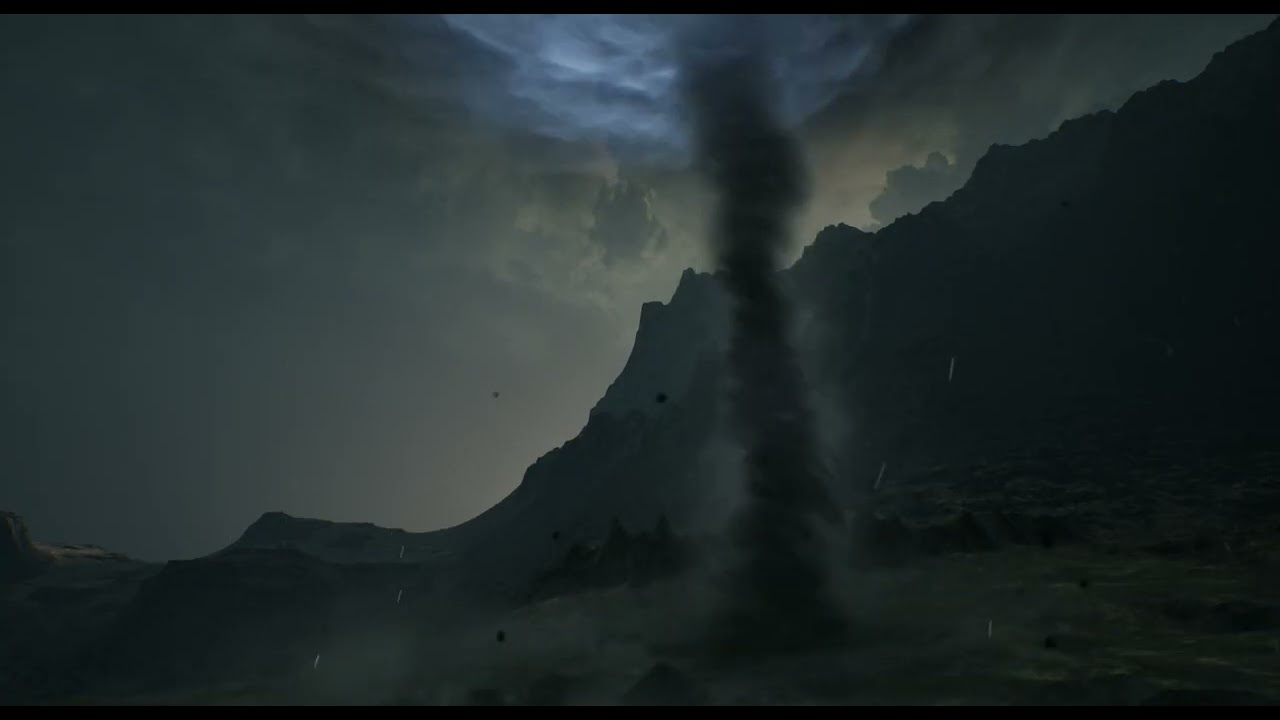
Here’s the finished looping tornado

(I hope this works now)

Things I want to include in my breakdown post

  1. Seperate element of effect
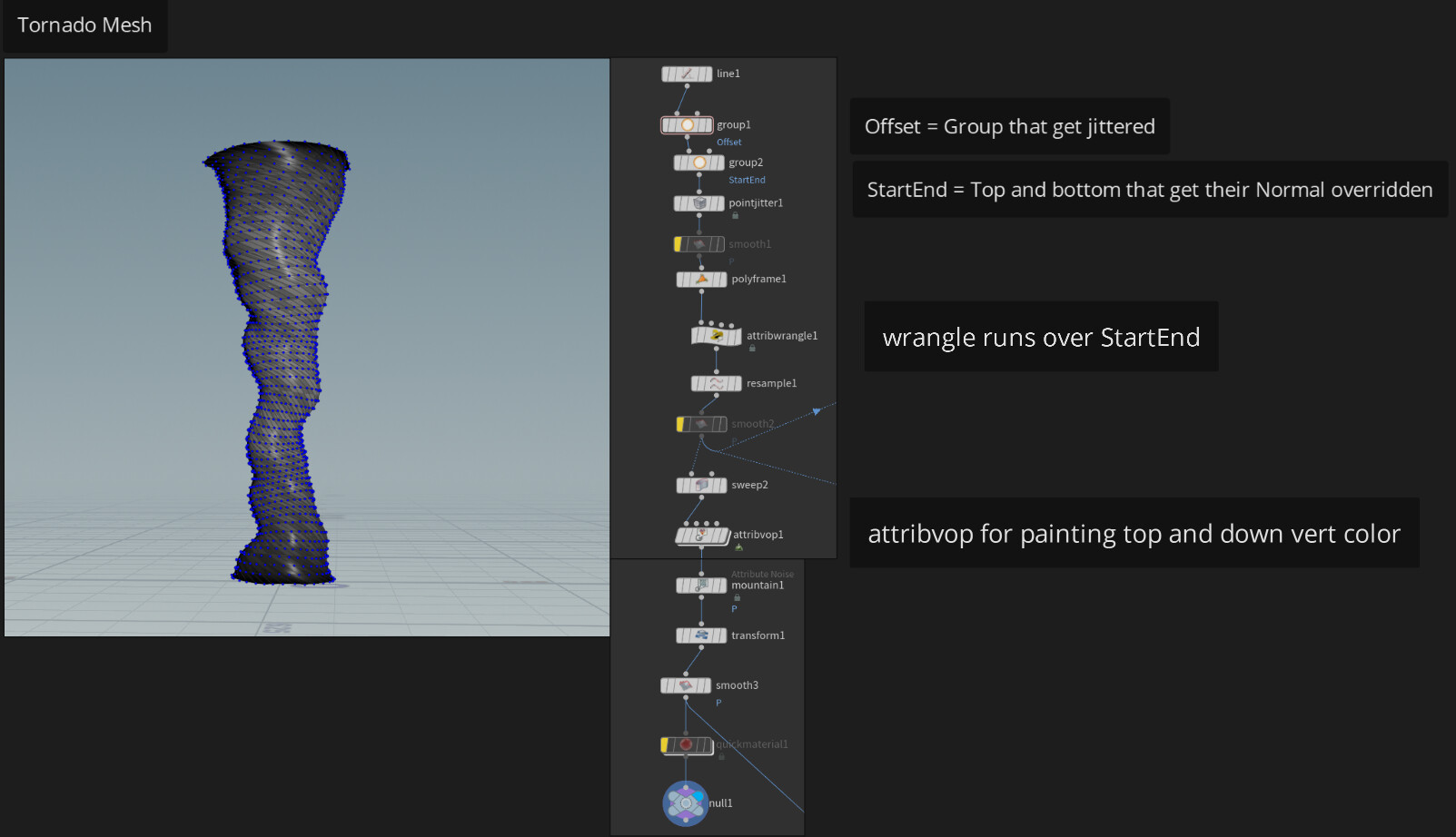
  2. Tornado mesh in Houdini
  3. Tornado’s main body’s shader
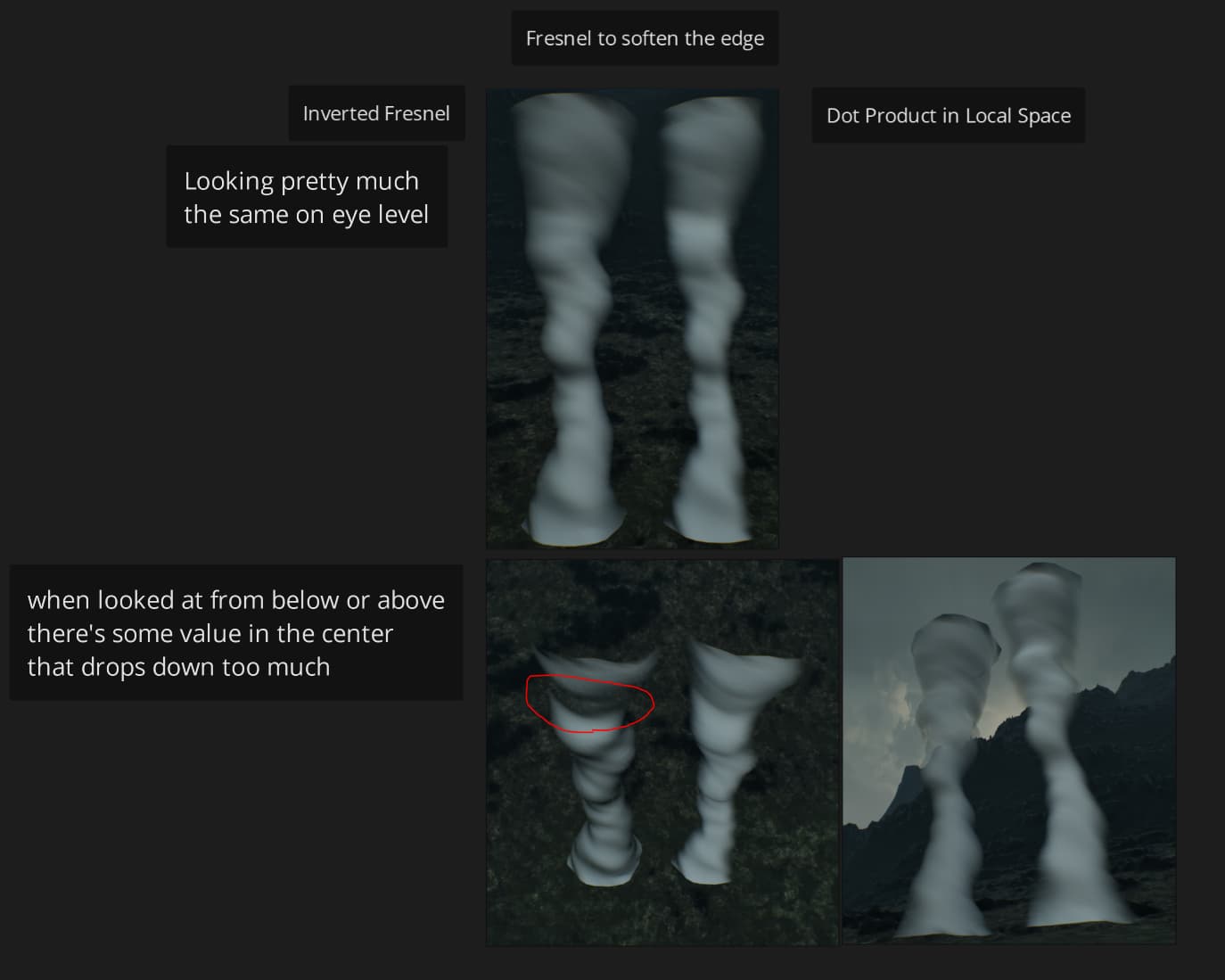
    -3.1. Issue with Fresnel on Up Axis (and what I did)
15 Likes

Damn that’s a really great result, can’t wait for the breakdown!

VFX isolation

Meshes : Houdini Node

Important notes
Normalized both U & V on Sweep Node
Polyframe BEFORE Wraggle and Tangent name = N
Wraggle Attribute Code

@N = set(0,-1,0);

This prevents top and down of the tornado being tilted according to their tangent normal from previous points. so we get perfectly flatten caps

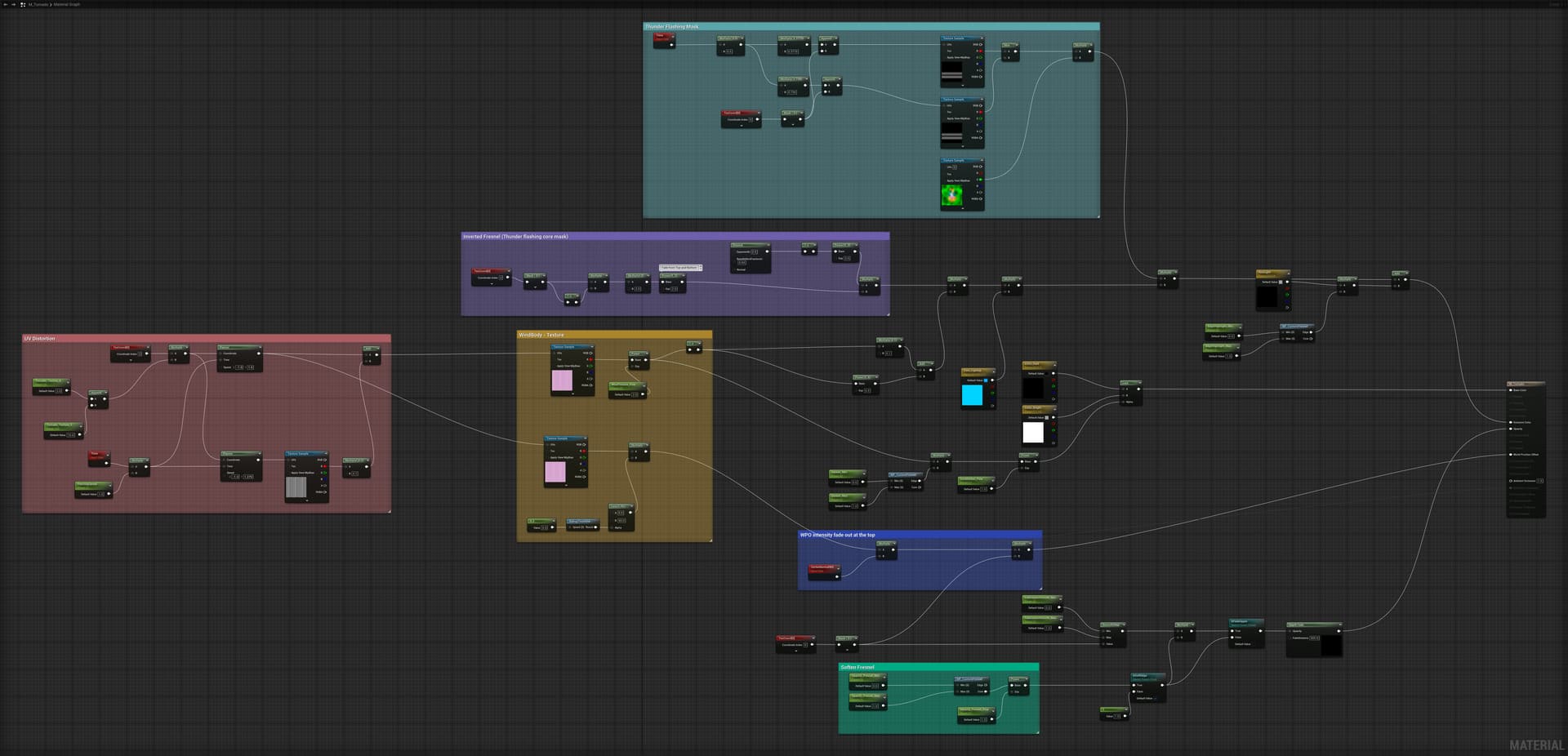
Mainbody’s shader

Most stuffs are pretty classic texture panning + UV distortion as noted on the node groups

Need to make it into different reply since new members can only put 1 embeded per reply

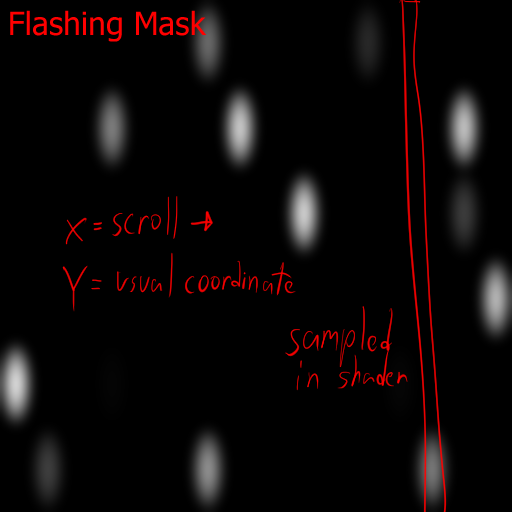
The flashing mask is scrolling through LUT with different speed and combined together
because the sphere is blurred, it also behave as fade in/out

The texture works kinda like this

Now that, that is a tornado!

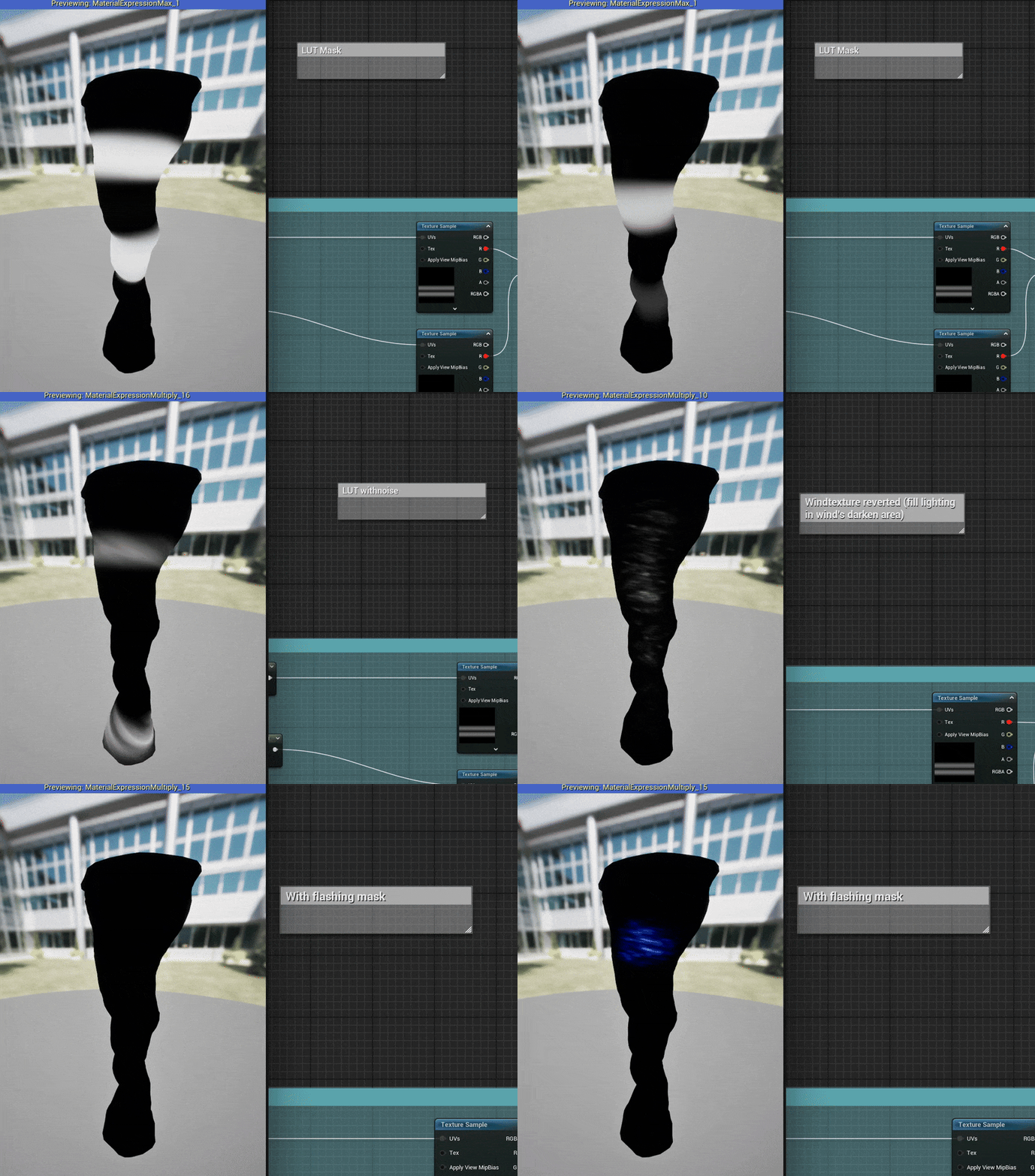
With the shader above here’s how the mask for thunder flashing inside the tornado look
ThunderMask

.
.
.
And then I notice this one issue with fresnel

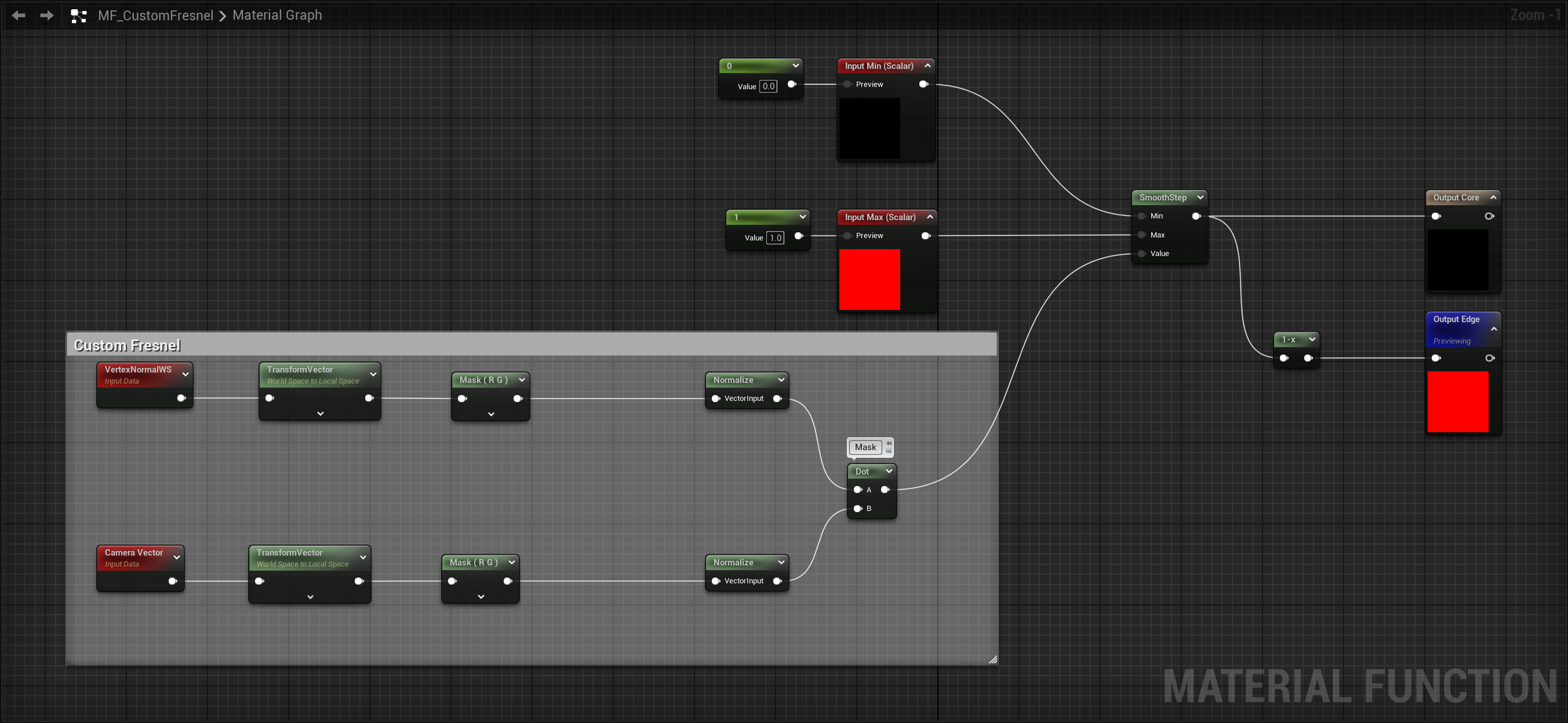
So I ended up making a function for masking the mesh edges, not sure if I over complicated this
but I like the result so all is good I guess

The idea is very simple, I dot product the vector of local space vector with camera vector, with Z axis being ignored, so it’s pretty much just checking if the vertex is facing toward the camera or not, and use smooth step to adjust the mask

1 Like