hi all! im leaving the youtube tutorial nest to create some of my own vfx, hopefully for potential portfolio pieces, so i decided to start a sketchbook so i can get some feedback n share what im working on.
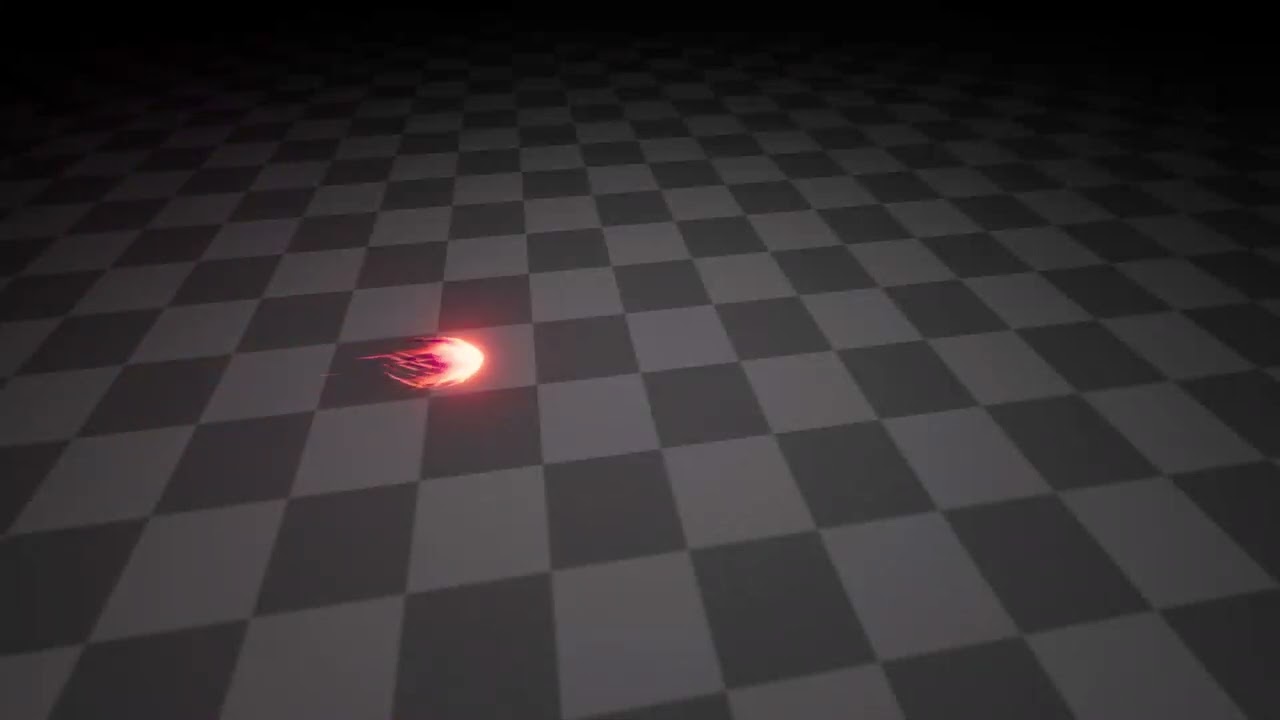
for my first piece, im doing a fireball spell w a celestial theme. here’s where it’s at:
let me know what u think n if u have any notes or pointers thx !!!
been a while since i used this, but thought i should revive it to keep a record and to hold myself accountable !
i saw a great reference for a grass-type sword slash, and it gave me the idea for what im working on atm:
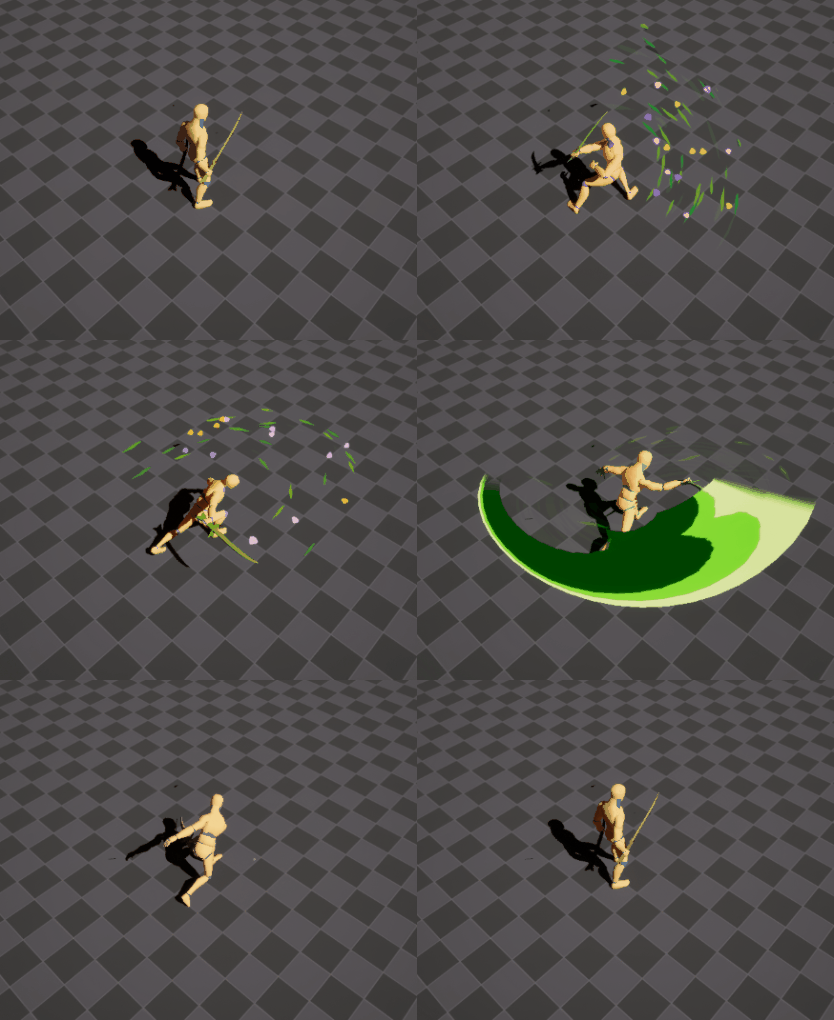
made a little bit of progress ! i added a dummy and some hit effects but i thought it was still lacking for a portfolio piece so i decided to spice it up a bit. im thinking now of how i might make the third hit extra special. off the top of my head i could make the slash bigger and add a zelda-type sword beam, but feel free to throw me any other ideas or suggestions while i go reference hunting ^-^
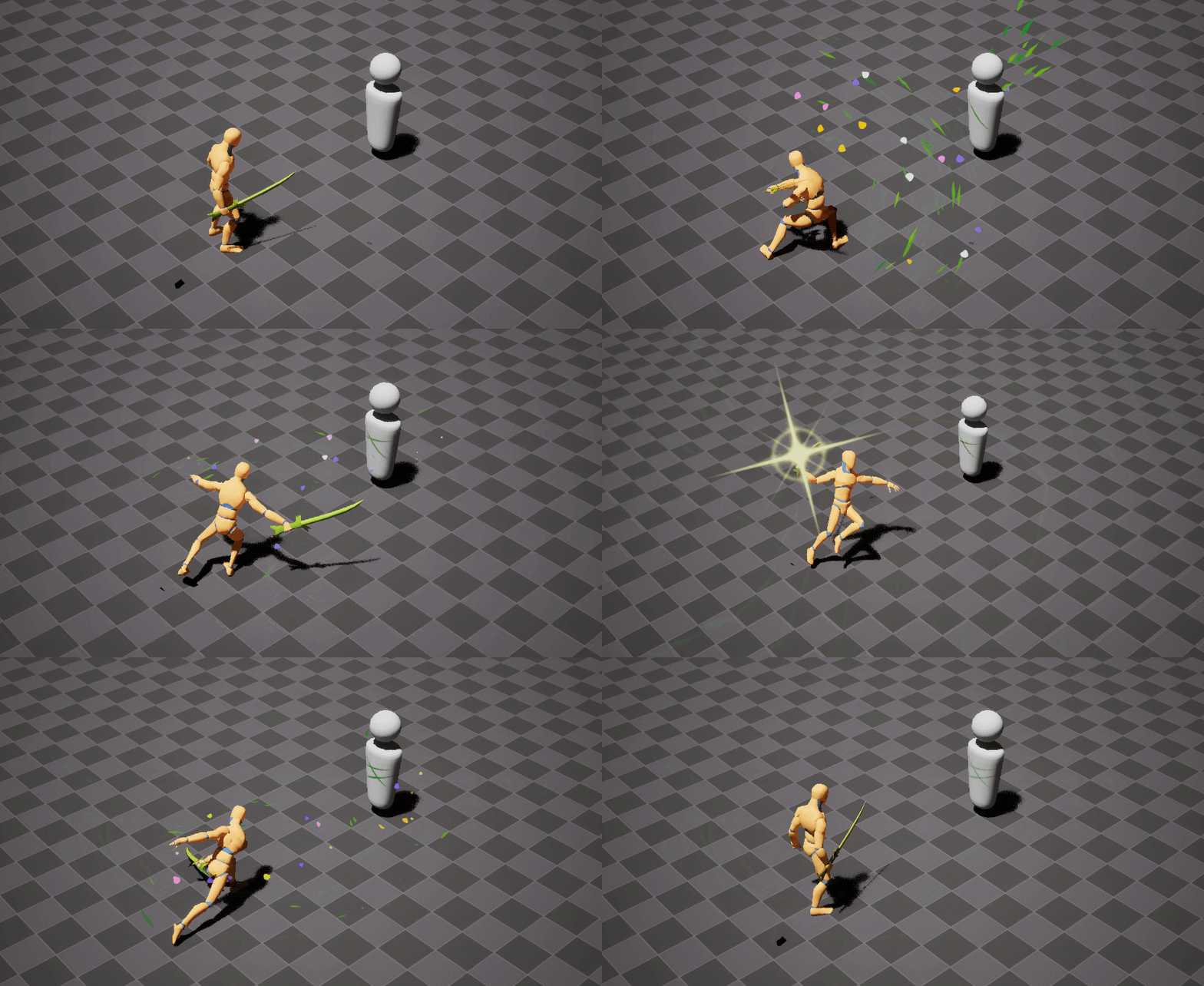
been lazy and not making much progress but managed to do some. i pretty much followed through with my original idea for the last attack. it does feel a little lazy and uninspired but i also felt like the animation i chose doesn’t give me a lot to work with in the first place so oh well! i edited it a bit to at least give it more drama.
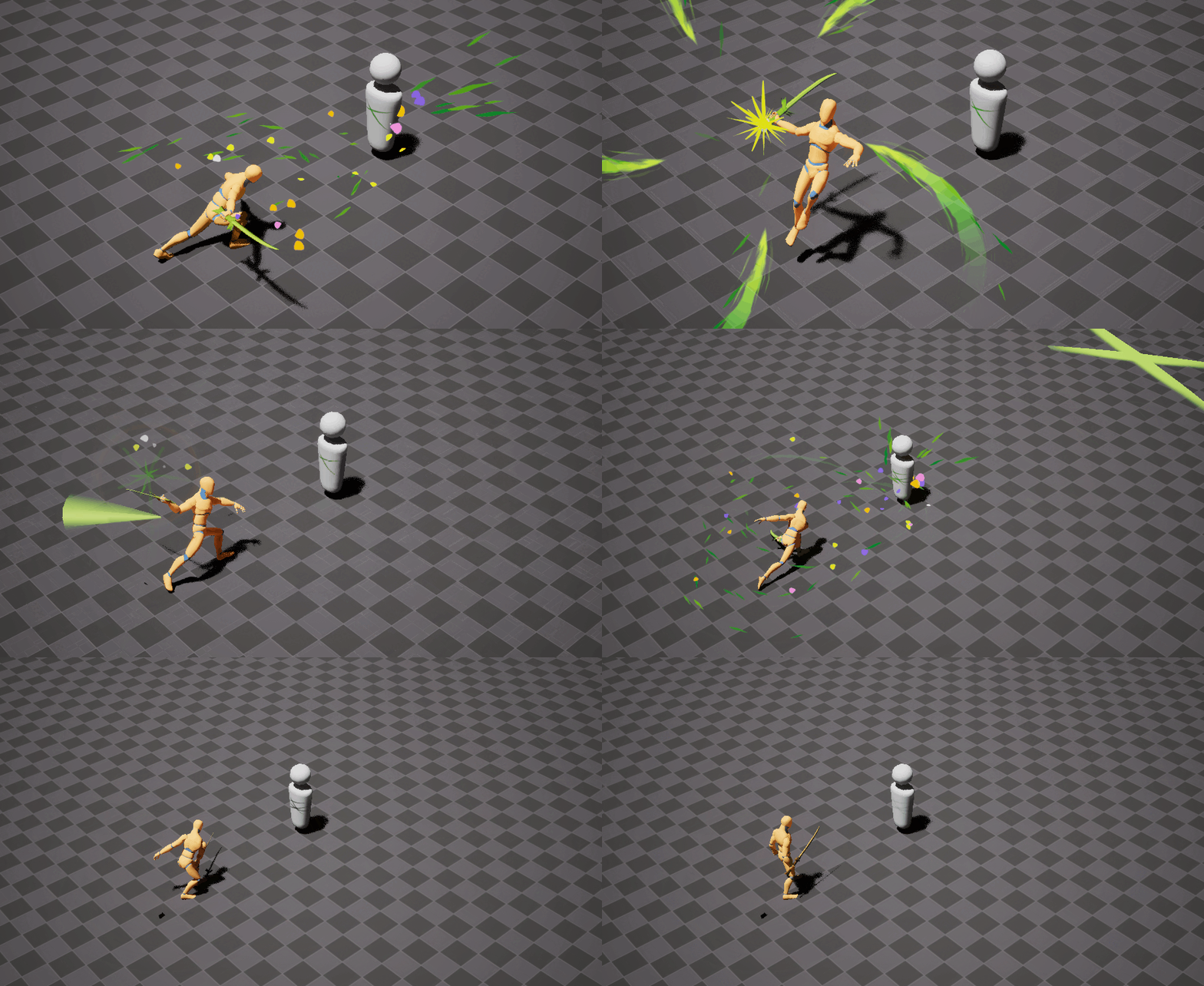
im pretty happy with how the charge turned out! although i sort of built it weird and ended up spending way too much time needlessly overengineering it.
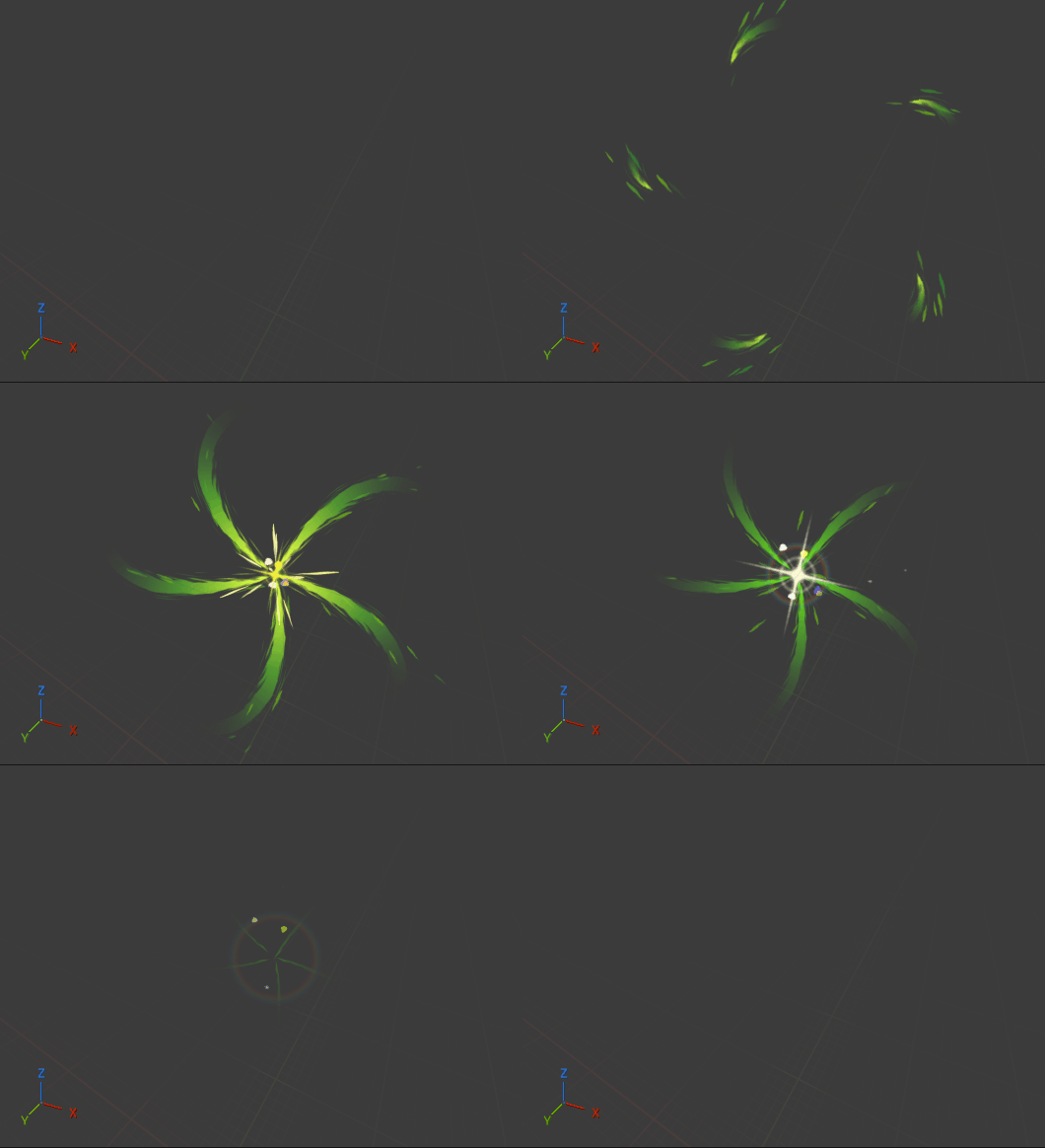
i used ribbons following invisible sprites which were animated using the rotate around point module so i could more freely adjust their position and curvature as well as evenly distribute them. however, that module only writes the points’ positions, and so they have no velocity, which was an issue when i wanted to add little grass particles following the curvature of the trail. also for some reason i had decided to make the trail points rotate around the camera’s forward vector, even though the camera is in a fixed position… but at least it’ll be useful if i ever want to capture another angle!
i think im getting close to the finish line with this, so i’ll do my best to stay motivated and keep chugging along these next couple days!
been keeping the ball rolling and im just abt there! i added a good bit of polish and most importantly changed the sword beam to a tornado which makes more sense thematically with what im going for and because i already use subtle wind elements (which might need to be reinforced) and curl noise forces. here’s what i have now:
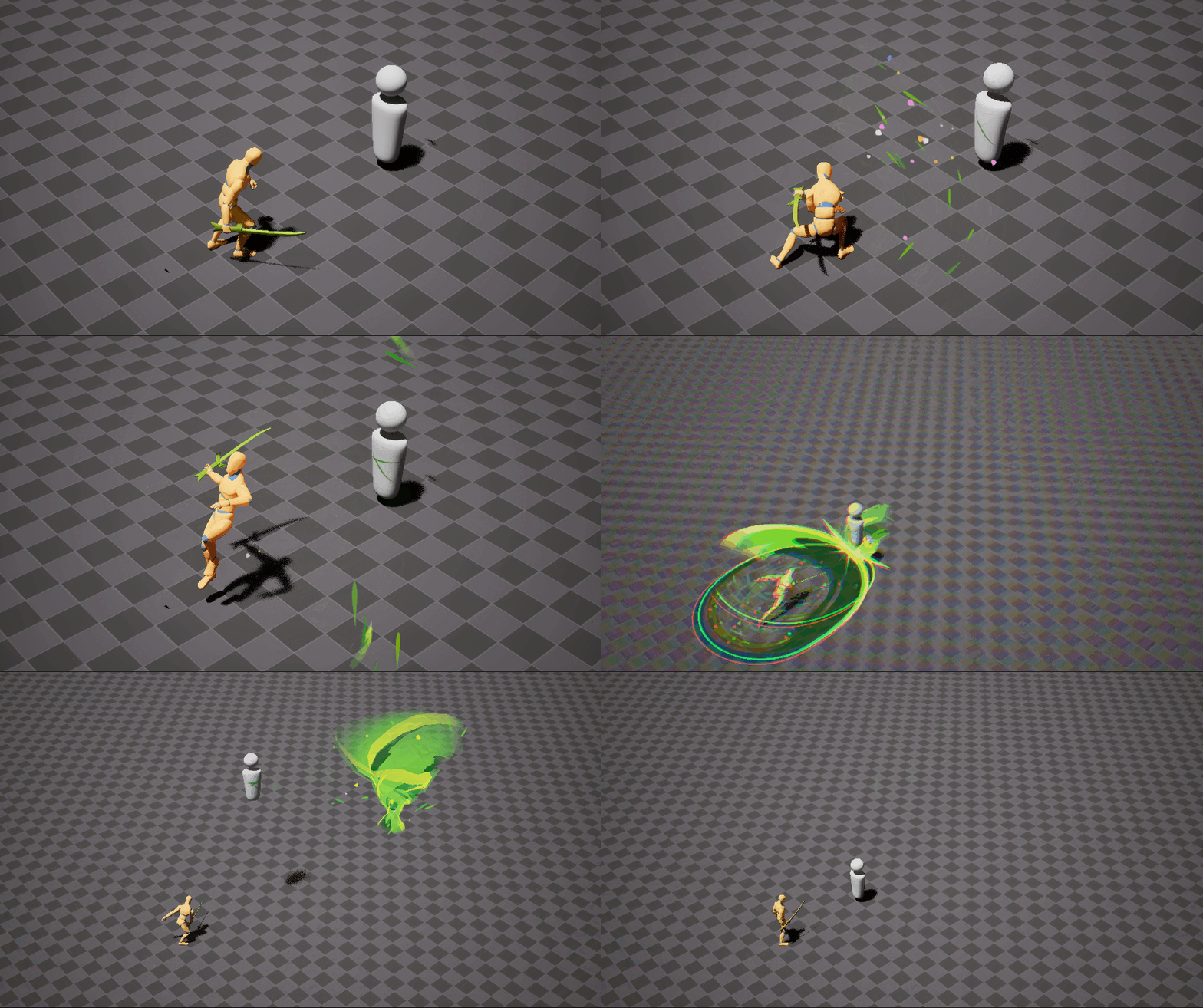
i don’t think there’s much left to do. i do think the tornado doesn’t feel very grounded so i want to add a dark grass patch trail following it. the hard shadows have also been bothering me for some time, and i think the dummy could get a little bit more airtime, but please feel free to leave any other feedback or suggestions!! whether it be in the textures, timing, or presentation, i want to make this as good as possible before i grow tired of looking at it, and i have no doubt that i’ve become blind to some things at this point.
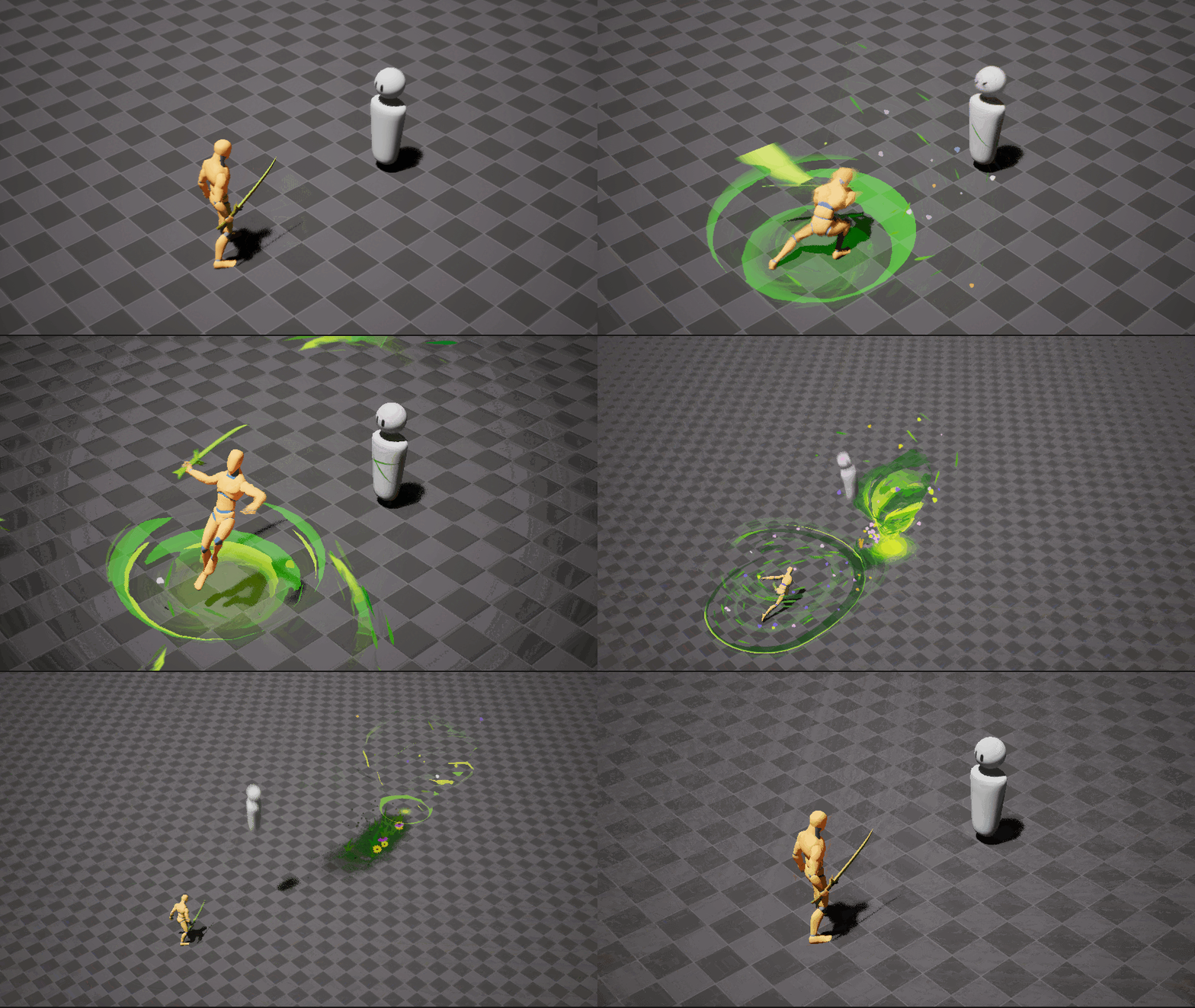
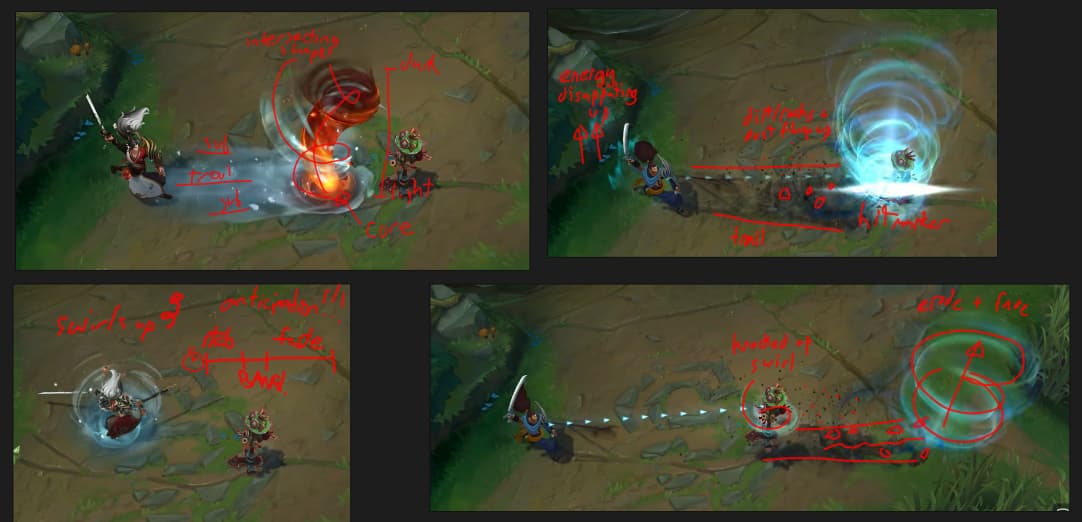
finally digging my teeth into this again !! i got some valuable feedback from friends, and it made it a lot more obvious to me how much work the tornado still needed, something i was aware of but was too fatigued to acknowledge lol … i also got some notes that maybe the tornado needs better hints of anticipation, like an energy buildup beyond just the “charge” and so i looked towards league of legends’ yasuo, who i also realized was likely subconsciously my muse this whole time.
i took a couple pointers from his Q3, paying special attention to the values of the tornado and how the core contrasts with the trail. before, my tornado had no focus, and so i honed in the values to make sure that the eye was drawn towards the bottom and to make it clear where the supposed hitbox would be. u can also prob tell where i got the buildup of energy around the player from  i do think it takes away from the slashes though, so i may reel it further back so that it’s a little more subtle.
i also wanted to improve the dissipation since a tornado is more than just wind, but a vortex of energy that eventually breaks apart. i really like how it looks now that there’s that moment of drama !
my next and hopefully last big change will be how the dummy gets knocked up. i plan to either leave it as is but provide extra gameplay feedback for the dummy’s cc’d state, or i might just have fun w it and make the dummy be taken away w the tornado and flung off screen !
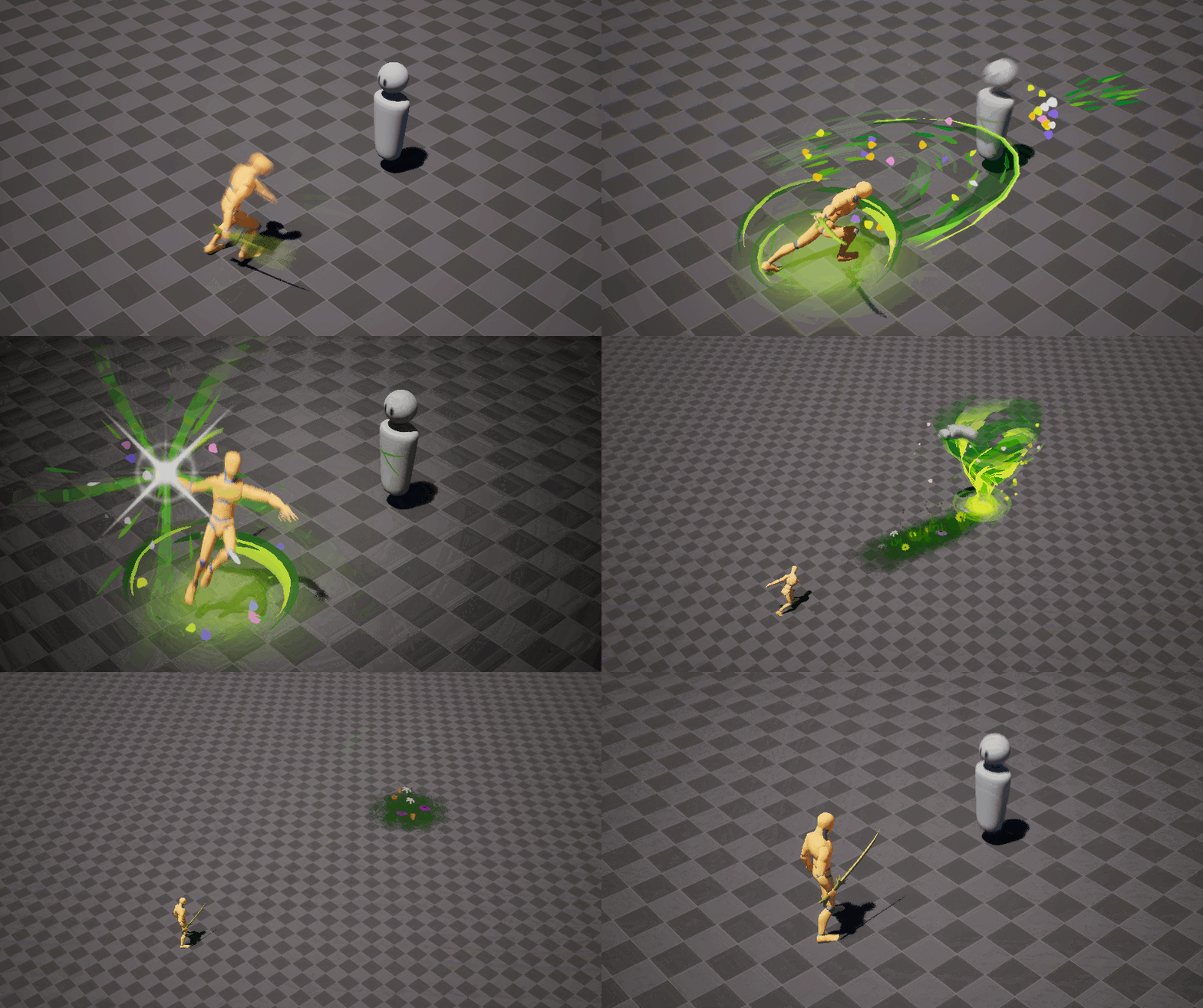
i almost thought i’d never finish this lol but here it is !! if you’d like to see it in better quality along with a full breakdown of each emitter i’ve included those in my artstation post.
for this effect, my main inspiration was pixel artist sun’s flower slashes effect, and onetupthree’s wonderful breakdown of a stylized slash effect was my bible. klaus’ fire slash effect was also a very helpful reference, and of course i couldn’t have done it without mr yasuo league of legends himself !
Good progress!
One thing that I think would improve the visual feel a bit would be:
When the slash effects happen and little flowers spawn - see if you can give them a bit more variation in their velocity and lifetime. It would be very nice if some of them moved a bit faster and some of them lingered a little longer after the slash. It always feels a bit odd when too many different elements die out too close to eachtime time wise.
i was trying my best to avoid too much visual clutter but ur absolutely right. even though they’re secondary elements that would surely give them more interest and variation. thank u for pointing that out !
im back and working on the next thing! just got a blockout more or less. i’ve had this clip from gachiakuta sitting around in my inspo playlist, and so i thought creating an effect for a nail gun would be fun. also taking inspiration from locke’s Q ability in league of legends.
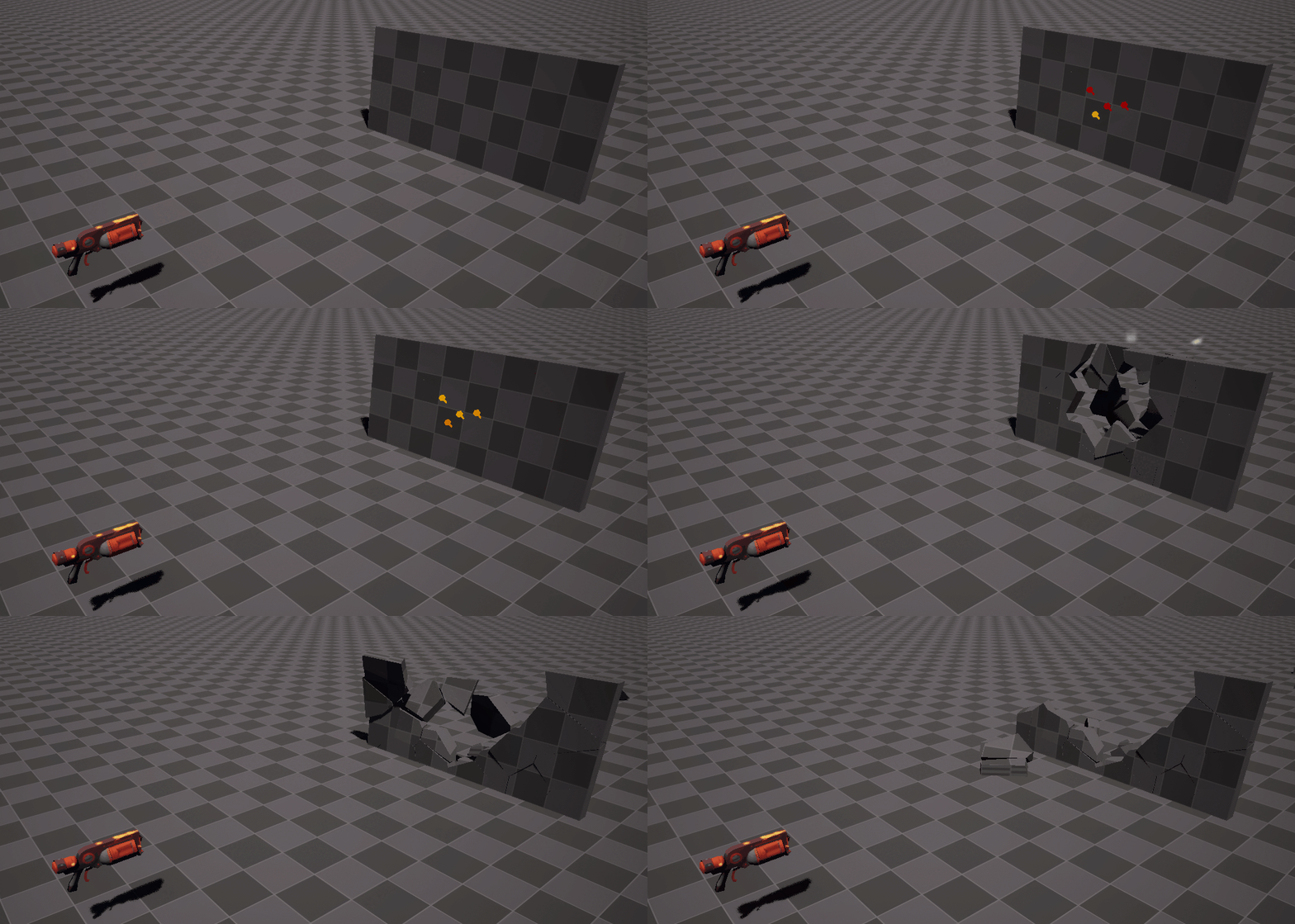
similar to my last effect, i wanna give it some sort of finale and what better way than a big explosion! also a good excuse to learn a bit of unreal’s chaos system. ^-^
my focus with this will be the texturework, so i’ll be handpainting as much as i can and taking the time to make sure that all my textures have depth and interest. as always, any feedback is appreciated at anytime!
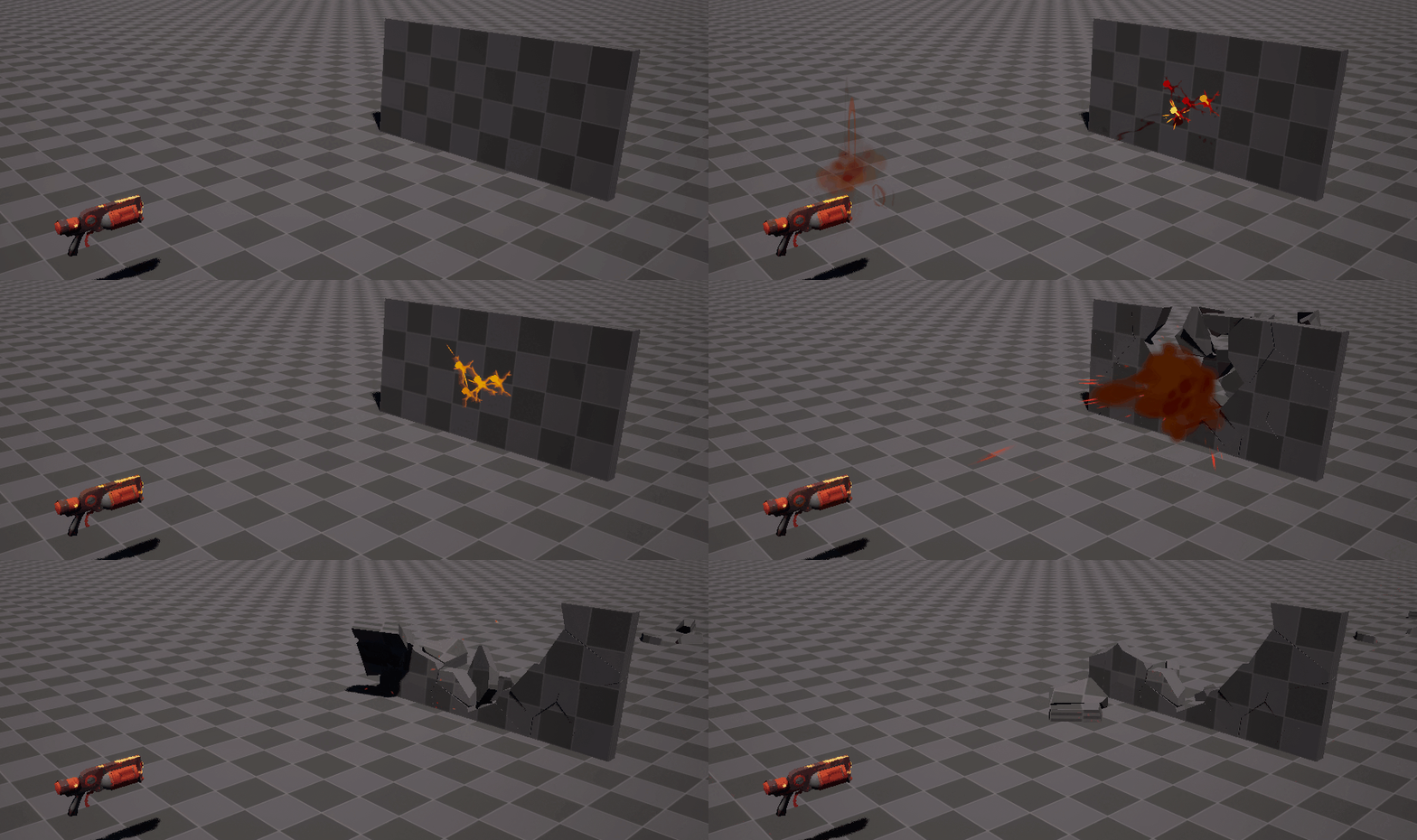
making steady progress! im getting close to the polishing + presentation stage, but i think some work still needs to be done, particularly on the projectile and the explosion. the projectile i’ve been meaning to revisit since it fails to read as a nail, and i want to emphasize that a lot more! i’m thinking i’ll need to exaggerate the shape and rework the values to make it more legible.
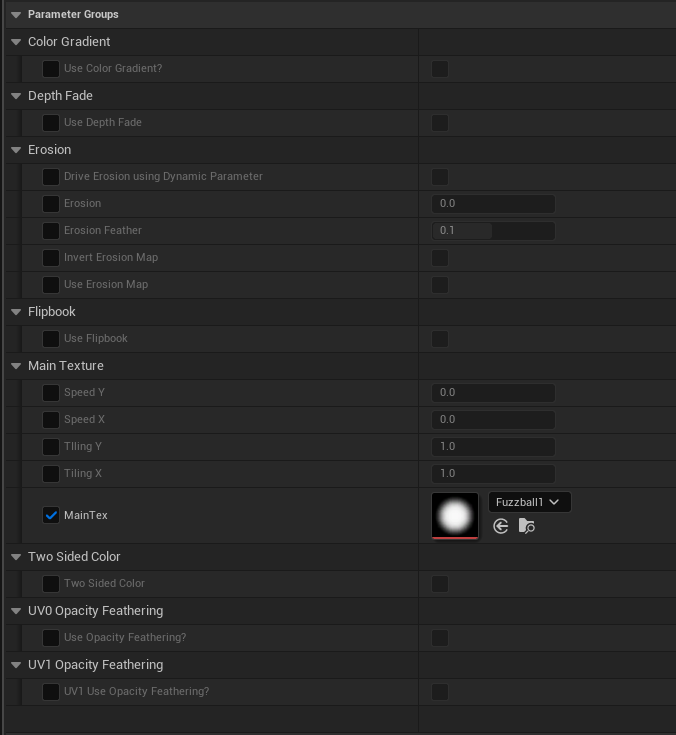
i’ve also been making an effort to centralize my assets in one place instead of having them scattered throughout different projects as well as create master materials that i’ll be able to use in most cases. i can already tell it’s been drastically increasing my efficiency, and it rly makes me wish i did it sooner…
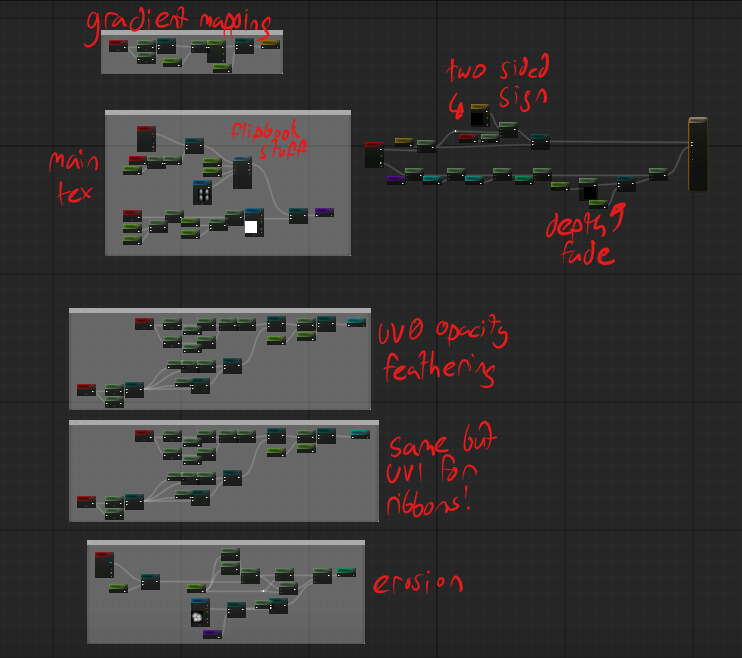
here’s a look at that material graph in case anyone’s curious! lots of switches and parameters that i’ve been adding as i’ve needed them. suuuuper helpful for quick iteration. of course it’s still missing a lot of stuff like distortion, channel picking, wpo, fresnel, etc but those will be added eventuallyyyy! i’ll have to reorganize it to look presentable for my portfolio too but that’s another problem for later me xp
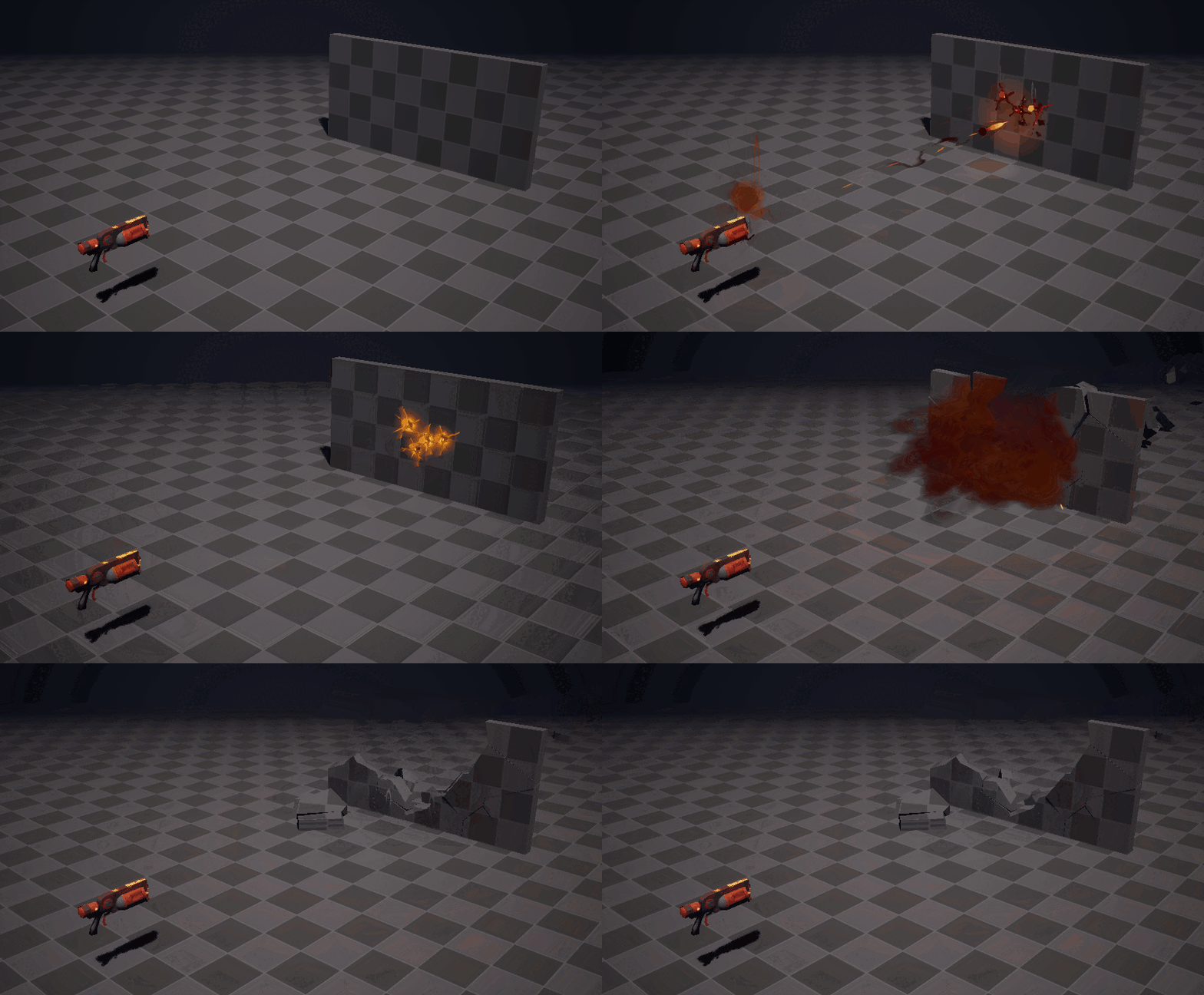
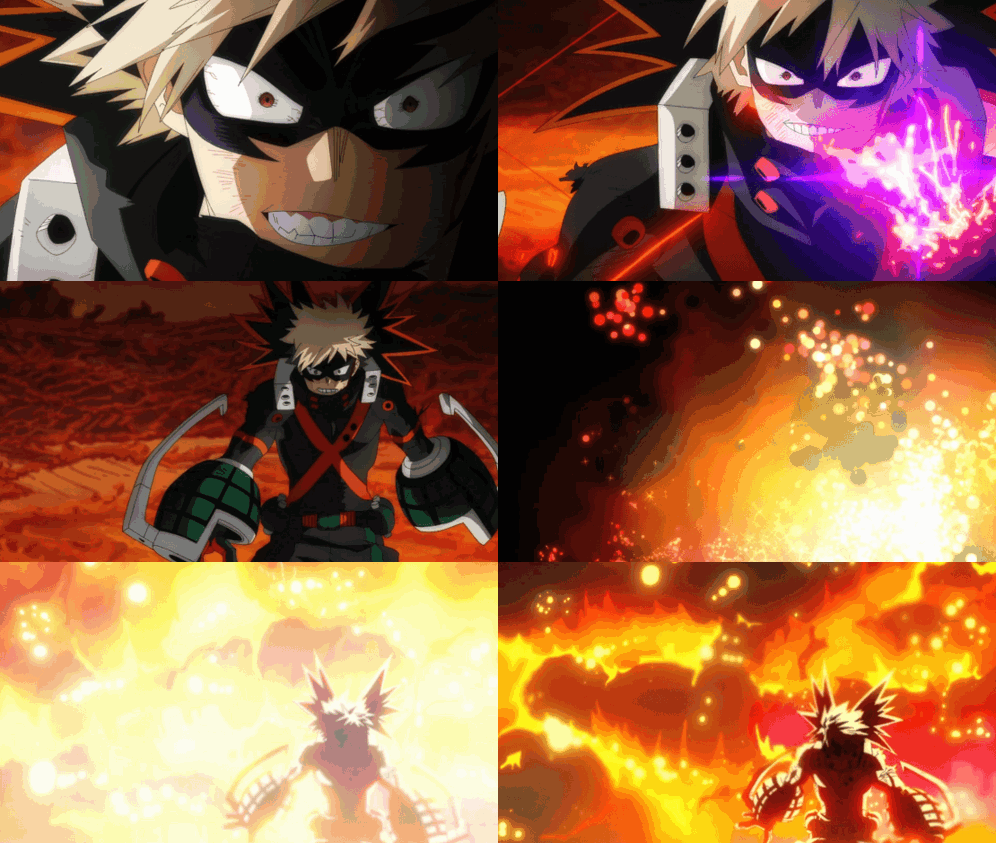
made a lot of progress in the past couple days! mainly been polishing + adding randomness to any emitter that gets repeated so i can give everything as much life as i can. each nail has a slight delay to them, so i decided that the explosions should reflect that. i was worried i’d have to tweak it a lot after duplicating it 3 more times, but it actually turned out way better than i expected! i didn’t mean to, but the sporadicness of it feels a bit like bakugo’s explosions in my hero academia.
today i focused on camera work, post process, and also adding distortion, smoke, and lights to try to make everything feel like a real part of the scene. beyond that i don’t rly have a whole lot to say, it’s mostly just been a lot of boring tedious work but i can tell it’s been paying off! one thing i did realize i forgot to do was refining the shape of the projectile, so that will definitely be my next step.
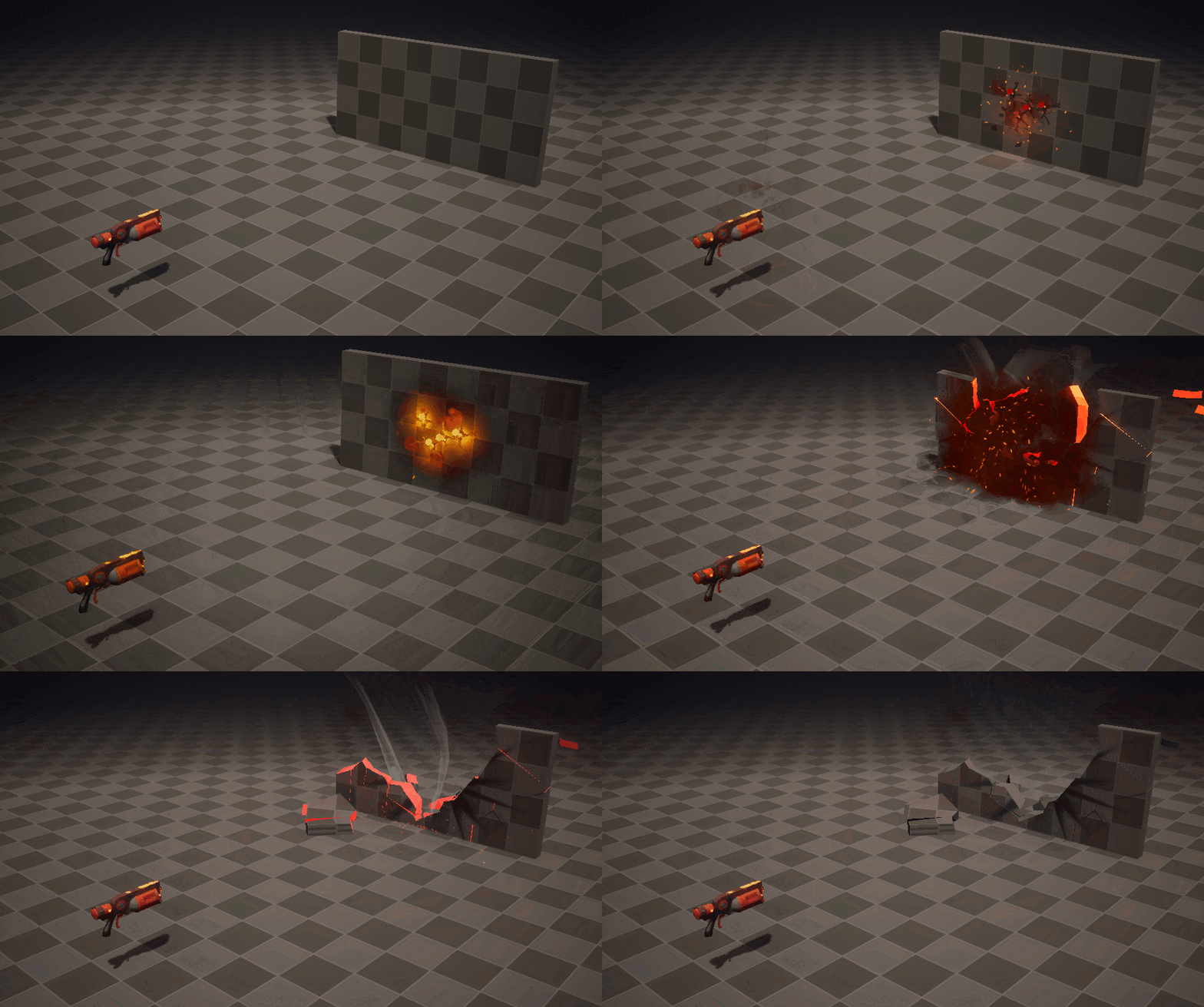
aaaand it’s done! i’ve uploaded a full breakdown on my artstation if anyone is curious. i was about ready to be done with this a couple weeks ago, but i got a lot of really great critique and it made me realize there was still a lot of polish needed. im definitely a lot happier with it now!
i got a lot of great feedback, mostly specific nitpicky things, but some general notes that i found most helpful were:
- keep shapes consistent (hard vs soft) especially when blending transitions
- high values draw interest! this is a fundamental concept, but it’s easy to forget when making bright flashy effects that ur goal is not just to make things pretty but to also draw the eye.
- avoid popcorning! that is, any particle that isn’t a flash should either scale up or fade in first
- avoid pure black and pure white! similar to painting, these should be used extremely sparingly when they aren’t central to ur palette. u might notice that my flashes now only go to a pale yellow at the brightest.
- use alpha backers! these are dark, soft shapes (mine are almost all fuzzballs) that will outline any bright effects and make sure they are visible in any environment.
- and finally, if u add post-process effects, provide a version without them. while they make an effect feel great, someone looking at it might think that they’re being used as a crutch.
like last time, for this effect i was constantly referring back to onetupthree’s anatomy of a projectile. my main inspirations were gachiakuta and league of legends’ locke, and my main reference for the explosion were thermite and hibana from r6!