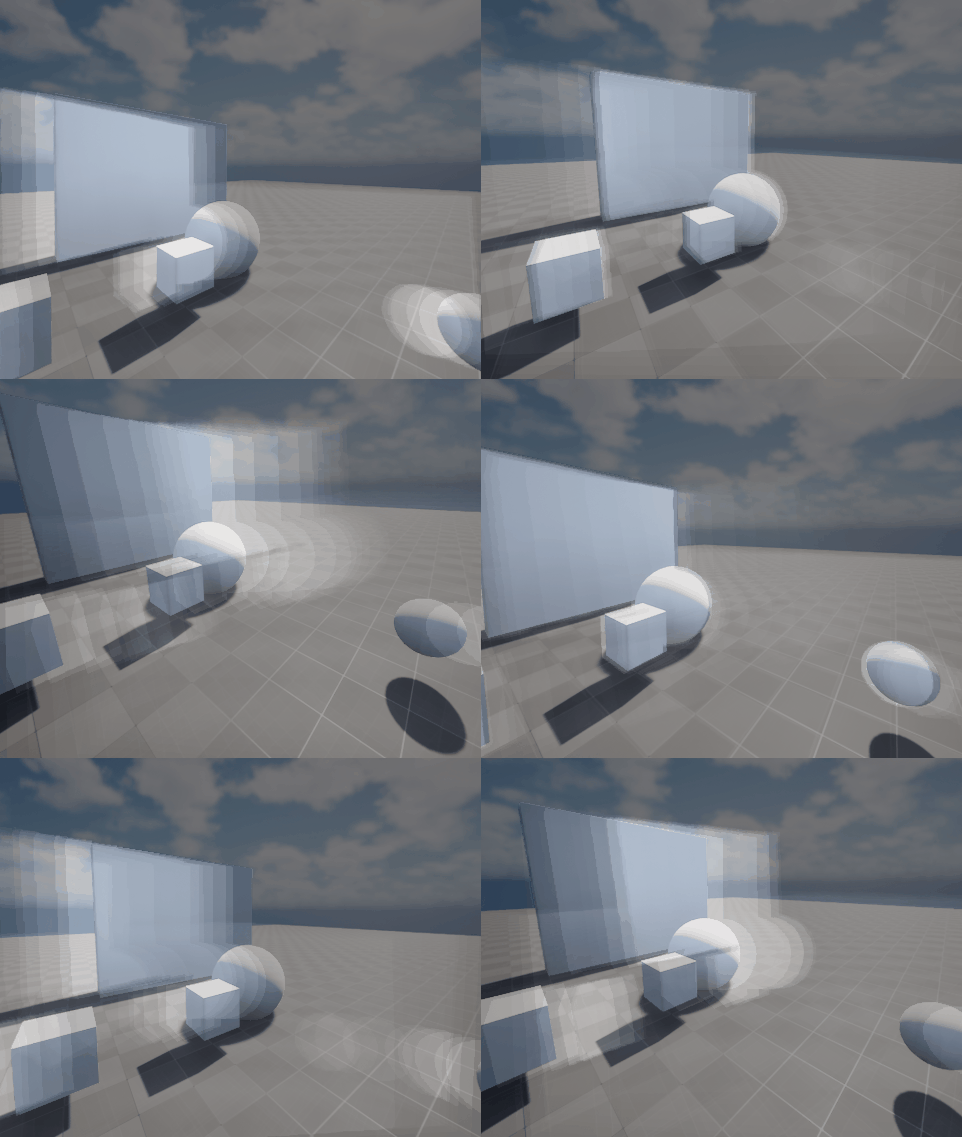
Gorgeous! Really getting that nice chromatic abberation feel of the Control fx. Would love some insight/breakdown on this 
So I tried the same thing, but I couldn’t do depth reprojection. I don’t know if the math is wrong or if what I intended as reprojection is different from what’s needed. I can capture the particles in the grid, their color, velocity, and depth. I maintain depth in a buffer for several frames, but the transformation part… I can’t get it to work. Do I have to transform the buffer depth to world position and then transform it to screen position?
I just dont get how to do the reprojection. Even saving depth how do you calculate motion vectors for the buffer? There is no camera projection matrix on the material editor nor support for 4x4 matrices (not even in BP).
What am I missing?
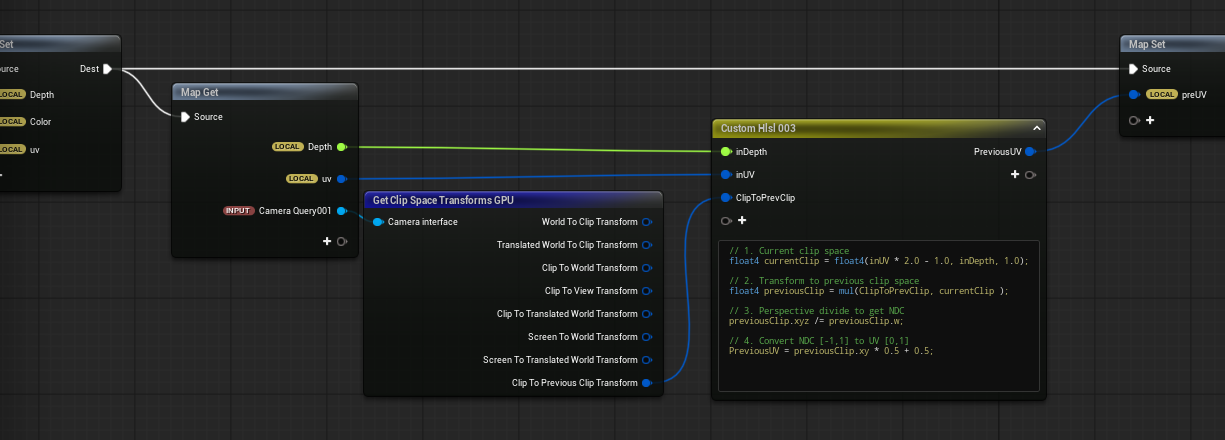
There isnt a premade function, you have to do it yourself. But its not that hard. Subtracting current abd orevious screenspace positions which you need to recreate from depth. Only premade function you can use is Previous Clip Position matrix from camera.j
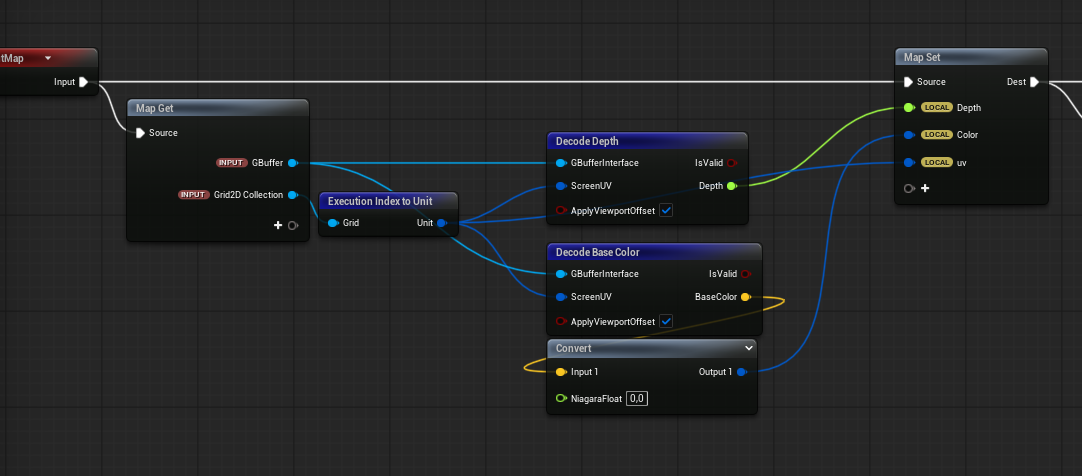
So, first off, I did everything in Niagara using simulation stages and Grid2D. Via BP i only did selection of relevant objects and setting custom depth.
Objects you want to generate hiss, they need to have custom depth. Save that depth and accumulate it each frame so it creates a trail. That is your depth which is only ‘virtual’. Engine rendering doesnt have a clue about it. Thats why you need to do the reprojection yourself. From that depth recreate World positions, for current and orevious frame ( Clip and Previous clip matrixes being your gateway to the previous frame) then transfer those clips in to screenspace. Subtracting them you get a motion vector.
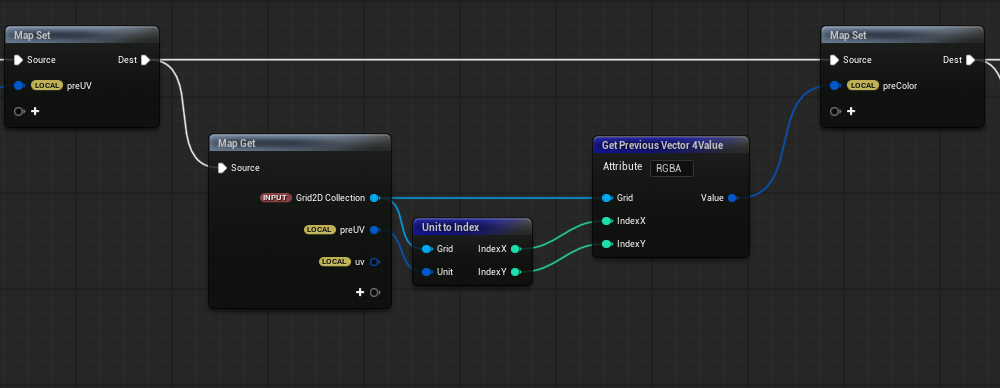
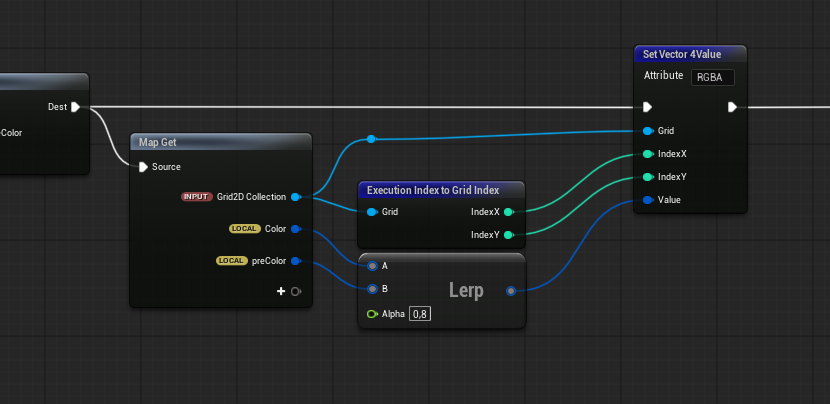
Use that motion vector to UV distort all the passes you need (color, opacity, depth etc)
Hope this helps
2 Likes
Did I understand correctly? I’m distorting the UVs with the result of the operation, and the result doesn’t look anything like the reprojection you showed.
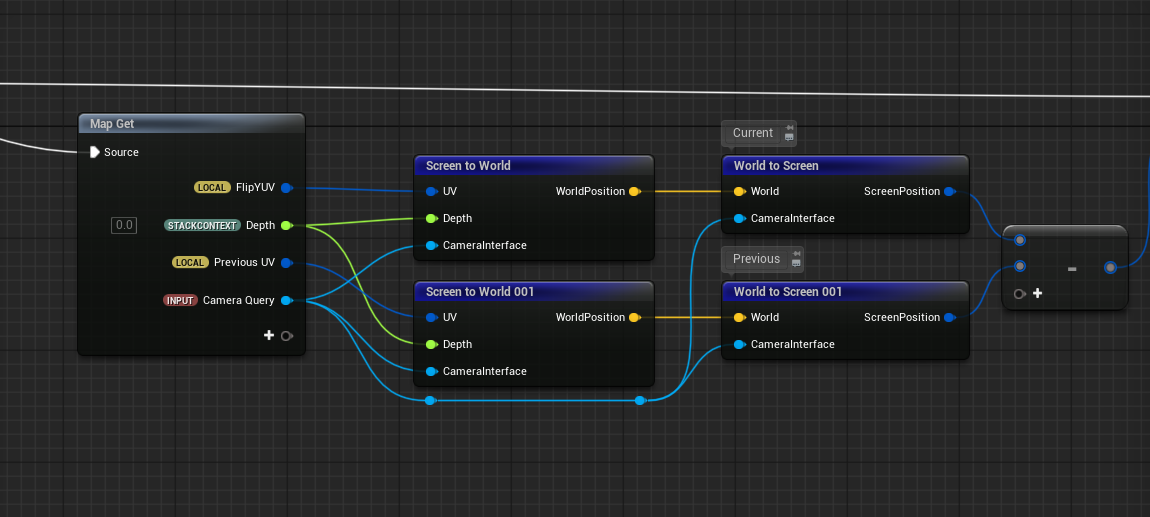
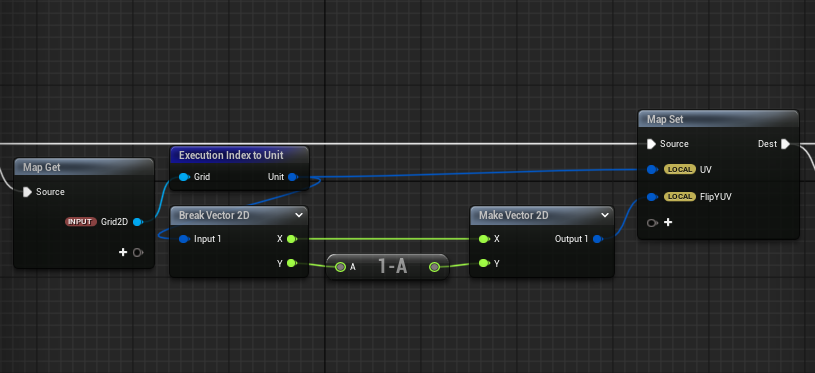
Please show how did you get Depth and those UVs. Its essential that you get those correct
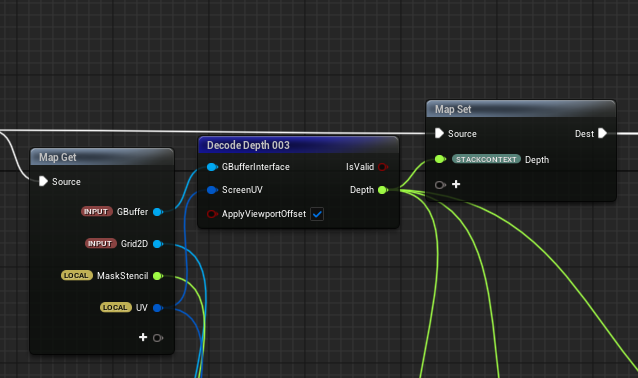
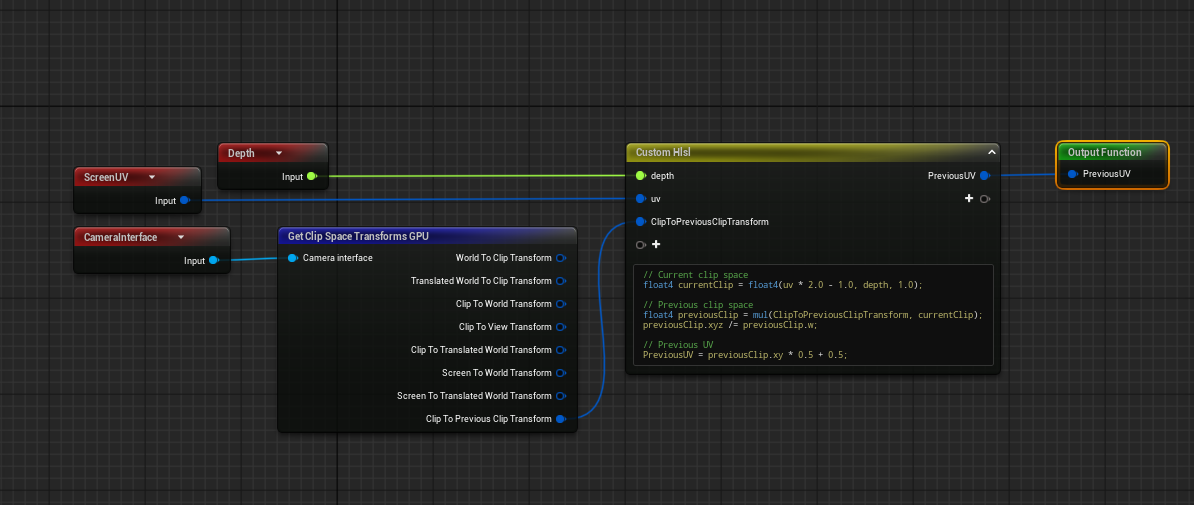
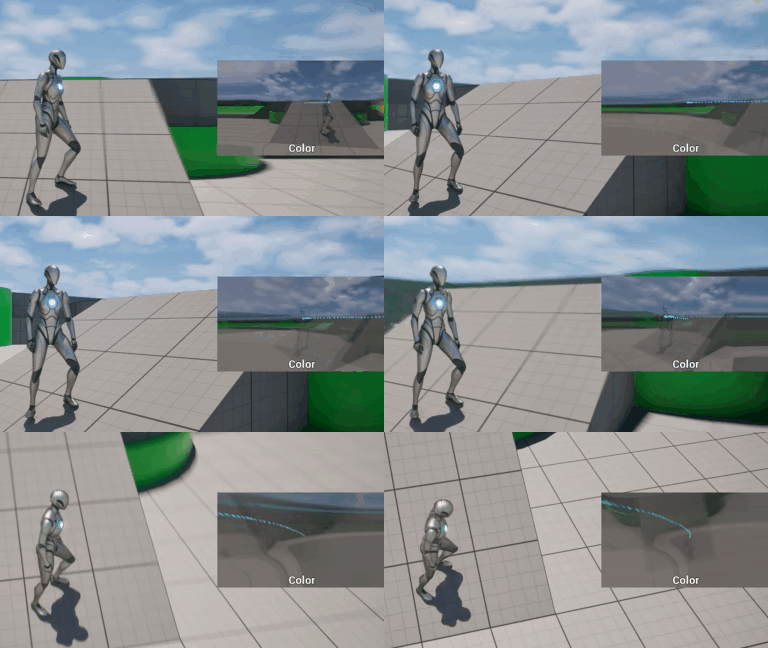
Ok, if you are just using scene depth, it looks like its doing the right thing? I guess…
Try it now with depth created from relevant particles, objects or whatever.
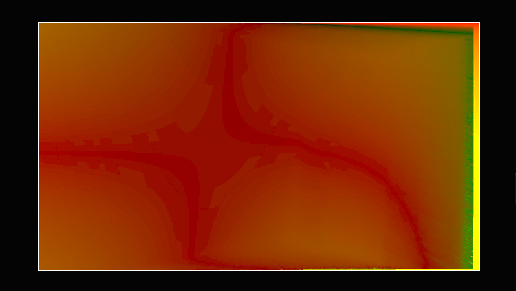
Hi, I took a while to reply because I made some more changes to make it easier to visualize, in addition to replaying the demo you made. The two things I noticed that are wrong are how to create the virtual depth buffer and the velocity buffer. In particular, the velocity buffer only gives a value other than zero when I rotate the camera, and there’s no differentiation of values based on depth, even with just the default depth provided by the engine.

My velocity when rotate the camera
If you prefer, I’m on the RealTime VFX Discord server so we can chat more immediately.
Just to add my two cents, I am moving the logic to Niagara right now to try the suggestions, but I was working entirely on PP material.
The ClipToPreviousClipTransform doesnt seem to work :
//Current clip space
float4 currentClip = float4(inUV * 2.0 -1.0, inDepth, 1);

//Previous clip space
float4 previousClip = mul(ClipToPrevClip, currentClip);
previousClip.xyz /= previousClip.w;


//Previous UV
PreviousUV = previousClip.xy * 0.5 + 0.5;
Ill keep digging into it. Im not sure at this point but for debugging Im sampling the previous color with the transformed old UVs. As far as I know colors should remain “in place” but its not the case and looks like it doesnt take into account camera translation.
I think thats the simplest debug method but Im all ears, first time doing this.