I’m the author of this. I wanted a painted edge that is thickest in the centre of a bevel, like a brush stroke, without baking a curvature map or needing UVs. Sharing how it works in case it is useful, and I’d like to hear how you handle this.
Why not curvature
A baked curvature map means UVs, a bake per mesh and a re-export every time you change your mind. Screen-space curvature is cheap, but on a round bevel the value is the same all the way across: a flat plateau with nothing to fade.
The trick
Read the vertex normal in object space, take the absolute value of its three components and keep the middle one (the median).
| Where | abs(normal) | Median |
|---|---|---|
| Flat face | 1, 0, 0 | 0 |
| Centre of a 45° edge | 0.71, 0.71, 0 | 0.71 |
| Corner of a cube | 0.58, 0.58, 0.58 | 0.58 |
Divide by 0.71 and you get a ramp from 0 on the faces to 1 in the centre of every edge. So the paint fills the middle and fades outwards. Being object space, it also works on rotated and moving actors.
From ramp to painted band
- Width and softness: compare the ramp with a threshold (1 - Edge Width), and a softness value sets the fade.
- Wear: a 3D noise from world position moves the threshold up and down. The threshold is capped and the crest of the ramp is always 1, so wear changes the band width but never leaves gaps in the line.
- Real-edge gate: the ramp is also high on any sloped flat face (a roof, for example). To keep those clean I measure how fast the ramp changes per cm of surface: fast on a real bevel, almost zero on a flat slope.
- Anti-flicker: keep the softness at least about one pixel wide. If a band would be thinner than a pixel, fade it out instead of leaving a 1 px line that dances with TSR/TAA jitter.
Limits (honest list)
- The mesh needs a bevel (1 or 2 segments) or smooth normals on the edges you want painted. Hard edges with split normals have nothing to paint, so the shader fades them out.
- Uniform actor scale only; non-uniform scale stretches the object-space normal.
- Not compatible with the Path Tracer, because the gate and anti-flicker use screen-space derivatives.
- Cost: about 350 pixel-shader instructions in UE 5.5 (SM6) for the full example material with standard lighting. No texture samples for the effect, Opaque + Default Lit.
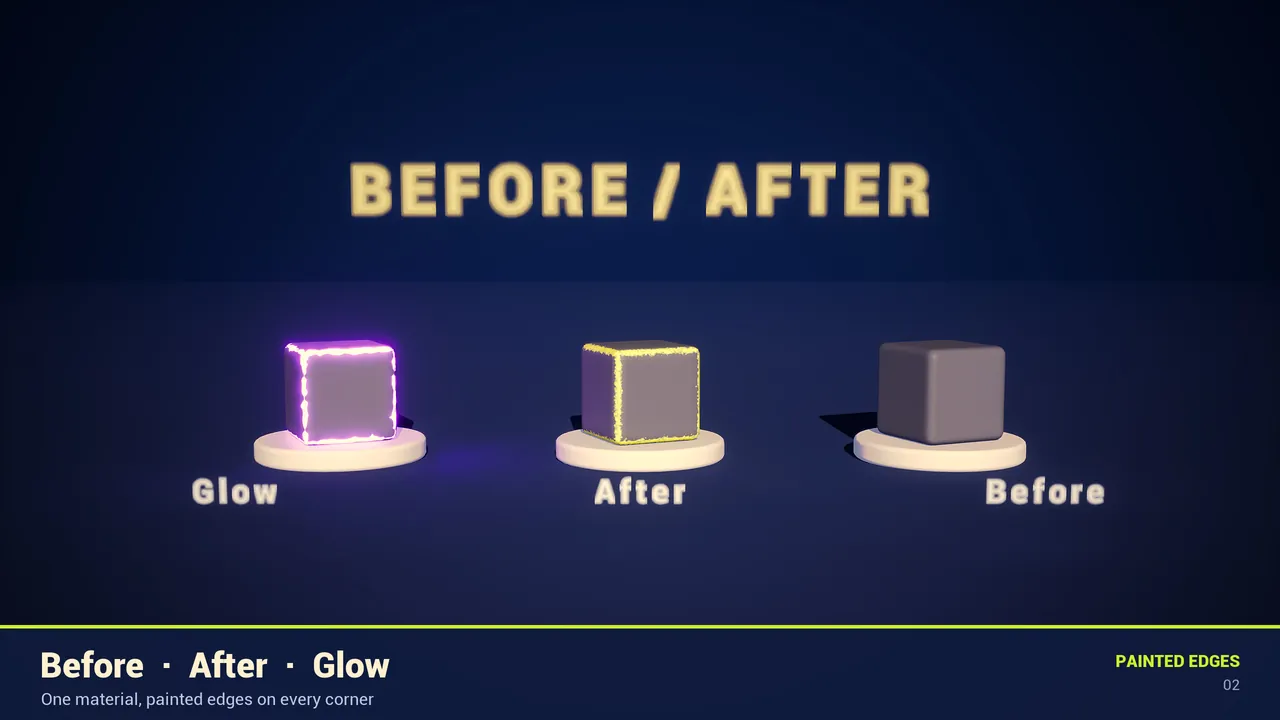
If you want to inspect the graph, I packaged it as a free Material Function on Fab (tested on UE 5.5 and 5.8): Painted Edges Shader | Fab
Longer written version with the settings recipes: Hand-Painted Edge Wear in UE5 Without Baking | RafaSC
Question for you: how do you deal with edge wear on meshes that have hard edges and no bevel? I currently just fade those out, and I’m curious whether anyone has a cleaner trick than faking the bevel in the normal.